-
- No Comments
- November 23, 2026

Facebook Lead Ads for Roofing and Home Service Companies: How to Get Leads Who Actually Pick Up
Ask any roofing or fencing contractor about Facebook ads and you will usually hear one of two stories. Either the ads “bring in nothing,” or they bring in plenty of names and phone numbers, but half of those people never answer, don’t remember filling out a form, or live three counties outside the service area.
Both problems are fixable. The difference between a lead ad campaign that fills a crew’s calendar and one that burns budget usually comes down to a handful of setup choices, the creative, and what happens in the first few minutes after someone submits the form. This guide walks through each of those, written for owners and marketers of home service businesses: roofing, fencing, siding, gutters, HVAC, landscaping, pest control and similar trades.
Why Lead Ads Suit Home Service Businesses
Homeowners rarely wake up planning to buy a roof. They notice a stain on the ceiling, a sagging fence panel or a storm-damaged gutter, and they want a quote without much effort. Lead ads match that mood. The person taps the ad, a short form opens inside Facebook or Instagram with their name, email and phone number already filled in, and they can request an inspection in a few seconds without loading a website.
That convenience is also the catch. A form that is easy to submit is easy to submit by accident, or out of idle curiosity. So the goal is not “more leads.” The goal is leads who pick up the phone, live in your area and actually need the work. Everything below is aimed at that.
Step 1: Choose the Right Campaign Setup
In Meta Ads Manager, lead campaigns start with the Leads objective. Meta now applies its automated Advantage+ settings to leads campaigns by default, which means much of the audience targeting and placement work is handed to Meta’s system. That is not a bad thing for most local businesses, but it makes your other inputs (location, form, creative and lead feedback) more important, because those are the signals the system learns from.
Pick a conversion location
Inside the campaign you decide where the lead is captured. The options most relevant to contractors are:
- Instant forms: the form opens inside Facebook or Instagram. Lowest friction, usually the highest volume, no website needed.
- Website: people go to your landing page. Fewer leads as a rule, but each person has seen more about you before submitting. This needs the Meta Pixel tracking a lead event.
- Website and instant forms: one campaign, and Meta decides per person whether to show the in-app form or send them to your site.
- Calls: the ad encourages a direct phone call. Only worth choosing if someone reliably answers during the hours the ads run.
For a new account with no landing page, start with instant forms. If you already have a fast, clear landing page with reviews and project photos, test the combined website-and-forms option against forms alone.
Get the location right
This sounds obvious, yet it is one of the most common leaks. Target the cities or postcodes you genuinely serve, not a wide radius around the office. If your crew won’t drive 60 miles for a gutter repair, don’t pay to show ads to people 60 miles away. And repeat the service area in the ad copy and the form itself so people outside it filter themselves out.
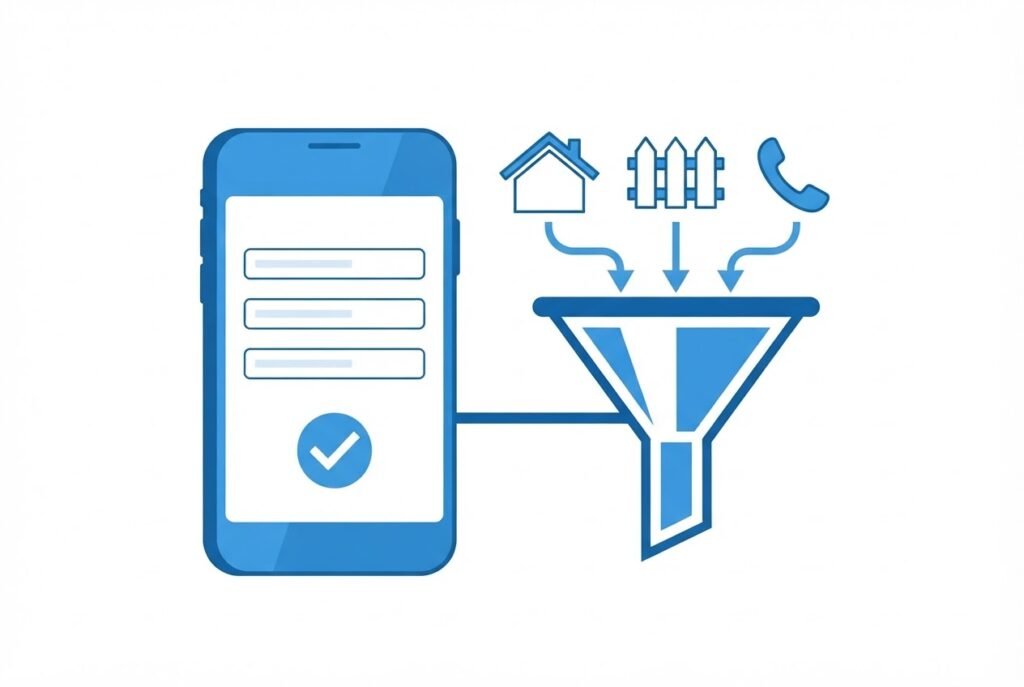
Step 2: Build an Instant Form That Filters
The form is where lead quality is won or lost. Meta offers three form types:
- More volume (the default): quick to fill in and submit.
- Higher intent: adds a review screen where the person confirms their details before sending. Meta only delivers these forms in the Facebook and Instagram feeds on mobile, not on desktop.
- Rich creative: lets you add images, colours and extra text so the form carries more of your pitch.
If a person on your team phones every lead, which is the case for nearly every contractor, start with Higher intent. The extra confirmation tap removes many of the accidental submissions and wrong numbers that make sales staff hate Facebook leads. Depending on what your account shows, you may also find options to turn off autofill or verify the phone number by SMS. Both add friction on purpose, and both are worth testing if junk leads are your main complaint.
Ask questions that qualify, not questions that annoy
A form can hold up to 15 custom questions, but a contractor rarely needs more than three or four. Good qualifying questions are quick to answer and tell your team who to call first:
- “Do you own the home?” (Yes / No / I’m a property manager)
- “What do you need?” (Full replacement / Repair / Storm damage inspection / Not sure yet)
- “When are you hoping to start?” (As soon as possible / Within 1–3 months / Just researching)
- “What’s your ZIP code?” (short answer)
Multiple-choice answers work better than open text boxes on a phone. Notice that “Just researching” is a legitimate answer. You want those people to say so, so your team can prioritise the “as soon as possible” homeowners and follow up with researchers more gently.
Use the intro and thank-you screens
The intro screen should state plainly what happens next: “Request a free roof inspection. A local estimator will call you within the hour during business hours.” The thank-you screen should repeat that promise and offer a button to call you directly. Setting the expectation of a phone call is one of the simplest ways to raise answer rates, because people are expecting you when the phone rings.
Step 3: Creative That Looks Like the Neighbourhood
Polished stock photos of perfect houses tend to blend into the feed. What stops a homeowner scrolling is something that looks real and local: a crew tearing off old shingles, a before-and-after of a sagging fence, an owner on a ladder explaining what hail damage looks like. Short, phone-shot vertical video is often the strongest format here, which is why many contractors now lean on UGC-style ads. Our guide to UGC ads for Facebook and Instagram covers how to plan and brief that kind of content.
A simple structure for a 20–40 second home service video ad:
- Hook (first 2–3 seconds): a visual problem plus a direct line. “If your ceiling looks like this after the last storm, watch this.”
- Proof: real job footage, a quick before-and-after, or a short customer comment.
- Offer: what they get by tapping. A free inspection, a same-week quote, a written estimate with photos.
- Call to action: “Tap ‘Get quote’ and pick a time. We serve [city names].”
The editing matters as much as the filming: tight cuts, captions for sound-off viewing, and a hook that shows the problem immediately. We break this down further in how to edit short-form video ads that convert.
Run at least three or four genuinely different creatives at once, for example a crew-at-work video, an owner-to-camera explainer, a before-and-after carousel and a customer testimonial. Different homeowners respond to different angles, and the system needs variety to find them.
Step 4: Speed to Lead Is Where Most Money Is Lost
Here is the uncomfortable truth: many “bad lead” complaints are really slow follow-up complaints. A homeowner who requested three quotes on Tuesday evening will usually book whoever calls first. If your leads sit in Meta’s Leads Center until someone checks it on Thursday, you are paying for leads your competitors close.
Practical ways to tighten this:
- Connect the form to your CRM or inbox so each lead arrives instantly as an email, SMS or task, rather than waiting to be downloaded.
- Send an automatic text straight away: “Thanks, [Name], this is [Company]. [Estimator] will call you shortly from this number.”
- Call, then call again. One attempt is not follow-up. Agree an internal rule, such as several attempts across the first few days at different times, plus a text after each missed call.
- Run ads only when someone can respond, or accept that evening leads get called first thing the next morning, before anything else.
Step 5: Teach Meta What a Good Lead Looks Like
By default, a leads campaign optimises for form submissions. Meta’s system will happily find people who submit forms, whether or not they ever become customers. The fix is to feed back what happens after the form.
Meta offers a conversion leads performance goal for this. You connect your CRM through the Conversions API and send back stages such as “contacted,” “inspection booked” and “job sold.” Over time the campaign learns to find more people who resemble the leads that turned into jobs, not just those who tap buttons. It takes some technical setup and a steady flow of leads before it pays off, so many businesses start with standard lead optimisation and move to conversion leads once their CRM stages are tracked properly.
Even without that integration, track the basics yourself in a spreadsheet: leads received, leads contacted, inspections booked, jobs sold, and the value of those jobs. Cost per lead on its own is a misleading number. A campaign with a higher cost per lead that books twice as many inspections is the better campaign.
A Practical Example: A Regional Fencing Company
Picture a fencing company serving five towns. Their first campaign used a More volume form, a stock photo of a white picket fence, and a 40-mile radius. The leads came in cheaply, but the office manager found that many numbers didn’t answer and several people were outside the service area.
The rebuilt campaign made five changes:
- Targeting limited to the five towns, which were also named in the ad copy.
- A Higher intent form with three questions: homeowner status, fence type and timeline.
- Three new videos: a time-lapse of a crew installing a fence, the owner explaining how to tell when posts are rotting, and a before-and-after of a backyard.
- An automatic text to every new lead, and a rule that every lead gets a call within the hour during business hours.
- A simple weekly sheet tracking booked estimates and sold jobs per ad.
The likely outcome of changes like these is fewer raw leads and a higher cost per lead, but more booked estimates and a sales team that trusts the leads again. That trade is almost always worth making, because the crew’s time and the estimator’s time are more expensive than the ad spend.
Lead Ads Work Better With a Strong Local Presence
Many homeowners who see your ad will search your company name before they answer an unknown number. If they find a well-reviewed Google Business Profile and a clear website, your answer rate goes up. If they find nothing, or a two-star profile with no photos, it goes down. Paid social and local search support each other, which is why we recommend working through a local SEO checklist for service businesses alongside any ad campaign. The same thinking applies across trades; our look at digital marketing for pest control companies shows how it plays out in a closely related service industry.
Quick Checklist Before You Launch
- Leads objective selected, with a conversion location that matches your setup.
- Location targeting limited to the areas you actually serve.
- Higher intent form type, with three or four multiple-choice qualifying questions.
- Intro and thank-you screens that promise a phone call and say when.
- Privacy policy link added to the form.
- At least three distinct creatives, with real job footage and captions.
- Leads flowing instantly to your CRM, email or phone, with an automatic text.
- A written follow-up rule: who calls, how fast and how many times.
- A tracking sheet for leads, contacts, booked inspections and sold jobs.
Frequently Asked Questions
Are instant forms or a landing page better for roofing leads?
Neither wins every time. Instant forms usually produce more leads at a lower cost; landing pages usually produce fewer leads who have seen more about you. If you have a good landing page, test both, or use Meta’s combined website-and-forms option and compare booked inspections, not just lead counts.
How much should a contractor spend on Facebook lead ads?
It depends on your market, average job value and how many new jobs your crews can handle. Work backwards: decide how many booked inspections you need each month, track your real cost per booked inspection over the first few weeks, then scale the budget only as fast as your team can follow up properly.
Why do so many Facebook leads not answer the phone?
The usual causes are a form that is too easy to submit by accident, an ad that doesn’t make clear a call will follow, and slow follow-up. A Higher intent form, a clear “we’ll call you” message and contact within minutes address all three.
Do I need professional video for these ads?
Not expensive production, but you do need good editing. Phone footage from real jobs often outperforms polished shoots, as long as the hook is strong, captions are clear and the offer is obvious.
Get Help With Your Home Service Ads
Eadoz produces UGC-style video ads and runs Meta campaigns for home service businesses, including roofing and fencing companies, and the agencies that serve them. If you want a second pair of eyes on your current lead ads, or a set of fresh creatives built around real job footage, book a free meeting with Eadoz or chat with us on WhatsApp. We’ll look at your form, your ads and your follow-up, and tell you honestly where the leads are leaking.