-
- No Comments
- March 6, 2026

How Google Gemini AI works on Pixel devices
1. Introduction
Smartphones are no longer just communication tools. Over the last few years, they have quietly transformed into AI-powered assistants that can understand language, interpret images, summarize information, and automate everyday tasks. Artificial intelligence now sits at the heart of the modern smartphone experience, shaping everything from photography to productivity.
This shift is especially visible in Google’s Pixel lineup. Instead of relying purely on cloud-based intelligence, Google has built a new AI ecosystem designed specifically for mobile devices. At the center of that ecosystem is Google Gemini AI, the company’s next-generation assistant designed to understand context, interact naturally with users, and perform tasks across apps and services.
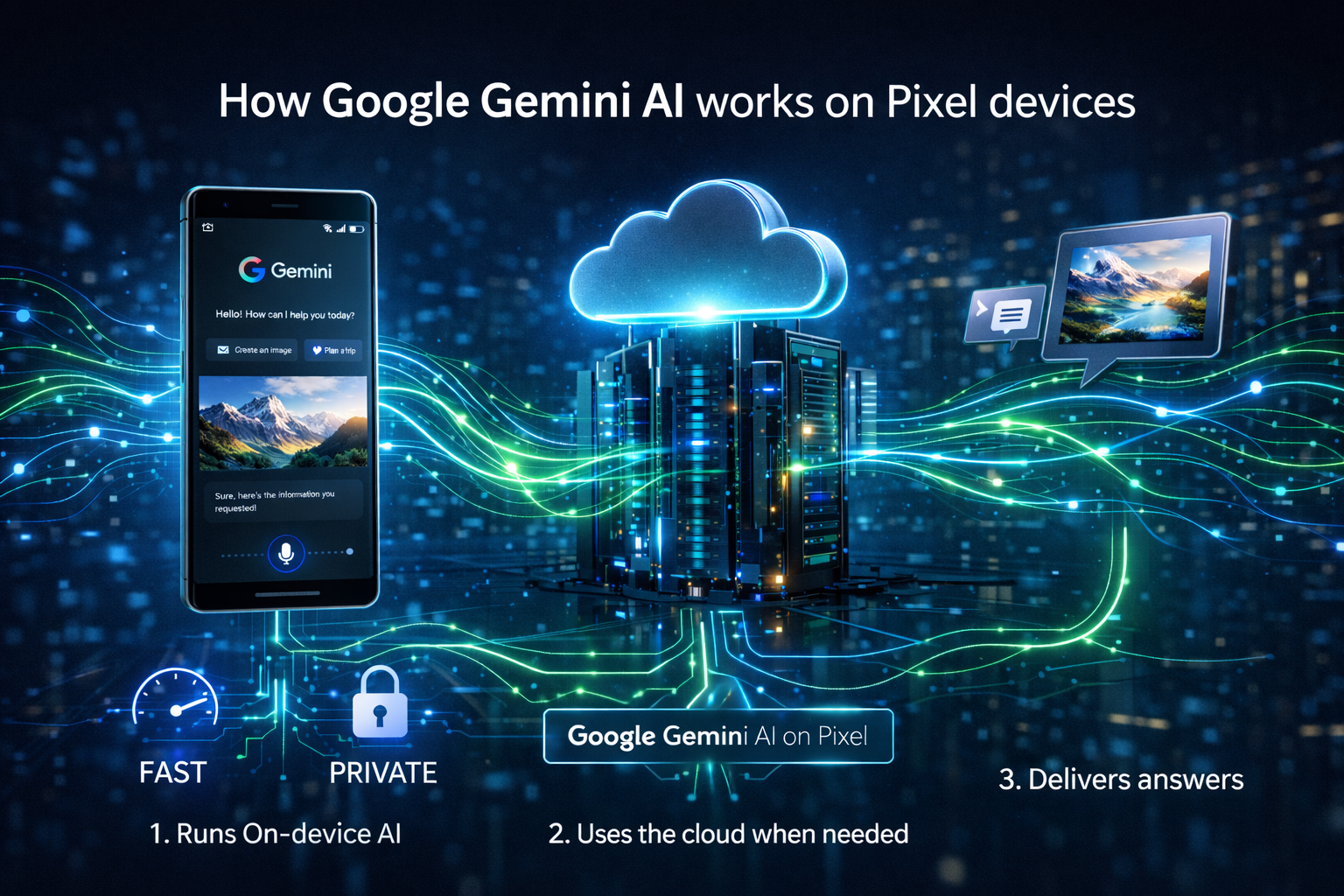
On Pixel phones, Gemini works through a hybrid AI system. Some tasks are processed directly on the device using specialized AI models, while more complex requests are handled in the cloud using Google’s larger AI infrastructure. This balance allows Pixel devices to deliver fast responses, improved privacy, and powerful AI capabilities at the same time.
In simple terms, Google Gemini AI works on Pixel devices by combining on-device AI models like Gemini Nano with cloud-based Gemini systems, allowing the phone to handle everyday tasks locally while sending complex queries to Google’s servers for deeper analysis.
2. What Is Google Gemini AI on Pixel Devices?
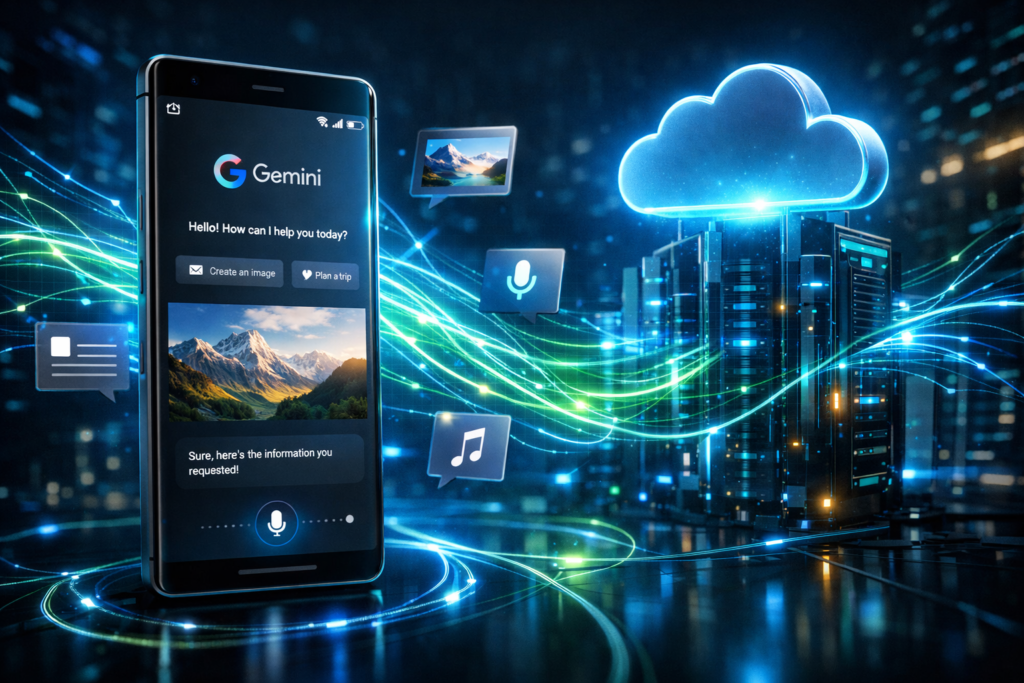
Google Gemini AI is Google’s newest intelligent assistant designed to replace traditional voice assistants with a system that can understand context, generate content, and interact across apps more naturally. Instead of simply responding to commands, Gemini is designed to act as a digital partner that can analyze information, provide suggestions, and help users complete tasks more efficiently.
On newer Pixel devices, Gemini has begun replacing Google Assistant as the default voice assistant. When users activate their assistant by saying “Hey Google” or using a shortcut, the request is handled by Gemini rather than the older Assistant system. This change allows Pixel devices to deliver more conversational interactions and deeper AI capabilities.
A major component behind Gemini’s performance on smartphones is Gemini Nano, a lightweight AI model built specifically for mobile hardware. Unlike larger AI models that require internet access, Gemini Nano can process tasks directly on the device. It can handle text, images, and audio, enabling features such as summarizing content, analyzing screenshots, or generating text without needing a network connection.
Pixel phones are particularly well suited for Gemini because they are powered by Google’s custom Tensor chips, which are designed with AI processing in mind. These chips include dedicated AI acceleration hardware that allows Gemini Nano to run efficiently on the device, delivering faster responses and improved privacy compared to systems that rely entirely on cloud processing.
Together, this combination of Gemini AI, Gemini Nano, and Tensor hardware creates an AI ecosystem where Pixel devices can deliver intelligent assistance that is faster, smarter, and more integrated into everyday smartphone use.
3. The Core Architecture: How Gemini AI Actually Works on Pixel

At the heart of the Pixel AI experience is a hybrid architecture that blends local processing with cloud intelligence. Instead of sending every request to the internet, Pixel devices decide where the task should be processed based on complexity.
For simple, everyday interactions, the phone handles the request locally using Gemini Nano, which runs directly on the device. For more demanding tasks that require deeper reasoning or larger datasets, the request is routed to Google Gemini running on Google’s cloud infrastructure.
This dual-layer system allows Pixel phones to deliver faster responses, improved privacy, and more powerful AI capabilities, all without relying entirely on an internet connection.
3.1 On-Device Processing with Gemini Nano
The first layer of Gemini’s architecture is Gemini Nano, a lightweight multimodal AI model specifically designed to run directly on smartphones.
Unlike traditional AI systems that depend on cloud servers, Gemini Nano operates locally on Pixel devices, allowing the phone to process information without sending data elsewhere. The model is capable of understanding and generating multiple types of inputs, including:
- Text
- Images
- Audio
Because it runs directly on the device, Gemini Nano can perform tasks such as summarizing content, analyzing screenshots, or generating text responses without requiring an internet connection.
This on-device AI is powered by Google’s custom Google Tensor chips, which include specialized hardware designed to accelerate machine learning workloads.
Running AI locally offers several important benefits:
- Ultra-fast responses because no network request is needed
- Offline functionality, allowing AI tools to work without internet access
- Enhanced privacy, since sensitive data stays on the device rather than being sent to remote servers
Together, these advantages make Gemini Nano the foundation of the Pixel AI experience.
3.2 Cloud-Based Gemini Models
While on-device AI is efficient for everyday tasks, some requests require far more computing power than a smartphone can provide. In these cases, the Pixel device sends the request to cloud-based versions of Google Gemini running on Google’s servers.
This typically happens when users ask questions that require:
- Complex reasoning
- Long conversations
- Deep research or analysis
- Large-scale content generation
When a request exceeds the capabilities of the on-device model, the Pixel phone securely routes the query to Google’s cloud infrastructure through the Gemini app or integrated extensions. The larger Gemini models process the request and send the response back to the device.
Cloud-based Gemini models have access to larger datasets, more powerful computing resources, and advanced reasoning capabilities, enabling them to handle tasks that would be impossible for a local model to process alone.
3.3 Hybrid AI Workflow on Pixel
What makes Pixel devices unique is how they combine these two AI systems into a seamless workflow.
When a user interacts with Gemini, the phone quickly evaluates the request and decides how it should be handled.
Simple tasks are processed locally on the device using Gemini Nano. These may include summarizing text, analyzing screenshots, or basic voice commands. Because the processing happens directly on the phone, responses are nearly instantaneous.
More complex tasks are sent to the cloud, where larger Gemini models analyze the request and generate more detailed responses.
This hybrid approach allows Pixel phones to achieve a careful balance between three key priorities:
- Speed, by handling everyday tasks locally
- Privacy, by keeping sensitive data on the device whenever possible
- Capability, by using cloud AI for advanced processing when needed
The result is an AI system that feels both fast and powerful, without sacrificing security or efficiency.
4. Hardware Behind Gemini: The Role of Google Tensor Chips
Software alone cannot deliver the full Gemini experience. The performance of Gemini on Pixel devices is heavily dependent on the hardware running underneath it.
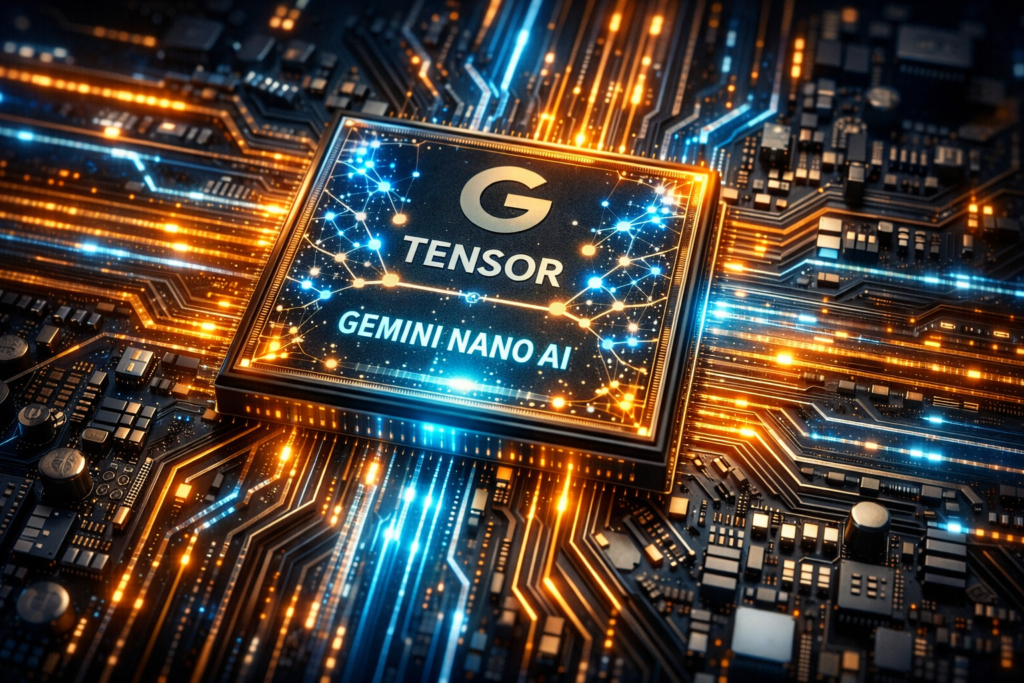
That hardware is powered by Google Tensor chips, Google’s custom processors designed specifically to handle artificial intelligence and machine learning workloads.
Unlike traditional smartphone chips that focus mainly on CPU and GPU performance, Tensor chips include dedicated AI processing units, often referred to as a Tensor Processing Unit (TPU). These specialized components allow Pixel devices to run advanced AI models like Gemini Nano directly on the device with greater efficiency.
4.1 Tensor G4 in Pixel 8 and Pixel 9
Devices like the Google Pixel 8 and Google Pixel 9 are powered by the Tensor G4 chip.
This processor was built with AI acceleration in mind and is optimized to run Gemini Nano smoothly on the device. The chip’s integrated TPU allows Pixel phones to perform tasks such as language processing, image recognition, and real-time AI analysis without needing external servers.
Because of this AI-focused design, Pixel 8 and Pixel 9 devices can deliver fast, responsive on-device AI features, including screenshot analysis, offline text generation, and voice-based interactions.
4.2 Tensor G5 in Pixel 10
The next generation of Pixel devices introduces Tensor G5, expected to power the Google Pixel 10 lineup.
Tensor G5 significantly expands the capabilities of on-device AI. According to Google’s performance improvements, the chip can run Gemini Nano up to 2.6 times faster than previous generations.
Another major upgrade is the expanded 32K token context window, which allows the AI model to process far larger inputs. This improvement means Pixel devices can analyze longer documents, complex emails, or multiple screenshots more efficiently.
In practical terms, this allows Pixel phones to understand more information at once, enabling richer summaries, deeper analysis, and smarter AI responses.
Together, these hardware upgrades make the latest Pixel devices some of the most AI-capable smartphones currently available, designed from the ground up to run Gemini efficiently both on-device and through the cloud.
5. How to Activate Gemini on Pixel Devices
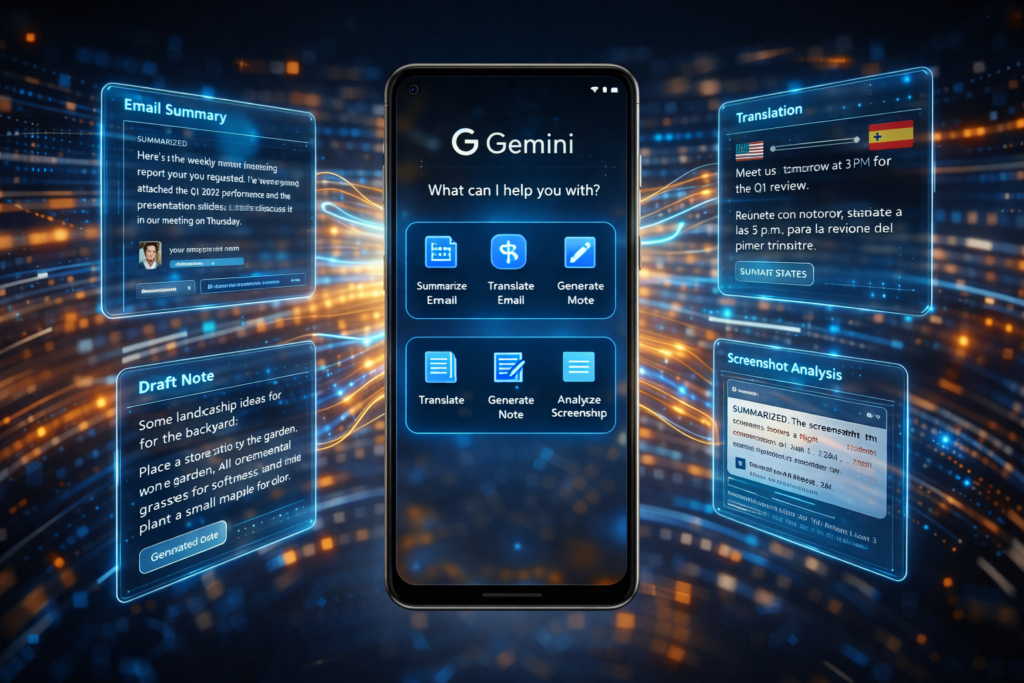
Accessing Google Gemini on Pixel phones is designed to be simple and flexible. Google allows users to launch Gemini in several ways depending on how they prefer to interact with their device. Whether through voice commands, hardware shortcuts, or apps, Pixel users can activate Gemini in seconds and start interacting with the AI assistant.
Below are the most common methods for launching Gemini on Pixel devices.
5.1 Voice Activation
The easiest and most familiar way to activate Gemini is through voice commands.
Users can simply say “Hey Google”, and the assistant will wake up and begin listening for a request. On newer Pixel devices where Gemini has replaced Google Assistant as the default voice assistant, this command launches Gemini directly.
Once activated, users can ask questions, request summaries, set reminders, or interact with apps using natural language. Because Gemini supports conversational AI, users can also ask follow-up questions without repeating the activation phrase each time.
Voice activation makes Gemini feel like a hands-free digital assistant, allowing users to interact with their phones while cooking, driving, or multitasking.
5.2 Power Button Shortcut
Another fast way to launch Gemini is by using the power button shortcut.
On many Pixel devices, holding the power button for a moment will open the Gemini interface instantly. This method is particularly useful when users want quick access to AI features without speaking a command.
The power button shortcut can also be customized in the phone’s settings, allowing users to choose how the button behaves. For example, users can configure it to launch Gemini instead of other system actions.
This hardware shortcut makes accessing Gemini fast and convenient, especially in situations where voice commands are not practical.
5.3 Google App Access
Gemini can also be accessed through the Google app.
Within the Google app interface, users will find a Gemini option that launches the AI assistant. This method provides another entry point for interacting with Gemini, particularly for users who already rely on the Google app for search, news, and personalized recommendations.
From here, users can type or speak requests, making it easy to interact with Gemini in a chat-style format.
5.4 Gemini Standalone App
For users who want direct access to the AI assistant, Google also provides a dedicated Gemini application.
The Gemini app can be installed from the Google Play Store, giving users a standalone interface specifically designed for interacting with Gemini.
To run the Gemini app, devices must meet a few basic requirements:
- Android 10 or newer
- At least 2GB of RAM
Once installed, the app provides a dedicated workspace where users can interact with Gemini through voice or text, manage conversations, and explore its AI features more easily.
6. Key Gemini Features on Pixel Phones
Gemini brings a wide range of intelligent tools to Pixel devices, turning the phone into more than just a communication device. From natural voice conversations to real-time visual assistance, Gemini introduces new ways for users to interact with their smartphones.
Below are some of the most important features available on Pixel phones powered by Google Gemini.
6.1 Gemini Live
One of the most advanced features available on Pixel devices is Gemini Live.
Gemini Live enables natural, real-time voice conversations with the AI assistant. Instead of issuing short commands, users can have longer, more fluid interactions that feel closer to speaking with a human assistant.
A standout feature of Gemini Live is real-time camera sharing. Users can point their phone’s camera at an object or environment and ask Gemini questions about what it sees.
For example, users could show Gemini a product in a store and ask for shopping advice, or point the camera at a device and ask for troubleshooting help. This visual understanding allows Gemini to provide context-aware guidance based on what the camera captures.
6.2 On-Screen AI Assistance
Gemini also introduces powerful on-screen AI assistance.
Users can ask Gemini questions about whatever is currently displayed on their phone screen. The AI can analyze the content and provide helpful information or actions.
For example, Gemini can:
- Summarize long articles or messages
- Explain unfamiliar information
- Identify objects or details in images
- Provide quick insights about a webpage or screenshot
This feature allows users to interact with their phone content more intelligently, transforming passive information into actionable insights.
6.3 AI Productivity Tools
Gemini also acts as a productivity assistant by helping users complete everyday tasks faster.
On Pixel phones, Gemini can assist with:
- Text generation, helping draft messages, notes, or documents
- Voice Translate during calls, allowing conversations across different languages
- Offline content creation, powered by Gemini Nano
Because Gemini Nano runs directly on the device, some productivity features can function even without an internet connection. This ensures that users can still generate content or process information when they are offline.
6.4 Gemini Extensions
Another powerful capability of Gemini is its extensions system, which allows the AI assistant to interact directly with other Google services.
Gemini can connect with several popular apps, including:
- Gmail
- Google Maps
- YouTube
- Google Calendar
- Google Keep
With user permission, Gemini can access information from these services to perform personalized actions. For example, it can summarize emails, find locations in Maps, recommend videos, or manage schedules.
These integrations turn Gemini into a central AI hub for the Pixel ecosystem, allowing users to interact with multiple apps through a single intelligent assistant.
7. On-Device AI vs Cloud AI on Pixel
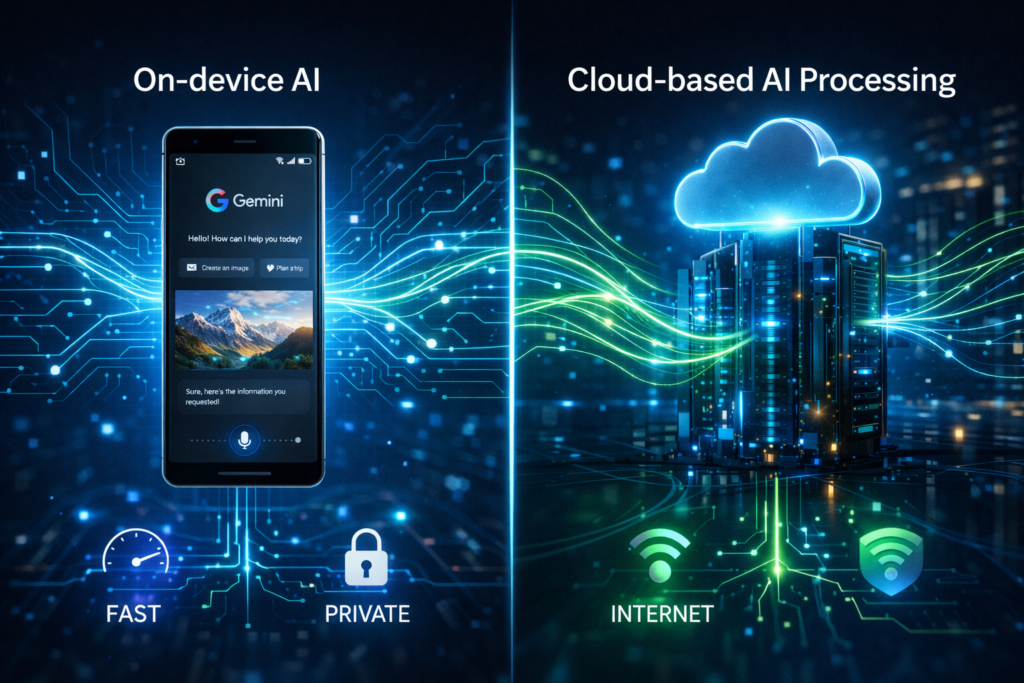
One of the most important aspects of how Google Gemini works on Pixel devices is the balance between on-device AI and cloud AI. Instead of relying on a single system, Pixel phones intelligently switch between the two depending on the task.
For everyday interactions, the device uses Gemini Nano, which runs directly on the phone. This allows many AI features to work instantly and even offline.
However, when users ask complex questions or require deeper analysis, the request is routed to Google’s cloud-based Gemini models. These larger AI systems have far greater computing power and can handle advanced reasoning, long conversations, and complex generation tasks.
This hybrid approach allows Pixel devices to deliver both speed and intelligence without compromising privacy.
Comparison Table
| Feature | On-Device (Gemini Nano) | Cloud Gemini |
| Speed | Ultra-fast responses | Slightly slower due to internet communication |
| Internet | Not required | Required |
| Privacy | Data stays on the device | Data processed on Google servers |
| Capability | Handles basic AI tasks | Handles advanced AI reasoning |
Examples of Each System in Action
On-device AI examples
Features like Pixel Screenshots and Recorder summaries often rely on Gemini Nano because they need to process information quickly and privately. Since the processing happens locally, users get results almost instantly without needing an internet connection.
Cloud AI examples
Tasks such as complex conversations, detailed research questions, or long content generation require much larger AI models. In these cases, the Pixel device sends the request to cloud-based Gemini systems, which analyze the query and return a detailed response.
By combining these two systems, Pixel phones deliver an AI experience that is fast for everyday tasks and powerful for more demanding requests.
8. Privacy Advantages of On-Device Gemini
Privacy is one of the biggest reasons Google designed Pixel devices to run AI directly on the phone. By using Gemini Nano, many tasks can be processed locally instead of being sent to external servers.
When AI processing happens on the device, sensitive data never leaves the phone. This can include personal messages, screenshots, notes, or other private information. Since the data remains local, it reduces the risk of exposure during network transfers.
Another advantage is reduced reliance on cloud communication. Because the device can process certain tasks internally, fewer requests need to travel across the internet to Google’s servers. This not only improves speed but also limits how much data is transmitted externally.
Users also maintain greater control over their information. With on-device AI, many interactions stay within the hardware they own rather than being processed remotely.
Overall, this approach allows Pixel phones to deliver intelligent AI assistance while still prioritizing user privacy and data protection.
9. Real-World Examples of Gemini on Pixel
The true value of Google Gemini becomes clear when you look at how it helps users in everyday situations. Instead of being a standalone chatbot, Gemini works throughout the Pixel system to assist with real tasks.
Here are several practical examples of how Gemini improves the smartphone experience.
Summarizing Emails
Gemini can analyze long emails and quickly produce short summaries. This helps users understand important messages without reading through every detail, saving time when managing busy inboxes.
Understanding Screenshots
With AI-powered screenshot analysis, Gemini can interpret what appears on the screen. For example, if a user captures a screenshot of a product page or a conversation, Gemini can explain the information, summarize the content, or suggest relevant actions.
Real-Time Translation
Gemini can assist with real-time language translation during conversations or calls. This allows users to communicate with people who speak different languages more easily, making the phone a powerful communication tool.
AI Photo Editing
Pixel phones are known for their advanced photography features, and Gemini enhances this further with AI-powered editing. Users can modify photos, adjust elements, or improve images using intelligent editing tools powered by Google’s AI technology.
These real-world applications show how Gemini transforms Pixel devices from simple smartphones into intelligent assistants that understand context and help users complete everyday tasks more efficiently.
10. Future of Gemini on Pixel Devices
The evolution of Google Gemini on Pixel devices is only beginning. As Google continues to expand its AI ecosystem, Gemini is expected to become the central intelligence layer across more hardware products, services, and experiences.
Expansion to Pixel Watch and Pixel Buds
In the near future, Gemini is expected to move beyond smartphones and become integrated into other devices in the Pixel ecosystem. This includes wearables like the Google Pixel Watch and audio devices such as Pixel Buds.
With this expansion, users may be able to interact with Gemini across multiple devices seamlessly. For example, voice commands given through Pixel Buds could trigger Gemini responses, while the Pixel Watch could display contextual information, reminders, or AI-generated summaries.
This broader integration would allow Gemini to function as a cross-device AI assistant, supporting users whether they are using their phone, smartwatch, or earbuds.
Continuous Updates via Pixel Drops
Google regularly delivers new features to Pixel devices through Pixel Feature Drops.
These updates allow Google to continuously improve Gemini without requiring users to upgrade their phones. Over time, new AI tools, smarter integrations, and performance improvements can be rolled out directly through software updates.
As Gemini continues to evolve, Pixel Feature Drops will likely introduce:
- New AI productivity tools
- Expanded Gemini integrations with Google services
- Performance improvements for on-device AI models
This update system ensures Pixel users receive ongoing AI improvements long after purchasing their devices.
Increasing Reliance on On-Device AI
Another major trend shaping the future of Gemini is the growing emphasis on on-device AI processing.
With advances in processors like Tensor G5, Pixel devices can run increasingly sophisticated AI models locally. This reduces reliance on cloud computing while improving both speed and privacy.
Future versions of Gemini Nano are expected to become more powerful, enabling devices to handle more complex tasks without sending data to remote servers.
As hardware continues to improve, smartphones may evolve into fully capable AI computing devices, capable of running advanced AI models directly in a user’s pocket.
11. Official Resources and References
For readers who want to explore the technical details behind Gemini on Pixel devices, the following official resources provide deeper explanations and updates.
- Google Pixel Support
https://support.google.com/pixelphone/answer/15283615?hl=en - Google Gemini Nano Blog
https://blog.google/products-and-platforms/products/gemini/gemini-nano-pixel-10-updates/ - Google Store Gemini Nano Article
https://store.google.com/intl/en/ideas/articles/gemini-nano-offline/ - Android Police Guide
https://www.androidpolice.com/gemini-nano-guide/ - Tensor G5 Pixel Blog
https://blog.google/products-and-platforms/devices/pixel/tensor-g5-pixel-10/
These sources provide official insights into how Gemini works on Pixel devices, how the AI models operate, and how future hardware improvements will expand their capabilities.
12. Conclusion
Artificial intelligence is quickly becoming the defining feature of modern smartphones, and Google Gemini represents Google’s vision for the future of mobile AI.
On Pixel devices, Gemini operates through a hybrid AI architecture that combines the power of cloud-based models with the speed and privacy of on-device processing. Simple tasks are handled locally using Gemini Nano, while more complex queries are routed to larger Gemini models running on Google’s servers.
This system allows Pixel phones to deliver fast responses, powerful AI capabilities, and improved privacy at the same time.
Another key part of this ecosystem is Google’s custom hardware. Processors like Tensor G4 and Tensor G5 are specifically designed to accelerate AI workloads, enabling Pixel devices to run advanced machine learning models directly on the phone.
Together, the combination of Tensor chips and Gemini Nano transforms Pixel devices into intelligent computing platforms rather than traditional smartphones.
As AI models continue to evolve and hardware becomes more powerful, the role of AI assistants like Gemini will only grow. In the coming years, smartphones may shift from simple tools to fully integrated AI companions, capable of understanding context, assisting with complex tasks, and helping users interact with technology in entirely new ways.
FAQ: Google Gemini AI on Pixel Devices
1. What is Google Gemini AI on Pixel phones?
Google Gemini is Google’s next-generation AI assistant built into modern Pixel devices. It replaces traditional assistants with a more advanced system that can understand language, analyze images, summarize information, and perform tasks across apps using both on-device and cloud-based AI models.
2. How does Gemini work on Pixel devices?
Gemini works through a hybrid AI system. Basic tasks are handled locally by Gemini Nano, which runs directly on the device for fast and private responses. More complex requests are processed in the cloud using Google’s larger Gemini models for deeper reasoning and content generation.
3. Does Gemini on Pixel require an internet connection?
Not always. Features powered by Gemini Nano can run offline, allowing certain tasks like text summarization or screenshot analysis to work without internet access. However, advanced queries and long conversations typically require a connection to Google’s cloud-based Gemini systems.
4. Which Pixel devices support Google Gemini AI?
Gemini is available on newer Pixel devices, particularly those powered by Google’s custom processors such as Tensor G4 and Tensor G5. Devices like the Pixel 8, Pixel 9, and future Pixel models are designed to run Gemini features efficiently using their built-in AI hardware.
5. What are the main benefits of Gemini AI on Pixel phones?
Gemini improves the Pixel experience by providing faster AI responses, stronger privacy through on-device processing, and smarter interactions across apps. It can help summarize emails, analyze screenshots, translate conversations, and assist with productivity tasks while adapting to the user’s context and needs.