
-
- No Comments
- January 11, 2026

How to add a masterlist on Tumblr
1. Introduction
If you’ve ever scrolled through a Tumblr blog and felt lost trying to find someone’s best work, you already understand the problem a masterlist solves. A Tumblr masterlist is a single, organized post that gathers links to all your content in one place, turning a chaotic feed into something navigable and reader-friendly.
For writers, artists, and creators, masterlists aren’t just a nice extra they’re essential. They help new followers quickly understand what you create, allow long-time readers to revisit their favorite pieces, and give your work a sense of structure and professionalism that stands out on a fast-moving platform like Tumblr.
In this guide, you’ll learn exactly what a Tumblr masterlist is, why it matters, and how to prepare before creating one. By the end, you’ll have a clear foundation for building a masterlist that’s easy to use, easy to update, and designed to keep people engaged with your content.
2. What Is a Masterlist on Tumblr?
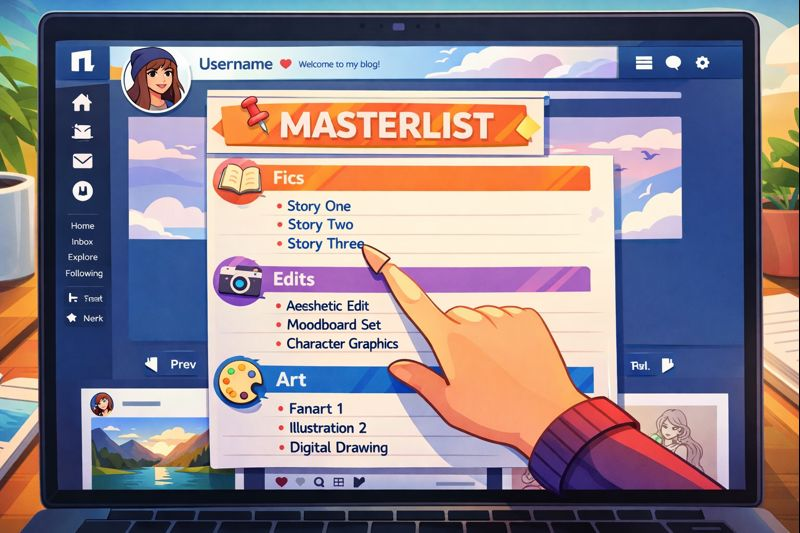
A masterlist on Tumblr is a dedicated text post that organizes and links to your other posts. Instead of forcing readers to scroll endlessly or rely on tags, a masterlist acts as a central hub where everything you’ve created is neatly laid out and easy to access.
Creators typically include a wide range of content in their masterlists, such as:
- Fanfiction or original writing
- Edits, graphics, or artwork
- Ongoing or completed series
- One-shots, prompts, or standalone posts
The real value of a masterlist lies in its benefits. It improves navigation by letting readers find exactly what they want in seconds. It boosts discoverability by giving newcomers a clear overview of your work. Most importantly, it enhances the audience experience by making your blog feel intentional, organized, and welcoming rather than overwhelming.
3. Before You Create a Masterlist
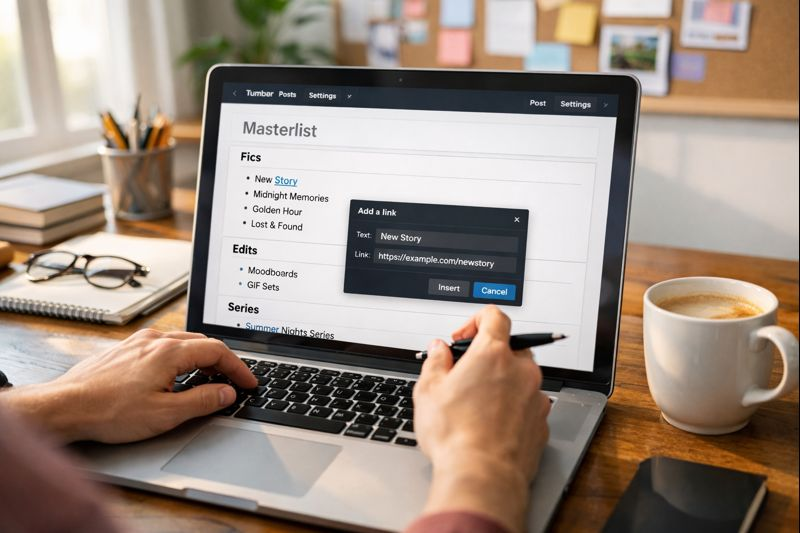
Before jumping in and creating your masterlist, it’s worth setting things up the right way. While Tumblr allows basic post creation on mobile, desktop or mobile web browsers offer a far better editing experience. Formatting options like headings, clean spacing, and precise link placement are easier to control outside the app, which helps your masterlist look polished instead of cluttered.
Using a web browser is especially recommended if your masterlist will be long or divided into multiple sections. You’ll have more flexibility when adding links, adjusting layout, and making future updates without breaking the structure.
It’s also smart to plan your masterlist in advance. Decide how you want to categorize your content whether by type (fics, edits, series), by fandom, or by theme. Thinking through your structure first saves time later and ensures your masterlist grows smoothly as you add more work, instead of turning into another messy scroll.
4. How to Create a Masterlist on Tumblr (Step-by-Step)
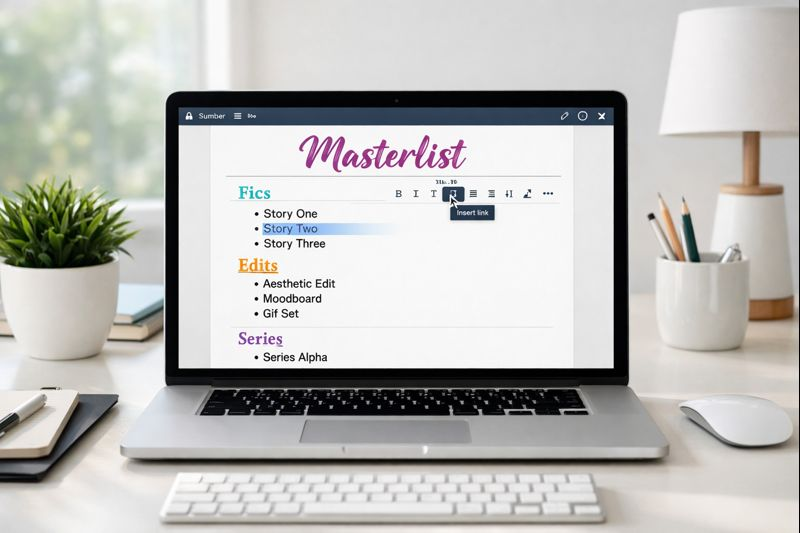
Creating a masterlist on Tumblr is straightforward, but the details matter. The goal is not just to list links, but to present your work in a way that feels intentional, organized, and easy to explore. Follow these steps to build a masterlist that does exactly that.
4.1 Starting a New Text Post
Begin by logging into your Tumblr account through a web browser on desktop or mobile. While the Tumblr app works for basic posting, the browser version gives you better control over formatting, which is especially useful for masterlists.
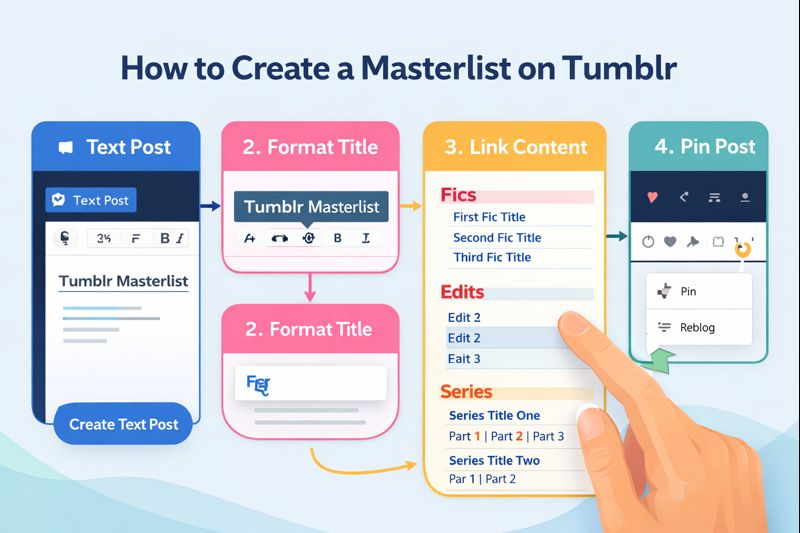
Once logged in, click the pencil icon in the top-right corner of the dashboard. On mobile web, you may see a “Create” option instead. From the list of post types, choose “Text.” This opens a blank text post where you’ll build your entire masterlist.
4.2 Formatting Your Masterlist Title
Your title sets the tone for the entire post. Simple, clear options like “Masterlist” or “Master Post” work best and are instantly recognizable to Tumblr users.
Use Tumblr’s formatting tools to make the title stand out. Headings help establish hierarchy, while bold text and italics add emphasis. Some creators also use subtle color accents, but clarity should always come first. A strong title makes your masterlist easy to spot and invites readers to start clicking.
Visually, aim for scannability. When someone opens your masterlist, they should understand its structure within seconds, without feeling overwhelmed by blocks of text.
4.3 Adding and Linking Your Content
To add content, start by typing the name of a post, story, or project. Highlight that text, click the link icon, paste the URL of the corresponding Tumblr post, and insert it.
Repeat this process for each item you want to include. Every entry should be clearly labeled so readers know exactly what they’re clicking. Consistency matters here similar naming styles and spacing make the masterlist feel clean and professional rather than chaotic.
4.4 Organizing Content into Sections
Sections are what turn a list of links into a usable masterlist. Common section examples include Fics, Edits, Series, or broader Categories based on fandom or theme.
Group related content together under clear headings. This helps readers jump straight to what they’re interested in without scrolling endlessly. Keep your layout simple: short lists, clear breaks between sections, and minimal clutter. The easier it is to read, the longer people will stay on your blog.
4.5 Adding Tags for Discoverability
Once your masterlist is complete, don’t skip the tags. Add relevant tags like #masterlist and a branded tag such as #yourusername masterlist.
Tags help followers and new visitors find your masterlist through Tumblr search and tag pages. They also make it easier for people to recognize and return to your content later. A well-tagged masterlist doesn’t just organize your work it helps it reach the right audience.
5. Posting and Publishing the Masterlist
Before you hit publish, take a moment for a final review. Check that every link works correctly, section headings are clear, and spacing is consistent throughout the post. This quick pass helps catch broken URLs or formatting issues that could frustrate readers later.
Once everything looks right, publish the post publicly. Your masterlist is now live and accessible to anyone visiting your blog. At this stage, it functions as the central hub for your content but to make it truly effective, you’ll want it to be immediately visible.
6. How to Pin a Masterlist on Tumblr
To keep your masterlist easy to find, go to your blog and locate the masterlist post you just published. Open the post and click the three-dot menu in the corner.
From the options that appear, select “Pin to top.” This locks the masterlist at the top of your blog, ensuring it’s the first thing visitors see when they arrive. Pinning transforms your masterlist from just another post into a permanent guide to your work, making navigation effortless for both new and returning followers.
7. Maintaining and Updating Your Masterlist
A masterlist isn’t something you create once and forget. As you publish new content, you’ll want to keep it updated so it continues to reflect your best and most recent work. To add new links, simply edit the original masterlist post and insert entries using the same linking and formatting style you started with. Consistency keeps everything looking intentional rather than patched together.
It’s also important to keep links current. Deleted posts, renamed series, or reorganized content can leave broken links behind, which quickly damages the reader experience. Periodically scanning your masterlist for outdated or missing links helps maintain trust and keeps navigation smooth.
For added visibility, some creators use queued refreshes. Reblogging or lightly updating the masterlist at intervals can bring it back onto followers’ dashboards without changing its core purpose. This is especially useful for older blogs where new followers may not immediately notice pinned content.
8. Creating Sub-Masterlists for Large Blogs
As your blog grows, a single masterlist can become long and overwhelming. When scrolling starts to feel endless, it’s a sign that your content needs to be broken down further.
Sub-masterlists solve this problem by dividing your work into smaller, focused hubs. You might create separate masterlists for each fandom, genre, or content type, allowing readers to jump straight to what interests them most. Each sub-masterlist stays clean and readable, even as your archive expands.
To keep everything connected, link these sub-masterlists from a main masterlist. Think of the main post as a table of contents and the sub-masterlists as chapters. This layered structure keeps your blog organized, scalable, and easy to navigate no matter how much content you publish.
9. Mobile-Friendly Masterlist Tips
A large portion of Tumblr users browse on their phones, so your masterlist should be just as usable on a small screen as it is on desktop. Structure your links with short, clear titles that don’t wrap awkwardly across multiple lines. Clean spacing and simple formatting make it easier for mobile users to tap the right link without frustration.
Avoid clutter wherever possible. Long paragraphs, excessive symbols, or heavy use of colors can quickly overwhelm a mobile layout. Instead, rely on clear headings and concise lists. White space is your friend it gives the eye room to breathe and makes scrolling feel effortless rather than exhausting.
Accessibility also matters. Use readable font sizes, strong contrast between text and background, and descriptive link names instead of vague labels like “click here.” These small choices improve usability for everyone, including readers using screen readers or browsing in low-light conditions.
10. Helpful Tutorials and Community Resources
If you prefer visual guidance, video tutorials are one of the easiest ways to understand how Tumblr masterlists work in real time. These walkthroughs show exactly where to click, how to format text, and how linking behaves on both desktop and mobile.
- Detailed video tutorial (web-based editing):
https://www.youtube.com/watch?v=-5m1rBbXh6g - Quick mobile and desktop demo:
https://www.youtube.com/watch?v=t-bsOPg2UZg
For creators who want more control, advanced tutorials focus on cleaner linking methods, mobile-friendly layouts, and long-term organization strategies.
- Advanced linking and mobile tips:
https://www.youtube.com/watch?v=2BSdu5Mx4m8
Community advice is equally valuable. Many Tumblr users share practical organization tips based on real experience, including what works best as your blog grows.
- Reddit community discussion on Tumblr organization:
https://www.reddit.com/r/FanFiction/comments/1h7zqwq/tumblrposters_lend_me_your_ears_how_the_heck_do/
Tumblr’s official Help Center explains the basics of post creation and editing, but it doesn’t offer a dedicated masterlist guide. That’s why community tutorials are often more detailed and creator-focused.
- Tumblr Help Center:
https://help.tumblr.com/hc/en-us
11. Related Guides and Use Cases
Once you understand the basics, there are several related topics worth exploring to refine your masterlist even further. These include detailed step-by-step tutorials focused specifically on text-post masterlists, as well as guides dedicated to building layouts that work smoothly on mobile devices.
You may also want to explore methods for linking individual posts more efficiently, choosing the best formats for organizing content by category or fandom, and learning different ways to pin or feature a masterlist so it stays visible. Together, these use cases help transform a simple masterlist into a powerful navigation system for your Tumblr blog.
Frequently Asked Questions
1. Can I create a masterlist on Tumblr using the mobile app?
Yes, you can create a basic masterlist using the Tumblr mobile app, but it’s not ideal for longer or highly organized posts. The web browser version offers better formatting tools, making it easier to structure sections, add links cleanly, and update your masterlist over time.
2. How often should I update my Tumblr masterlist?
You should update your masterlist whenever you publish new content that belongs in it. Regular updates keep links current and help readers trust that your masterlist reflects your latest work.
3. What should I include in a Tumblr masterlist?
A masterlist can include anything you want readers to find easily, such as fanfiction, original writing, edits, artwork, or series. Most creators organize entries by category, fandom, or content type for clarity.
4. Why isn’t my masterlist getting much visibility?
If your masterlist isn’t being noticed, it may not be pinned or properly tagged. Pinning it to the top of your blog and using tags like #masterlist and a branded tag helps followers and new visitors find it more easily.
5. Do I need more than one masterlist?
You only need one masterlist when your blog is small, but as your content grows, multiple sub-masterlists can improve navigation. Large blogs often use a main masterlist that links to separate category- or fandom-specific masterlists.