
-
- No Comments
- January 15, 2026

How to add myanmar subtitle in video
1. Introduction
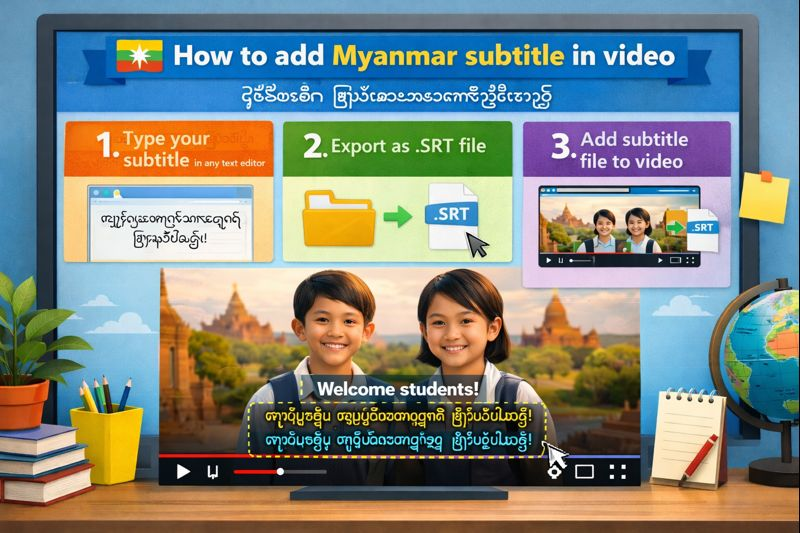
Myanmar subtitles also known as Burmese subtitles are on-screen text translations written in the Myanmar script that help viewers understand spoken content in a video. They can be added as burned-in text (visible directly on the video) or as separate subtitle files that viewers can turn on or off, depending on the platform.
Adding Myanmar subtitles isn’t just about translation it’s about access and reach. Myanmar has millions of Burmese-speaking users who actively consume video content on platforms like YouTube, Facebook, and TikTok. Subtitles make your videos easier to understand, more inclusive for viewers with hearing difficulties, and more engaging for people watching without sound. They also help improve watch time and content discoverability across social platforms.
This guide is designed for content creators, digital marketers, educators, and businesses who want to connect with Burmese-speaking audiences whether you’re publishing tutorials, marketing videos, online courses, or social media content. No advanced editing experience is required, and most methods covered are free.
2. What You Need Before Adding Myanmar Subtitles
Before you start adding Myanmar subtitles to your video, it’s important to have a few basics in place to avoid errors and save time.
Video File Requirements
Your video should be in a standard format such as MP4, MOV, or AVI, which is supported by most editing tools and subtitle generators. Make sure the video has clear audio and is fully edited before adding subtitles changing the video later can break subtitle timing.
Audio Language Considerations
If you’re using AI tools to generate subtitles, the spoken language in your video must be clear and identifiable. Most tools work best with English or Burmese audio, but English-to-Myanmar translation is currently the most accurate workflow. Background noise, overlapping voices, or heavy accents can reduce subtitle accuracy.
Subtitle Formats Explained (Hardcoded vs SRT/VTT)
There are two main ways to add Myanmar subtitles:
- Hardcoded subtitles are permanently embedded into the video. They work on all platforms but cannot be turned off or edited later.
- Subtitle files (SRT or VTT) are separate text files that sync with your video. These allow viewers to toggle subtitles on or off and are ideal for platforms like YouTube and Vimeo.
Choosing the right format depends on where you plan to publish your video.
Myanmar Unicode Font Importance
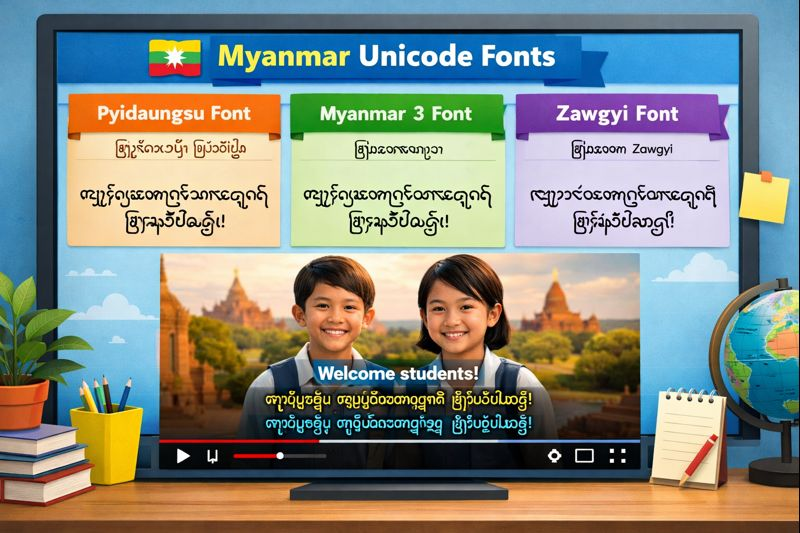
Using the correct font is critical for Burmese subtitles. Always use Myanmar Unicode fonts such as Pyidaungsu or Myanmar 3 to ensure text displays correctly across devices. Non-Unicode or outdated fonts can cause broken characters, spacing issues, or unreadable text especially on mobile devices commonly used in Myanmar.
Having these elements ready will make the subtitle process smoother and help ensure your Myanmar subtitles look professional and accurate.
3. Best FREE Ways to Add Myanmar Subtitles to a Video
There are several free ways to add Myanmar (Burmese) subtitles to a video, and the best method depends on your device, skill level, and how precise you want the subtitles to be. Today, most creators rely on a mix of AI-powered tools and basic editing apps to get the job done quickly without paying for expensive software.
Online AI Tools
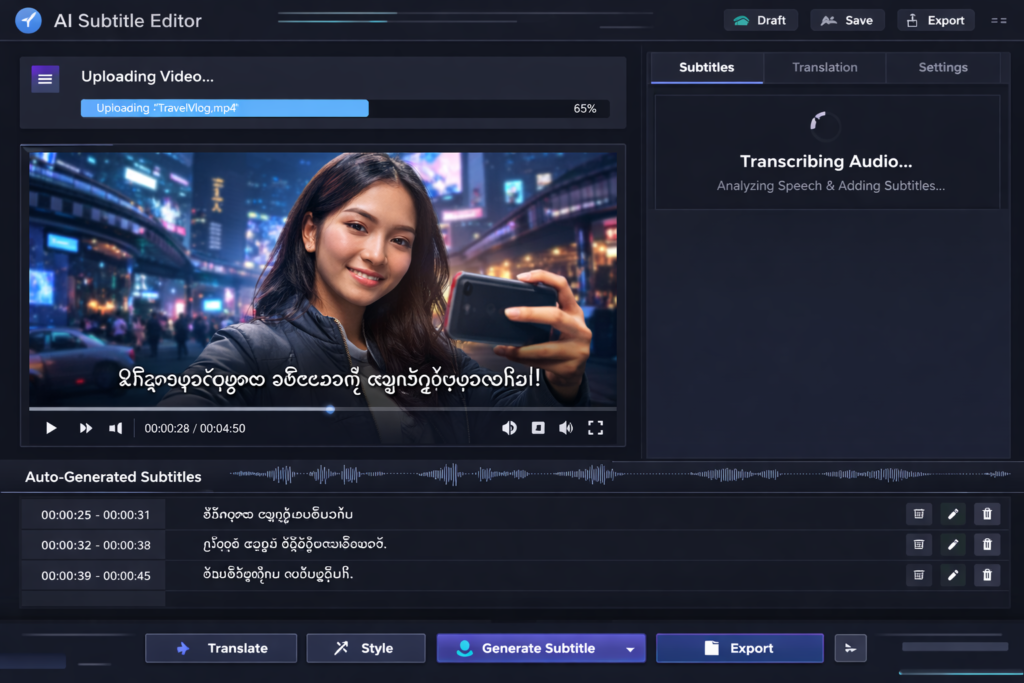
Online AI subtitle tools are the fastest option. You simply upload your video, let the tool auto-generate subtitles, translate them into Burmese, and export. These tools run in your browser, require no installation, and are ideal for beginners or quick projects.
Mobile Editing Apps
Mobile apps like CapCut are popular with social media creators. They allow you to generate captions directly on your phone and apply Myanmar subtitles with styling and positioning. This method works best for short-form videos on TikTok, Reels, or Facebook.
Desktop Professional Software
For longer videos or higher accuracy, desktop tools such as DaVinci Resolve or Adobe Premiere Pro offer more control. These are better for YouTube videos, courses, or professional content where timing, fonts, and formatting matter.
Manual vs AI-Generated Subtitles
AI-generated subtitles are fast and free, but they may need editing for accuracy especially when translating into Burmese. Manual subtitles take more time but allow full control over wording and cultural accuracy. Many creators use a hybrid approach: AI for speed, manual editing for quality.
4. How to Add Myanmar Subtitles Using Online AI Tools (Free)
Online AI tools are one of the easiest ways to add Myanmar subtitles, even if you have no video editing experience. They handle transcription, translation, and timing in one place.
4.1 Using Kapwing (Step-by-Step Overview)
Kapwing offers a free Burmese subtitle generator that works entirely online.
Uploading the Video
Start by opening Kapwing and uploading your video file directly from your device. Most common video formats are supported.
Auto-Generating Subtitles
Once the video is uploaded, use the auto-subtitle feature to generate captions in the original spoken language of the video.
Translating to Burmese
After the subtitles are generated, select Burmese (Myanmar) as the target language. Kapwing automatically translates the captions into Burmese text.
Editing Timing and Text
Review the subtitles carefully. You can adjust timing, fix translation errors, and edit wording to ensure clarity and accuracy for Burmese viewers.
Export Options (Burned-in or Subtitle Files)
Kapwing allows you to export subtitles in two ways:
- Burned directly into the video
- Downloaded as subtitle files such as SRT or VTT
Choose the option that best fits your publishing platform.
4.2 Using Maestra.ai for Burmese Subtitles
Maestra.ai is another AI-powered tool that supports Burmese subtitles and multilingual projects.
Upload Process
Upload your video or audio file to the Maestra platform. The interface is simple and browser-based.
Language Selection
Choose the original spoken language, then select Burmese as the output subtitle language.
AI Transcription and Translation
Maestra automatically transcribes the audio and translates it into Burmese using AI. This process usually takes only a few minutes, depending on video length.
Downloading Subtitle Files
Once processing is complete, you can download the Burmese subtitles as subtitle files for use in video editors or online platforms.
Multilingual Subtitle Support
Maestra supports over 100 languages, making it useful if you plan to create the same video with subtitles in multiple languages, including Burmese.
These online AI tools make it possible to add Myanmar subtitles for free, quickly, and without advanced technical skills.
5. How to Add Myanmar Subtitles in CapCut (Mobile-Friendly Method)
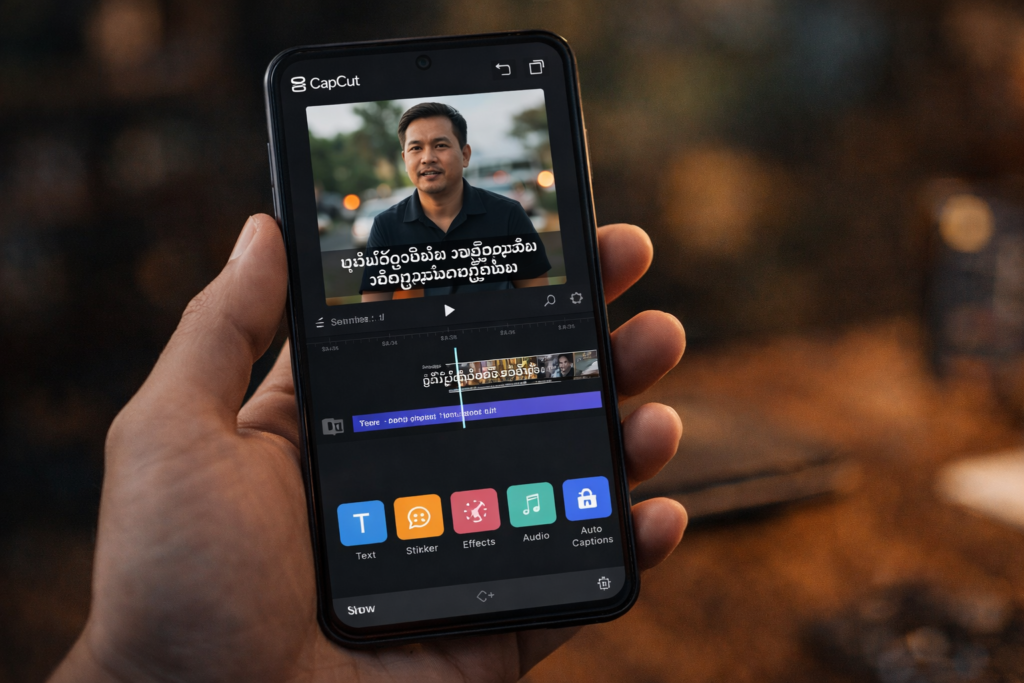
CapCut is one of the most popular mobile video editing apps and a go-to choice for creators who want to add Myanmar subtitles directly from their phone. It’s free, beginner-friendly, and works well for short-form and social media videos.
5.1 Auto Captions in CapCut
Importing the Video
Open CapCut and start a new project. Import the video you want to subtitle from your device and place it on the timeline.
Enabling Auto Captions
Navigate to the Text section and select Auto Captions. CapCut will analyze the audio in your video and generate captions automatically.
Selecting Source and Burmese Language
Choose the original spoken language of the video as the source. If available, enable translation and select Burmese (Myanmar) as the target language. CapCut will convert the captions into Burmese text.
Styling and Positioning Subtitles
Once captions are generated, you can adjust font style, size, color, background, and placement. Make sure the subtitles are readable on mobile screens and don’t block important visual elements.
5.2 Alternative CapCut Workflow for Better Accuracy
If CapCut’s direct Burmese translation isn’t fully accurate, this alternative workflow gives you more control.
Generating English Captions
First, generate auto captions in English only. This usually produces more accurate timing and sentence structure.
Translating Externally (e.g., DeepL)
Copy the English caption text and translate it into Burmese using an external translation tool like DeepL or Google Translate.
Pasting Translated Burmese Text Back into CapCut
Replace the English captions in CapCut with the translated Burmese text. This method allows you to review and correct translations before finalizing.
Fine-Tuning Timing and Readability
Adjust subtitle timing, line breaks, and spacing to ensure the Burmese text is easy to read and stays on screen long enough for viewers.
6. How to Add Myanmar Subtitles Using Desktop Editing Software
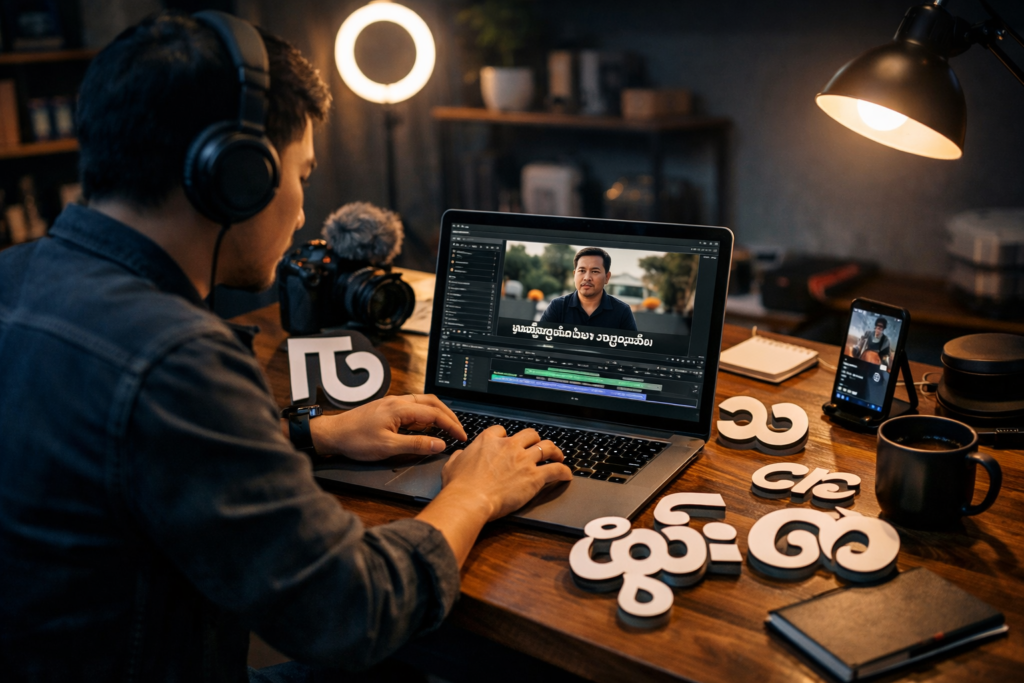
Desktop editing software is ideal for longer videos or professional projects where subtitle accuracy and formatting matter most.
6.1 DaVinci Resolve Method
Creating Subtitles in the Source Language
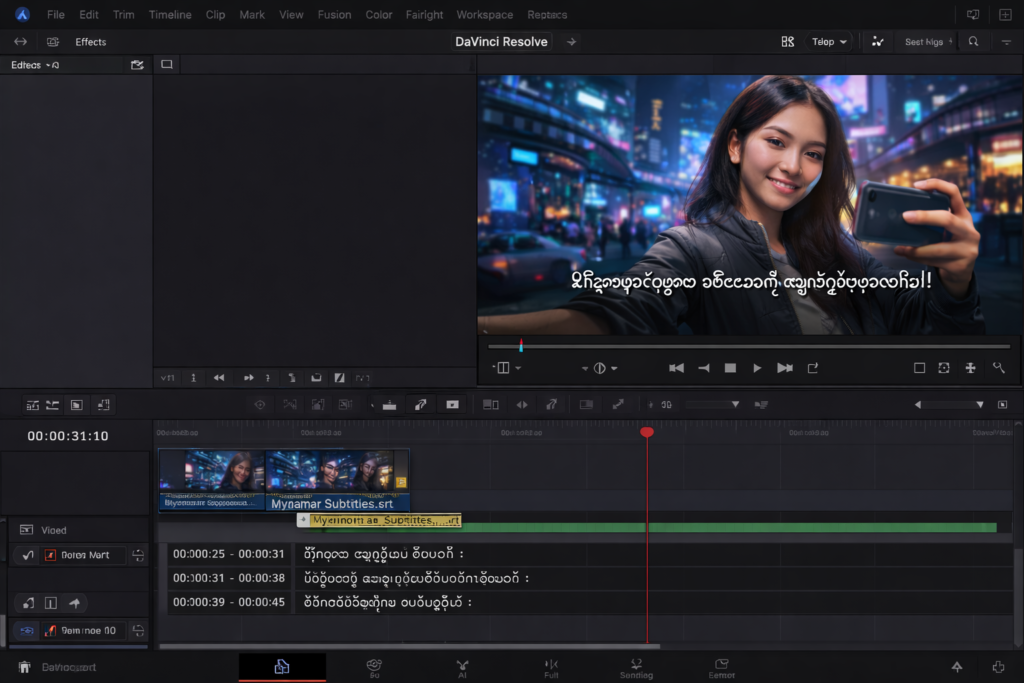
Import your video into DaVinci Resolve and generate subtitles in the original spoken language using the built-in subtitle tools.
Exporting Subtitles as SRT
Once subtitles are generated, export them as an SRT file, which preserves timing information.
Translating SRT to Burmese
Open the SRT file in a translation tool or text editor and translate the subtitle text into Burmese while keeping the timing intact.
Re-Importing Burmese Subtitles
Import the translated SRT file back into DaVinci Resolve. The subtitles will align with your video automatically.
Styling with Myanmar Unicode Fonts
Apply a Myanmar Unicode font such as Pyidaungsu to ensure proper rendering. Adjust size, color, and placement for clarity.
6.2 Adobe Premiere Pro Method
Using AI Subtitle Extensions
Premiere Pro supports AI-powered subtitle extensions that can handle transcription and translation.
Transcribing Directly to Burmese
Upload your video to the extension and choose Burmese as the transcription or translation language.
Editing Subtitles Inside the Extension
Review and edit the subtitles within the extension’s interface to fix errors or improve readability.
Exporting Final Subtitle Files
Export the finalized Burmese subtitles as SRT files or burn them directly into the video, depending on your delivery needs.
These desktop workflows give you the highest level of control over Myanmar subtitles, making them ideal for professional and long-form video content.
7. Myanmar Fonts You Should Use for Subtitles
Choosing the right font is critical when adding Myanmar subtitles. Even perfectly translated text can become unreadable if the wrong font or encoding is used.
Why Unicode Fonts Matter
Myanmar text must be displayed using Unicode-compliant fonts. Unicode ensures that characters render correctly across different devices, operating systems, and platforms. Non-Unicode fonts can cause broken characters, overlapping letters, or completely unreadable subtitles especially on mobile devices, which are widely used in Myanmar.
Recommended Myanmar Fonts
Pyidaungsu
Pyidaungsu is the official and most widely accepted Myanmar Unicode font. It is ideal for subtitles because it renders consistently across Android, iOS, Windows, and macOS. This font is highly recommended for professional and long-form videos.
Myanmar 3
Myanmar 3 is another reliable Unicode font commonly used in digital content. It works well for subtitles and is supported by most video editing tools. It’s a good alternative if Pyidaungsu is not available.
Zawgyi (With Caution)
Zawgyi is a non-Unicode font that was popular in the past. It may still appear correctly on some older devices, but it often causes display issues on modern platforms. Use Zawgyi only if you are targeting a very specific audience that requires it, and always test thoroughly.
Installing Fonts for Video Editing Software
Download the font files from a trusted source and install them on your system. Once installed, restart your video editing software so the fonts appear in the text or subtitle settings. Always preview subtitles after applying a new font to confirm proper rendering.
8. Common Problems and How to Fix Them
Even with the right tools, issues can occur when adding Myanmar subtitles. Here are the most common problems and how to solve them.
Text Not Displaying Correctly
This is usually caused by using a non-Unicode font. Switch to Pyidaungsu or Myanmar 3 and reapply the subtitles.
Encoding Issues (UTF-8)
If subtitles appear as symbols or random characters, the subtitle file may not be saved in UTF-8 encoding. Open the subtitle file in a text editor and resave it using UTF-8 before importing it again.
Font Compatibility Problems
Some platforms or editors don’t support certain fonts. If subtitles work in your editor but not after export, try changing to a more widely supported Unicode font and re-exporting.
Subtitle Timing Errors
Timing issues often happen after video edits. Always finalize your video before adding subtitles. If timing is off, manually adjust subtitle durations in the timeline or subtitle editor.
Platform Playback Issues
Some platforms do not support external subtitle files. In these cases, export burned-in subtitles to ensure the Myanmar text displays correctly on all devices.
Fixing these issues early ensures your Myanmar subtitles remain clear, readable, and professional across all platforms.
9. Pro Tips for Perfect Myanmar Subtitles
Getting Myanmar subtitles right goes beyond translation. These practical tips will help you deliver subtitles that feel natural, readable, and professional.
Previewing on Android and iOS Devices
Always preview your video on both Android and iOS devices before publishing. Myanmar text can render slightly differently depending on the operating system and font handling. What looks fine on desktop may appear cramped or misaligned on mobile, which is where most Burmese viewers watch content.
Choosing Between Hardcoded vs Sidecar Subtitles
- Hardcoded subtitles are best for social media platforms where subtitle files aren’t supported. They guarantee visibility but can’t be edited later.
- Sidecar subtitles (SRT/VTT) are ideal for YouTube and long-form platforms. They allow viewers to toggle subtitles and improve accessibility and SEO.
Choose based on your publishing platform and audience behavior.
Cultural Accuracy and Wording Checks
Literal translations don’t always work in Burmese. Review subtitles for tone, politeness level, and cultural context. If possible, have a native Burmese speaker review important content especially for marketing, education, or brand messaging.
Subtitle Length and Line Spacing Best Practices
Keep subtitles short and readable:
- Limit each subtitle to 1–2 lines
- Avoid overcrowding the screen
- Leave enough on-screen time for comfortable reading
Good spacing and timing improve comprehension and reduce viewer fatigue.
10. Key Tools and Resources (With Links)
Here are the most useful tools and guides for creating accurate Myanmar subtitles:
- Kapwing Burmese Subtitle Tool
https://www.kapwing.com/subtitles/video/Burmese - Maestra AI Subtitle Generator
https://maestra.ai/tools/subtitle-generator/burmese-subtitles - CapCut Burmese Subtitle Tutorial
https://www.youtube.com/watch?v=7gemTu6Suh8 - Myanmar Font Download Resources
https://www.myanmarhouse.com.mm/en/tools/myanmar-font-download - DaVinci Resolve Subtitle Guide
https://www.youtube.com/watch?v=_xA-SHn-kgE
These tools cover everything from quick AI-generated subtitles to professional-grade editing workflows, making it easy to add high-quality Myanmar subtitles to any video.
11. Related Guides and Use Cases
If you want to go deeper or solve specific subtitle challenges, these related topics can help you refine your workflow and improve subtitle quality.
Best Free Tools to Add Myanmar Subtitles
Explore and compare free tools like Kapwing, CapCut, and Maestra to find the best option based on your video length, platform, and accuracy needs.
Auto-Generating Burmese Subtitles from English Audio
Learn how to use AI transcription tools to convert clear English audio into Burmese subtitles quickly, then polish the translation for accuracy.
Step-by-Step SRT Creation for Myanmar Subtitles
Understand how to manually create and edit SRT files, maintain proper timing, and ensure UTF-8 encoding for correct Myanmar text display.
Editing Burmese Subtitles for Cultural Accuracy
Discover best practices for adjusting tone, phrasing, and context so subtitles sound natural and respectful to Burmese-speaking audiences.
Converting Burmese Subtitles to VTT or TXT
Find simple methods to convert subtitle formats for different platforms, including VTT for web players and TXT for scripts or translations.
12. Final Thoughts
Adding Myanmar subtitles to your videos is easier than ever, even if you’re working with free tools. The right method depends on your skill level, content type, and publishing platform. Beginners may prefer online AI tools or mobile apps, while advanced users can achieve better control with desktop editing software.
Free workflows are perfect for fast turnaround and social media content, while professional tools offer higher accuracy and customization for long-form or branded videos. Whichever route you choose, always test your subtitles across devices and platforms.
Before publishing, review timing, readability, font rendering, and cultural accuracy. A few extra minutes of refinement can make a significant difference in how your content is received by Burmese-speaking viewers.
Frequently Asked Questions (FAQ)
1. Can I add Myanmar subtitles to a video for free?
Yes. You can add Myanmar subtitles for free using tools like Kapwing, CapCut, and Maestra.ai. These tools offer AI-generated subtitles with translation support, though you may need to manually review and edit for accuracy.
2. What is the best subtitle format for Myanmar subtitles?
SRT and VTT are the most commonly used formats. SRT works well for YouTube and most video editors, while VTT is better for web players. For platforms that don’t support subtitle files, hardcoded subtitles are the best option.
3. Why do my Myanmar subtitles look broken or unreadable?
This usually happens due to non-Unicode fonts or incorrect encoding. Always use Myanmar Unicode fonts like Pyidaungsu or Myanmar 3 and ensure your subtitle files are saved in UTF-8 encoding.
4. Can I auto-generate Burmese subtitles from English audio?
Yes. Most AI subtitle tools can transcribe English audio and translate it into Burmese automatically. However, it’s recommended to review the subtitles for cultural accuracy and correct wording before publishing.
5. Should I use hardcoded or editable subtitles for Myanmar videos?
Use hardcoded subtitles for social media platforms where subtitle files aren’t supported. Use editable subtitle files (SRT or VTT) for platforms like YouTube, where viewers can turn subtitles on or off and accessibility is improved.