
-
- No Comments
- December 17, 2025

How to cancel Amazon seller account
1. Introduction
Yes, you can cancel an Amazon seller account but it’s not a casual click-and-done decision. Closing your Amazon seller account means permanently shutting down your ability to sell on Amazon under that account. Once Amazon approves the request, the account is deactivated for good.
This isn’t a pause. It’s not a break. It’s a full stop.
Before you proceed, understand this clearly: Amazon seller account closure is permanent and irreversible. You won’t be able to reactivate the same account later, no matter the reason.
In this guide, you’ll learn exactly what closing an Amazon seller account involves, what happens after it’s closed, what access you lose, what stays untouched, and why it’s critical to understand the consequences before submitting a closure request.
2. What Happens When You Close an Amazon Seller Account
When you close your Amazon seller account, Amazon permanently deactivates it. You immediately lose access to Seller Central, and your ability to sell on Amazon under that account ends completely.
Account Deactivation and Lost Access
Once closed:
- You can no longer log in to Seller Central
- All active listings are removed
- Sales history, reports, and performance data become inaccessible
- You lose access to advertising tools, FBA dashboards, and seller analytics
Any data you didn’t download beforehand is effectively gone.
What Stays Unaffected
Closing a seller account does not impact other Amazon services tied to the same email address, including:
- Your personal Amazon buyer account
- Amazon Prime membership
- AWS (Amazon Web Services)
- Other consumer-facing Amazon subscriptions
These services continue to function normally, separate from Seller Central.
Important Irreversibility Disclaimer
Once Amazon processes the closure request, the decision cannot be undone. You cannot reopen the same seller account or restore its history. If you plan to sell again in the future, this permanence is the single most important factor to consider before moving forward.
In short: close only when you’re absolutely certain.
3. Prerequisites Before Closing Your Amazon Seller Account
(Critical section to avoid rejection or delays)
Amazon will not approve an account closure if there are unresolved obligations tied to your seller account. Before submitting a closure request, you must ensure every operational, financial, and inventory-related requirement is fully cleared. Skipping even one step can delay the process or result in outright rejection.
3.1 Outstanding Orders and Sales Activity
Before Amazon allows you to close your seller account, all selling activity must be finalized.
- Fulfill or cancel all open orders
Any pending merchant-fulfilled orders must be shipped or canceled. Amazon requires zero open orders at the time of closure. - Handle pending FBA shipments
Ensure there are no inbound FBA shipments in progress. All shipments must be received, canceled, or fully reconciled. - Wait 90 days after your last sale
Amazon enforces a 90-day waiting period after your final sale to allow time for A-to-Z Guarantee claims, refunds, or disputes. Attempting to close the account before this window ends will usually block the request.
3.2 Financial and Performance Requirements
Amazon also reviews your financial and account health status before approving closure.
- Resolve refunds, chargebacks, and buyer disputes
All customer transactions must be settled. This includes refunds, payment reversals, and chargebacks. - Clear performance notifications or warnings
Any unresolved performance alerts or policy violations can prevent closure. Make sure your Account Health dashboard shows no pending issues. - Ensure your account balance is zero
Your seller account must not owe Amazon any fees. Likewise, Amazon must have processed any final payouts owed to you. - Verify bank details for final payout
Confirm that your bank account information is accurate and active so Amazon can send your final disbursement without delay.
3.3 Inventory Removal
Amazon will not close a seller account that still has inventory in its fulfillment network.
- Remove or dispose of all FBA inventory
Submit removal or disposal orders for any remaining inventory stored in Amazon warehouses. - Confirm warehouse inventory status is empty
Double-check that your inventory levels show zero units across all fulfillment centers before requesting closure.
4. Data You Should Back Up Before Closing
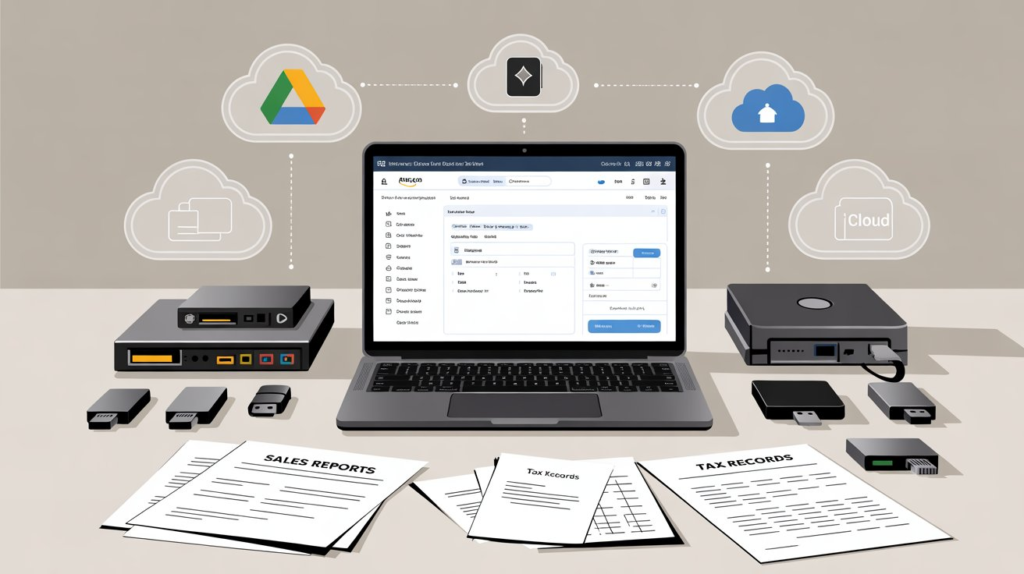
Once your Amazon seller account is closed, you permanently lose access to Seller Central. Amazon does not provide a way to retrieve data afterward, which makes backups essential.
Before submitting a closure request, download and securely store:
- Sales reports for historical performance tracking
- Tax documents for compliance and record-keeping
- Listing data including SKUs, ASINs, and product details
- Payment history and settlement reports
After closure, Seller Central access is revoked, and this data becomes unrecoverable. Backing up your records ensures you remain protected for tax filings, audits, and future business planning.
5. Step-by-Step: How to Cancel Your Amazon Seller Account
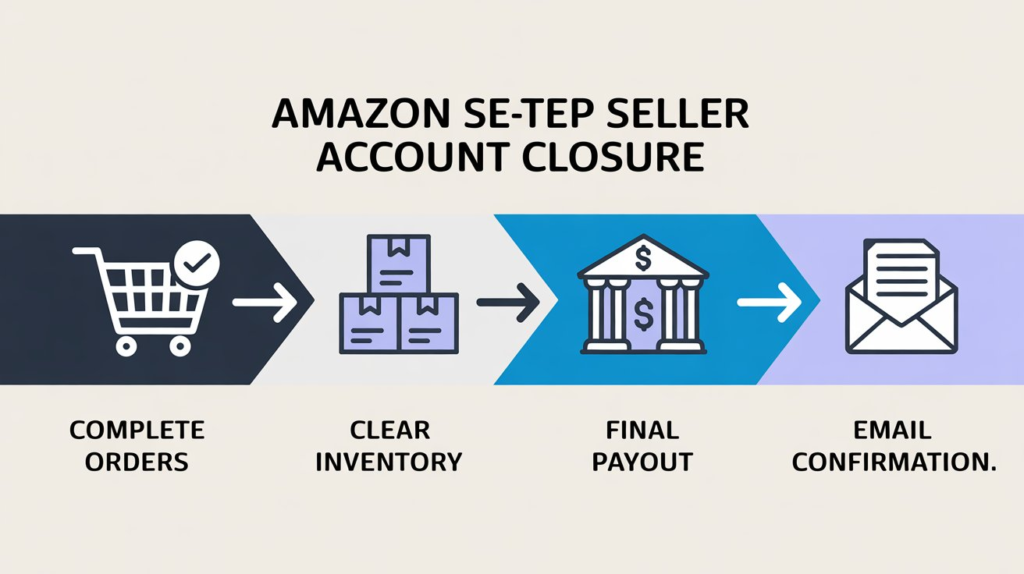
Once all prerequisites are met, you can proceed with closing your Amazon seller account directly from Seller Central. Follow each step carefully to avoid delays or accidental rejection.
5.1 Accessing Account Closure Settings
Start by logging into your Amazon Seller Central account using your registered email and password.
From the dashboard, navigate to:
Settings → Account Info → Account Management
In the Account Management section, you’ll find the option to initiate account closure. If this option is missing, it usually means one or more prerequisites have not yet been completed.
5.2 Submitting the Closure Request
After accessing the account management page, begin the closure process:
- Select “Close Account” or “Request Account Closure”
- Complete the closure form provided by Amazon
- Choose a reason for closing your seller account from the available options
- Carefully review the terms and conditions, which explain the permanent nature of closure
Once everything is reviewed, submit the request. At this stage, Amazon begins evaluating your account for final approval.
5.3 Confirming the Closure Request
After submission, Amazon sends a confirmation message to your registered email address or phone number.
- Confirmation may arrive via email or SMS
- You must respond within 5 days to verify the request
If you miss the confirmation window, the closure request is automatically canceled, and you’ll need to restart the process from Seller Central.
5.4 Approval and Deactivation Timeline
Once confirmed, Amazon reviews your account for final approval.
- Typical processing time ranges from a few days to over a week
- Watch for emails confirming approval or requesting additional action
- The account officially closes once Amazon sends a final deactivation confirmation
After this point, Seller Central access is permanently disabled.
6. How Long Does Amazon Take to Close a Seller Account
Amazon does not publish a fixed closure timeline, but most seller accounts are closed within several days to a few weeks, depending on account status.
Estimated Timelines
- Simple accounts with no inventory or disputes: a few business days
- Accounts with recent sales or FBA inventory: up to several weeks
Factors That Cause Delays
- Recent sales within the last 90 days
- Unresolved refunds, chargebacks, or buyer disputes
- Remaining FBA inventory or inbound shipments
- Incorrect or inactive bank details
Common Reasons for Rejection
- Attempting closure before meeting the 90-day waiting period
- Outstanding account balance or unpaid fees
- Open performance notifications or policy violations
- Missing confirmation within the 5-day response window
Ensuring every requirement is fully resolved before submitting your request is the fastest way to achieve a smooth and successful account closure.
7. Alternatives to Closing Your Amazon Seller Account
Closing your Amazon seller account is permanent. If there’s even a small chance you may want to sell again in the future, it’s worth considering alternatives that give you flexibility without cutting off access forever.
7.1 Temporarily Pausing Your Seller Account
If you only need a break, Amazon allows you to pause selling without closing your account.
- Setting listings to inactive
You can manually deactivate all product listings, preventing new orders while keeping your account intact. - Using vacation mode
Vacation mode automatically hides your listings and pauses sales. This option is ideal if you plan to return after a defined period and don’t want to reconfigure your account later.
This approach preserves your seller history, performance metrics, and account access.
7.2 Downgrading from Professional to Individual Plan
If cost is the main reason for considering closure, downgrading your plan may be a smarter move.
- Cost differences
The Professional plan charges a monthly subscription fee, while the Individual plan has no monthly fee and only charges per sale. - When downgrading makes sense
This option works well if you’re selling infrequently or taking a long pause but want to keep the account available. - Flexibility for future selling
You can upgrade back to a Professional plan at any time, making this a reversible alternative to permanent closure.
7.3 Appealing Instead of Closing
If your seller account is deactivated due to policy or performance issues, closure may not be your best option.
- When accounts are deactivated due to issues
Suspension or deactivation doesn’t automatically mean your account is permanently lost. - Using the Account Health dashboard
You can review violations, submit appeals, and respond to Amazon’s requests directly through Seller Central. - Appeal vs permanent closure
Appealing keeps the door open for reinstatement, while closing permanently ends your selling privileges. If reinstatement is possible, appealing is almost always the better choice.
8. Closing vs Deleting an Amazon Seller Account
Many sellers use the terms closing and deleting interchangeably, but there’s an important distinction.
Terminology Clarification
- Closing an account means permanently deactivating your ability to sell on Amazon.
- Deleting an account implies complete data removal, which Amazon does not fully offer for seller accounts.
What Amazon Actually Allows
Amazon allows sellers to close their seller accounts, but it retains certain records for legal, tax, and compliance purposes.
Common Misconceptions
- Closing a seller account deletes all data — it doesn’t
- A closed account can be reopened later — it can’t
- Closing affects your buyer account — it doesn’t
Understanding this difference helps prevent false assumptions and irreversible decisions.
9. Common Mistakes to Avoid When Closing an Amazon Seller Account
Even when sellers understand the process, small oversights can delay or block account closure. Avoid these common mistakes before submitting your request.
- Closing with pending inventory
Amazon will not approve closure if FBA inventory remains in its warehouses. You must submit removal or disposal orders and confirm inventory levels are zero in Seller Central.
👉 Check inventory status inside Seller Central:
https://sellercentral.amazon.com/ - Ignoring performance notifications
Open policy warnings or Account Health issues can stop the closure process. Review and resolve them through the Account Health dashboard before proceeding.
👉 Account Health overview:
https://sellercentral.amazon.com/performance/dashboard - Forgetting to download reports
After closure, Seller Central access is permanently revoked. If you fail to download sales reports, tax documents, or payment history in advance, Amazon does not provide post-closure access. - Assuming the account can be reopened
Amazon seller account closures are final and irreversible. If there’s any chance you may sell again, consider alternatives like vacation mode or plan downgrades instead of permanent closure.
10. Key Resources and Official Amazon Guidance
Because Amazon regularly updates its policies and Seller Central interface, using verified and current resources is essential.
- Official Seller Forums (Amazon guidance)
Discussions and clarifications directly from Amazon and experienced sellers:
https://sellercentral.amazon.com/seller-forums/discussions/t/5f5ec7d0-87d7-4b37-abc3-c68482dafb28 - Third-party step-by-step guides
Detailed walkthroughs that explain the closure process and common issues:
https://www.sellerapp.com/blog/how-to-delete-amazon-seller-account/
https://amzprep.com/how-to-cancel-amazon-seller-account/
https://www.flairox.com/close-delete-amazon-seller-account-guide/
https://www.bebolddigital.com/blog/how-to-close-amazon-seller-account - Policy update disclaimer
Amazon may change requirements, navigation paths, or timelines without notice. Information from external guides should always be cross-checked. - Importance of verifying steps in Seller Central
Seller Central is the final authority. Always confirm the latest closure steps directly inside your account to avoid delays, rejections, or missed requirements.
11. Frequently Asked Questions
Will closing my seller account affect my buyer account?
No. Closing your Amazon seller account does not affect your personal Amazon buyer account. You can continue shopping, using Prime, and accessing other consumer Amazon services with the same email address without interruption.
Can I reopen a closed Amazon seller account?
No. Once Amazon approves and processes a seller account closure, it is permanent and irreversible. The same account cannot be reopened, and its selling history cannot be restored under that account.
What happens to remaining FBA inventory?
Amazon will not close a seller account that still has inventory in its fulfillment centers. All FBA inventory must be removed or disposed of before closure is approved. If inventory is left unmanaged, the closure request will be delayed or denied.
Do I still receive my final payout after closure?
Yes. As long as your bank details are correct and all transactions, refunds, and chargebacks are resolved, Amazon will issue your final payout. Processing usually occurs after the final settlement period ends.
Can I open a new seller account in the future?
In some cases, yes—but it is not guaranteed. Amazon strictly limits sellers to one account per region, and opening a new account after closure may require Amazon’s approval. Past account history and compliance play a major role in whether a new account is allowed.
12. Final Conclusion
Closing an Amazon seller account should be done carefully and deliberately. The safest approach is to clear all orders, resolve financial and performance issues, remove inventory, back up critical data, and follow the official closure steps inside Seller Central without rushing the process.
Most importantly, remember that account closure is permanent. Once Amazon deactivates the account, there is no way to undo the decision or recover seller access.
Before taking final action, consider alternatives like pausing listings, using vacation mode, or downgrading your selling plan. These options preserve flexibility and keep the door open if you decide to sell on Amazon again in the future.
When in doubt, pause not close.