

-
- No Comments
- December 2, 2025

How to improve SEO for small business websites
Introduction
In today’s digital-first world, having a website isn’t enough your small business needs to be discoverable. That’s where SEO, or Search Engine Optimization, comes in. SEO ensures that when potential customers search for products or services like yours, your website appears front and center, driving traffic, leads, and ultimately, sales.
For small businesses, ranking high on Google can feel like a steep climb. Limited budgets, fierce competition from larger brands, and the constantly evolving SEO landscape make visibility a challenge. Many small business owners struggle to know where to start or how to make their efforts count.
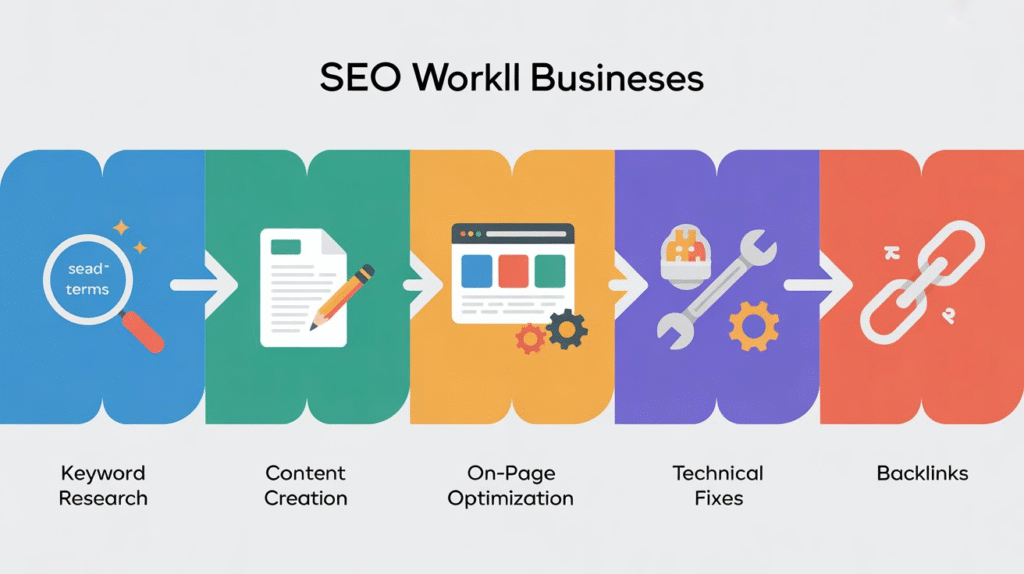
This guide is designed to change that. We’ll walk you through actionable strategies and a step-by-step approach to improving your website’s SEO covering everything from keyword research and on-page optimization to technical fixes, content strategy, and local SEO. By the end, you’ll have a clear roadmap to boost your online presence and attract the customers you need to grow.
2. Keyword Research

2.1 Understanding Your Audience and Search Intent
Before you optimize your website, you need to step into your customers’ shoes. What terms are they typing into Google when searching for your products or services? Understanding search intent whether informational, transactional, or navigational helps you target keywords that actually bring qualified traffic. The more closely your content aligns with what users are looking for, the higher your chances of ranking and converting visitors into customers.
2.2 Using Keyword Tools
Keyword research doesn’t have to be guesswork. Tools like Google Keyword Planner, Ahrefs, and Ubersuggest allow you to discover high-potential keywords for your niche. These tools provide search volume data, competition scores, and related keyword ideas, helping you focus your efforts on terms that are achievable for a small business and likely to drive meaningful traffic.
2.3 Focus on Long-Tail Keywords
While broad keywords may seem tempting, they are often dominated by big brands. Long-tail keywords longer, more specific phrases offer a smarter approach for small businesses. They tend to have lower competition, making it easier to rank quickly, and attract highly targeted traffic, meaning visitors are more likely to convert into customers. Examples include phrases like “affordable eco-friendly office chairs” instead of just “office chairs.”
2.4 Placement of Keywords
Once you’ve identified your keywords, placement is crucial. Include them naturally in:
- Titles – Craft compelling, keyword-rich page titles
- Meta descriptions – Summarize content while including target terms
- Headings (H1-H6) – Structure your content and signal relevance
- URLs – Keep them short, descriptive, and keyword-focused
- Content body – Sprinkle keywords naturally without overstuffing
Proper keyword placement ensures both search engines and visitors understand your content, improving your chances of ranking higher and attracting the right audience.
3. On-Page Optimization
Optimizing your website’s individual pages is essential to help search engines understand your content and improve user experience. On-page SEO ensures every element from titles to visuals is aligned with your target keywords and designed to engage visitors.
3.1 Title Tags and Meta Descriptions
Your title tags and meta descriptions are the first things users see in search results. Keep titles under 60 characters, incorporate your target keyword, and make them compelling to encourage clicks. Meta descriptions should summarize the page’s content, include your keywords, and entice users with a clear value proposition. Well-crafted titles and descriptions improve both rankings and click-through rates.
3.2 Header Tags (H1-H6)
Header tags structure your content for readability and SEO.
- H1: Use once per page to highlight the main topic.
- H2-H6: Organize subtopics, making content scannable and easier for search engines to understand.
Proper header hierarchy improves user experience, guides readers through your content, and signals relevance to search engines.
3.3 URL Structure
URLs should be short, descriptive, and keyword-rich. Avoid long strings of numbers or irrelevant characters. A clean URL, like yourwebsite.com/affordable-office-chairs, helps both users and search engines understand the page’s content.
3.4 Image Optimization
Images enhance engagement but can slow your site if not optimized.
- Use alt text to describe images for accessibility and SEO.
- Name image files with relevant keywords (e.g., eco-friendly-office-chair.jpg).
- Compress images to reduce load times without losing quality.
3.5 Internal Linking
Linking to other pages within your website boosts navigation and distributes authority across your site. Internal links guide visitors to related content, increase time on site, and help search engines discover all your pages efficiently.
3.6 Content Formatting
Well-formatted content is easier to read and more engaging.
- Use subheaders to break sections into digestible chunks.
- Include bullet points for lists and quick takeaways.
- Add visuals like images, charts, or infographics to support your points.
On-page optimization is about balancing SEO requirements with user experience—making your content both discoverable and enjoyable to read.
4. Technical SEO Fixes

Technical SEO ensures that your website runs smoothly, loads quickly, and is easily crawled and indexed by search engines. While on-page SEO focuses on content, technical SEO addresses the backend elements that directly impact rankings and user experience.
4.1 Site Audits
Regular site audits are essential to identify and fix issues that can hurt your SEO. Look for:
- Broken links – fix or redirect them to maintain authority and prevent 404 errors.
- Duplicate content – ensure each page has unique content to avoid penalties.
- Crawl errors – check Google Search Console for pages that search engines cannot access.
Audits keep your site healthy and ensure search engines can effectively index all your pages.
4.2 Page Speed Optimization
A fast-loading website improves rankings and keeps visitors engaged. Key steps include:
- Compress images without losing quality to reduce load times.
- Minify CSS and JavaScript to remove unnecessary code.
- Enable caching so returning visitors load pages faster.
Use tools like Google PageSpeed Insights to identify performance bottlenecks.
4.3 Mobile Responsiveness
With more users browsing on mobile, your site must be fully responsive. Test your website using Google’s Mobile-Friendly Test to ensure pages display correctly on all devices. Mobile optimization improves user experience and is a ranking factor in Google’s search algorithm.
4.4 Analytics and Monitoring
Monitoring your website’s performance is crucial to track SEO success:
- Set up Google Search Console to track indexing, search queries, and site errors.
- Use Google Analytics to monitor traffic, user behavior, and conversions.
Regular monitoring helps you spot issues early, measure the impact of SEO efforts, and make data-driven decisions for ongoing improvement.
5. Content Strategy

A strong content strategy is the backbone of effective SEO. It not only attracts visitors but also establishes your small business as a trusted authority in your niche.
5.1 High-Quality and Valuable Content
Focus on creating content that solves problems and answers customer queries. High-quality content builds trust, keeps visitors engaged, and encourages them to take action. Think blog posts, how-to guides, FAQs, and case studies that directly address your audience’s needs.
5.2 Multimedia Content
Visuals and media enhance engagement and retention. Incorporate images, videos, infographics, and other multimedia elements. Make sure all files are optimized with relevant keywords in their file names and alt text to improve SEO while keeping load times fast.
5.3 Updating Existing Content
SEO is not a one-time effort. Regularly update existing pages to keep information accurate, relevant, and aligned with the latest search trends. Refreshing content signals to search engines that your site is active, which can improve rankings.
5.4 Shareable Formats
Create content that people want to share. Infographics, listicles, interactive tools, and guides tend to attract backlinks and social shares, which boosts your site’s authority and organic visibility. Focus on formats that are easy to distribute and digest.
5.5 Local SEO Integration
For small businesses, local visibility is critical. Claim and optimize your Google Business Profile to appear in local search results. Include accurate contact information, business hours, and images to attract nearby customers. Encourage reviews, as they enhance credibility and improve local rankings.
6. Local and Off-Page SEO
While on-page and technical SEO help your website perform well, local and off-page SEO expand your reach and authority. For small businesses, these strategies are crucial to attract nearby customers and build credibility online.
6.1 Local Search Optimization
Local SEO helps your business appear in search results for nearby customers. Key tactics include:
- Citations – Ensure your business name, address, and phone number (NAP) are consistent across directories and local listings.
- Local directories – Submit your website to trusted directories like Yelp, Yellow Pages, and industry-specific platforms.
- Customer reviews – Encourage satisfied customers to leave reviews on Google and other review sites, as positive feedback improves local rankings and trust.
6.2 Backlink Strategy
Backlinks signal to search engines that your website is credible and authoritative. Focus on quality over quantity:
- Guest posting – Contribute articles to reputable sites in your niche to earn backlinks.
- Social sharing – Promote your content across social media platforms to increase exposure and natural links.
- Build relationships with local bloggers, industry influencers, and partners to generate authentic backlinks that boost your SEO.
6.3 Tracking and Analytics
Monitoring your progress ensures your efforts are paying off:
- Use Google Analytics to track traffic sources, user behavior, and conversions.
- Monitor rankings for your target keywords to see which strategies are working.
- Adjust your approach based on data to continuously improve your local and off-page SEO efforts.
7. Step-by-Step SEO Checklist for Small Business Websites

Here’s a consolidated checklist combining all strategies discussed above an actionable roadmap to improve your website’s SEO:
- Keyword Research
- Identify your audience’s search intent.
- Use tools like Google Keyword Planner, Ahrefs, or Ubersuggest.
- Focus on long-tail keywords with lower competition.
- Map keywords to pages, titles, meta descriptions, headings, and URLs.
- Identify your audience’s search intent.
- On-Page Optimization
- Optimize title tags and meta descriptions (<60 characters).
- Structure content with H1-H6 headings.
- Create short, descriptive, keyword-rich URLs.
- Optimize images (alt text, file names, compression).
- Use internal linking to improve navigation and authority.
- Format content with subheaders, bullet points, and visuals.
- Optimize title tags and meta descriptions (<60 characters).
- Technical SEO Fixes
- Conduct regular site audits (fix broken links, duplicate content, crawl errors).
- Improve page speed (compress images, minify CSS/JS, caching).
- Ensure mobile responsiveness using Google’s Mobile-Friendly Test.
- Set up Google Search Console and Google Analytics to monitor indexing, clicks, and errors.
- Conduct regular site audits (fix broken links, duplicate content, crawl errors).
- Content Strategy
- Create high-quality, problem-solving content.
- Incorporate multimedia (images, videos, infographics) with optimized file names.
- Update existing content regularly.
- Focus on shareable formats to encourage backlinks and social shares.
- Claim and optimize your Google Business Profile for local SEO.
- Create high-quality, problem-solving content.
- Local and Off-Page SEO
- Ensure NAP consistency across citations and directories.
- Collect customer reviews to boost credibility and local rankings.
- Build quality backlinks through guest posts and social sharing.
- Track performance with analytics and adjust strategies as needed.
- Ensure NAP consistency across citations and directories.
8. Recommended Free SEO Tools
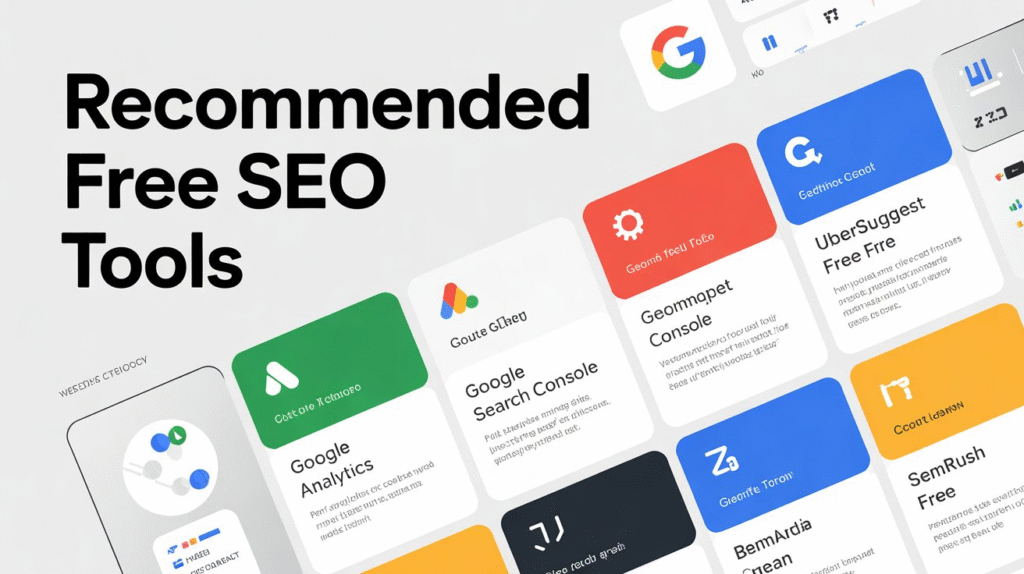
Using the right tools can simplify SEO and provide actionable insights. Here are the best free tools for small businesses:
- Google Keyword Planner
- Discover keywords relevant to your niche.
- Analyze search volume, competition, and trends.
- Use it to identify long-tail keywords and prioritize your SEO efforts.
- Discover keywords relevant to your niche.
- Google Analytics
- Track website traffic, user behavior, and conversions.
- Identify high-performing pages and content gaps.
- Use reports to measure ROI and optimize marketing campaigns.
- Track website traffic, user behavior, and conversions.
- Google Search Console
- Monitor indexing, crawl errors, and site performance.
- Analyze which queries bring visitors to your site.
- Submit sitemaps and fix SEO issues quickly.
- Monitor indexing, crawl errors, and site performance.
- Ubersuggest
- Conduct keyword research, backlink analysis, and competitive analysis.
- Generate content ideas based on search volume and trends.
- Use it to track rankings and identify opportunities for improvement.
- Conduct keyword research, backlink analysis, and competitive analysis.
9. Measuring SEO Success
Tracking your SEO efforts is essential to understand what’s working and where improvements are needed. Focus on these key performance indicators (KPIs):
- Organic Traffic – The number of visitors arriving from search engines. Growth indicates successful SEO.
- Keyword Rankings – Monitor how your target keywords rank over time. Higher rankings mean better visibility.
- Click-Through Rate (CTR) – Percentage of users clicking your link from search results. Optimized titles and meta descriptions improve CTR.
- Bounce Rate – Percentage of visitors leaving after viewing one page. A high bounce rate may signal irrelevant content or poor user experience.
Tools to Track Performance:
- Google Analytics – Analyze traffic, user behavior, and conversions.
- Google Search Console – Track keyword rankings, impressions, clicks, and technical issues.
- Ubersuggest – Monitor keyword performance, backlinks, and competitor activity.
Regular tracking helps you make data-driven decisions, refine strategies, and achieve measurable results.
10. Conclusion
SEO is a powerful tool that can help small businesses grow their online presence, attract the right audience, and increase sales. By implementing strategies such as keyword research, on-page optimization, technical SEO fixes, content strategy, and local/off-page SEO, even small websites can compete effectively.
Consistency is key. Regular updates, audits, and monitoring ensure your efforts pay off over time. Start small conduct an SEO audit or update a few pages of content and build momentum gradually. With a structured approach, your small business website can achieve higher visibility, better rankings, and measurable growth.
Optional Sections / Related Articles
- How to find and prioritize long-tail keywords for your niche – Dive deeper into keyword research strategies.
- On-page SEO best practices with examples for product pages – Learn practical tips to optimize product listings for search engines.
- Step-by-step guide for local SEO for small businesses – Enhance visibility in local search results and attract nearby customers.
FAQ
1. What is SEO and why is it important for small businesses?
SEO (Search Engine Optimization) is the process of improving your website to rank higher in search engine results. For small businesses, SEO drives organic traffic, increases visibility, and helps attract potential customers without relying solely on paid advertising.
2. How long does it take to see results from SEO?
SEO is a long-term strategy. Typically, small businesses may start seeing noticeable improvements in traffic and rankings within 3–6 months, depending on competition, website age, and consistency of optimization efforts.
3. Can I do SEO for my small business website on my own?
Yes, small business owners can handle basic SEO, especially keyword research, on-page optimization, and content updates. However, technical SEO and advanced strategies may require professional help for best results.
4. How do I choose the right keywords for my website?
Start by understanding your audience and their search intent. Use free tools like Google Keyword Planner or Ubersuggest to find relevant long-tail keywords with low competition that match your products or services.
5. How can I track if my SEO efforts are working?
Use tools like Google Analytics and Google Search Console to monitor traffic, keyword rankings, click-through rates, and user behavior. Regular tracking helps you identify what’s working and adjust strategies accordingly.