-
- No Comments
- December 31, 2025

Logitech G933 Wireless Gaming Headset
1. Introduction
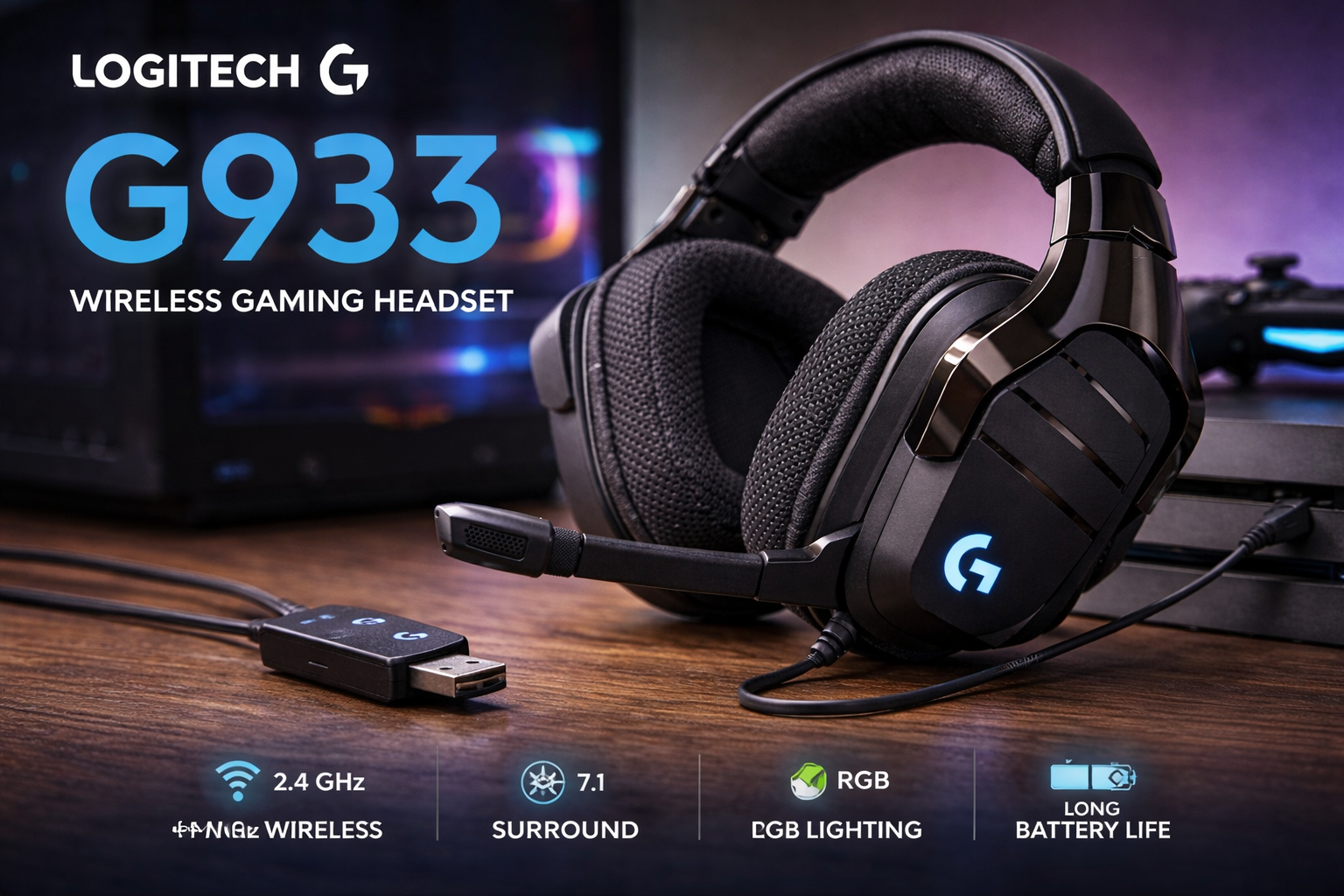
The Logitech G933 Artemis Spectrum is a wireless gaming headset built for players who want immersion without being tied to their desk. Known for its bold design, customizable RGB lighting, and virtual 7.1 surround sound, the G933 carved out a strong reputation when it launched and continues to be discussed years later.
Despite being released around 2016, the G933 is still searched and reviewed today because it sits at an interesting crossroads. It offers premium features that were ahead of their time low-latency wireless audio, deep software customization, and multi-platform support—yet it now competes in a market filled with newer headsets. Gamers often revisit it to compare performance, troubleshoot common issues, or decide whether it still holds value compared to modern alternatives.
This headset is best suited for PC and console gamers who want immersive sound, streamers who prioritize microphone clarity, and multi-platform users who switch between PC, PlayStation, Xbox, and mobile devices. If customization, surround sound, and wireless flexibility matter more than portability, the G933 remains a compelling topic of discussion.
2. What Is the Logitech G933 Wireless Gaming Headset?
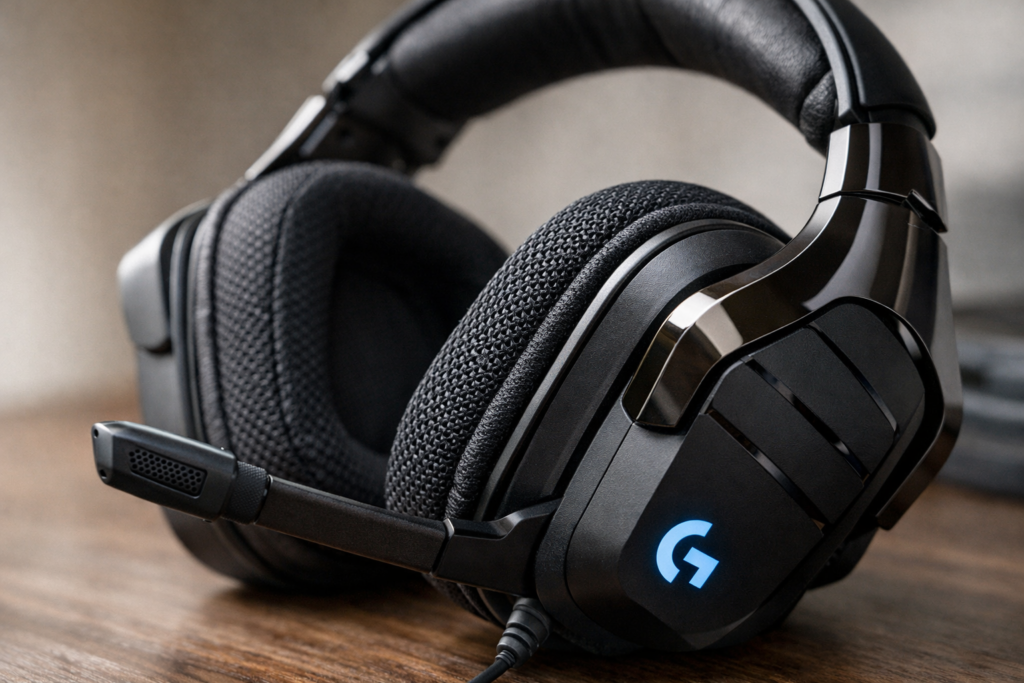
The Logitech G933 Artemis Spectrum is positioned as a high-performance wireless gaming headset designed to deliver immersive audio across multiple platforms. When it launched, Logitech aimed to create a single headset that could handle competitive gaming, casual play, media consumption, and voice communication without compromise.
At its core, the G933 promises three things:
wireless freedom, cinematic surround sound, and deep customization. It uses Logitech’s Pro-G drivers to produce powerful bass and clear highs, while virtual surround sound technologies enhance positional awareness in games. The headset connects primarily through a low-latency 2.4GHz wireless USB dongle, ensuring responsiveness that meets the demands of fast-paced gameplay.
Support extends across PC, PlayStation 4, Xbox One, and mobile devices, making it a versatile option for users who don’t want separate headsets for each platform. Wireless functionality is fully available on PC and PS4, while wired 3.5mm connectivity ensures broad compatibility everywhere else.
In short, the Logitech G933 is designed as an all-in-one wireless gaming solution—focused on immersion, control, and adaptability rather than minimalism or portability.
3. Key Specifications at a Glance
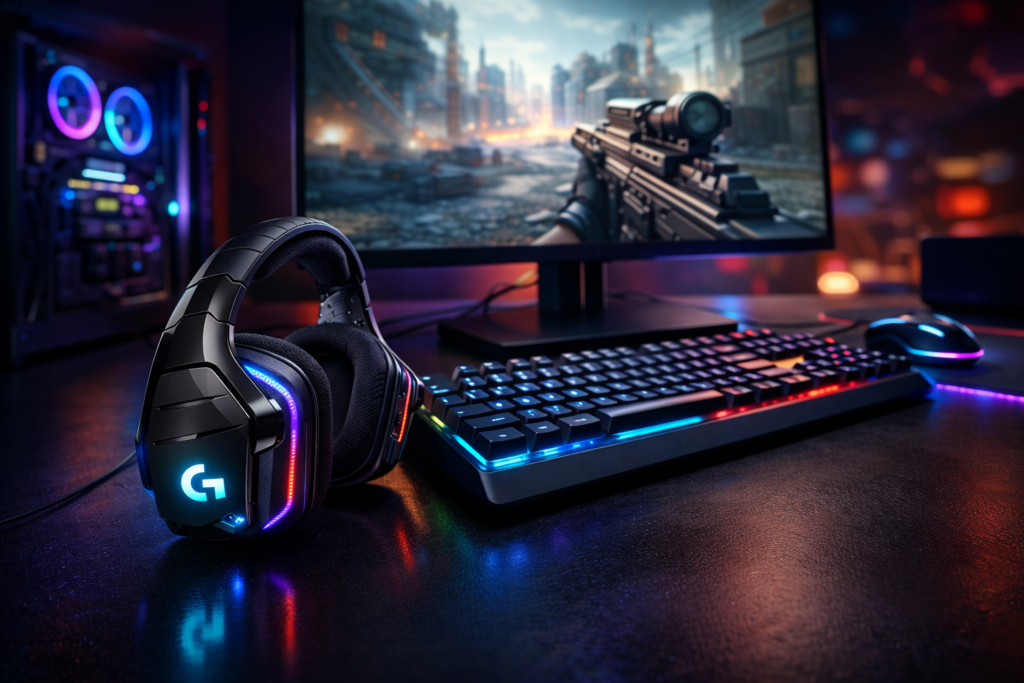
The Logitech G933 Artemis Spectrum balances powerful audio hardware with wireless flexibility and a feature-rich design. While it may look bulky on paper, its specifications reveal why it was considered a premium gaming headset at launch and why it still draws attention today.
3.1 Audio Specifications
At the heart of the G933 are 40mm Pro-G drivers, engineered to deliver a wide and dynamic sound profile suitable for gaming, movies, and music. The headset covers a 20Hz–20kHz frequency response, allowing it to reproduce deep bass as well as crisp high frequencies.
With a 39 Ohms passive impedance, the G933 is easy to drive without requiring additional amplification. Audio is enhanced through virtual surround sound, supporting DTS Headphone:X 2.1 and Dolby surround via Logitech G HUB software. These formats are designed to improve positional awareness and immersion, especially in competitive and cinematic games.
3.2 Microphone Specifications
The G933 features a retractable noise-canceling boom microphone built for clear voice communication. It uses a cardioid pickup pattern, focusing on the user’s voice while reducing background noise from the sides and rear.
The microphone operates within a 100Hz–20kHz frequency range, which helps preserve natural voice tone while maintaining clarity. Its strong noise handling performance, rated around 25dB signal-to-noise ratio, makes it reliable for gaming chat, streaming, and voice calls. When not in use, the mic folds neatly into the ear cup for a cleaner look.
3.3 Battery and Wireless Performance
Battery life varies depending on lighting usage. With RGB lighting disabled, the G933 can last up to 12 hours, while typical use with lighting enabled and volume around 50 percent delivers roughly 8 hours of playback.
Wireless audio is handled through a 2.4GHz USB dongle, offering low-latency performance suitable for gaming. Latency remains around 22 milliseconds, keeping audio and visuals in sync. The wireless range extends up to 20 meters outdoors, giving users freedom to move without frequent dropouts. A key advantage is the removable and rechargeable battery, allowing the headset to be used while charging.
3.4 Physical Dimensions and Weight
The Logitech G933 measures approximately 172 × 81.7 × 182 mm and weighs 366 grams without cables. This places it firmly in the heavier category of gaming headsets.
While the size contributes to its immersive over-ear fit and housing for drivers and battery, it also makes the G933 less portable than slimmer alternatives. It is best suited for home gaming setups rather than travel or outdoor use, prioritizing comfort and performance over compactness.
4. Design, Build Quality, and Comfort
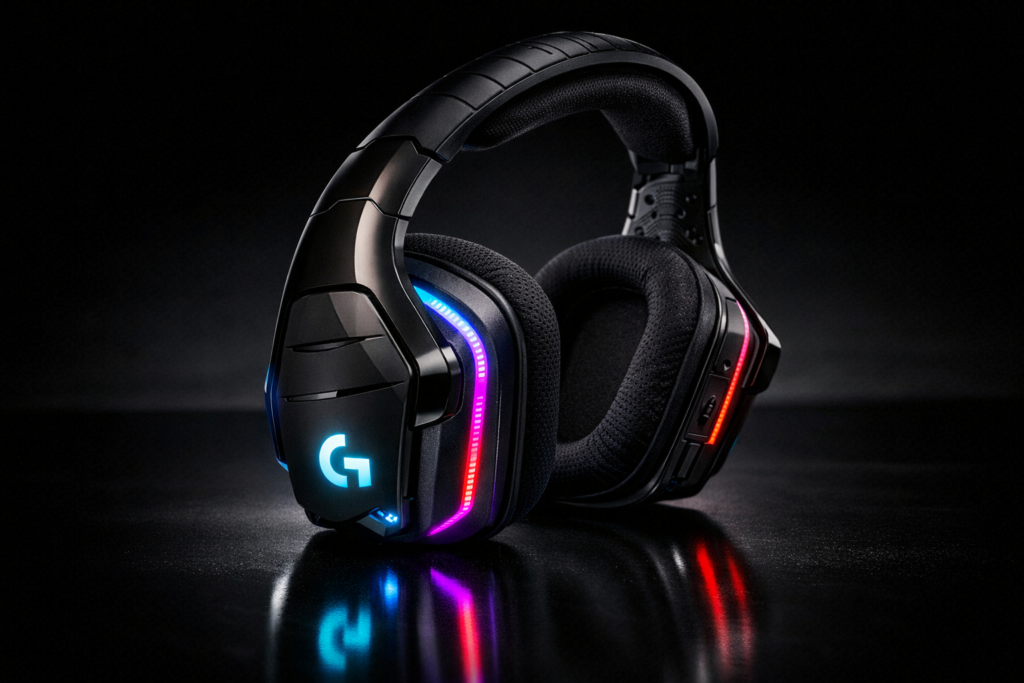
The Logitech G933 Artemis Spectrum is unapologetically a gaming-first headset. Everything about its design prioritizes immersion, customization, and long-session usability rather than subtlety or portability.
4.1 Overall Design and Aesthetics
The G933 features a bulky, angular build that immediately signals its gaming identity. Large ear cups, thick hinges, and a wide headband give it a solid, almost industrial presence. While this size allows room for powerful drivers and internal components, it also makes the headset feel substantial on the head.
A standout visual element is the RGB LIGHTSYNC lighting embedded into both ear cups. These illuminated panels can be customized through Logitech G HUB, syncing with games or system events. Users can adjust colors, effects, and brightness or disable lighting entirely to conserve battery life.
4.2 Comfort for Long Gaming Sessions
For extended use, the G933 relies on over-ear, breathable sports mesh ear cups designed to reduce heat buildup. The ear pads are removable and washable, a practical feature for long-term ownership and hygiene.
The padded headband distributes weight evenly across the top of the head, helping offset the headset’s heavier frame. Clamping force is moderate—secure enough to keep the headset stable during movement, yet generally comfortable for long gaming sessions. However, due to its size and weight, some users may feel fatigue during very long sessions compared to lighter headsets.
4.3 Controls and Physical Features
Physical controls are placed directly on the ear cups for quick access. These include a volume wheel, a dedicated power switch, and a microphone mute button, allowing adjustments without leaving the game or software menu.
The retractable noise-canceling boom microphone is a key design feature. It extends when needed and folds smoothly into the ear cup when not in use, giving the headset a cleaner profile while protecting the mic from damage.
5. Audio Performance Breakdown
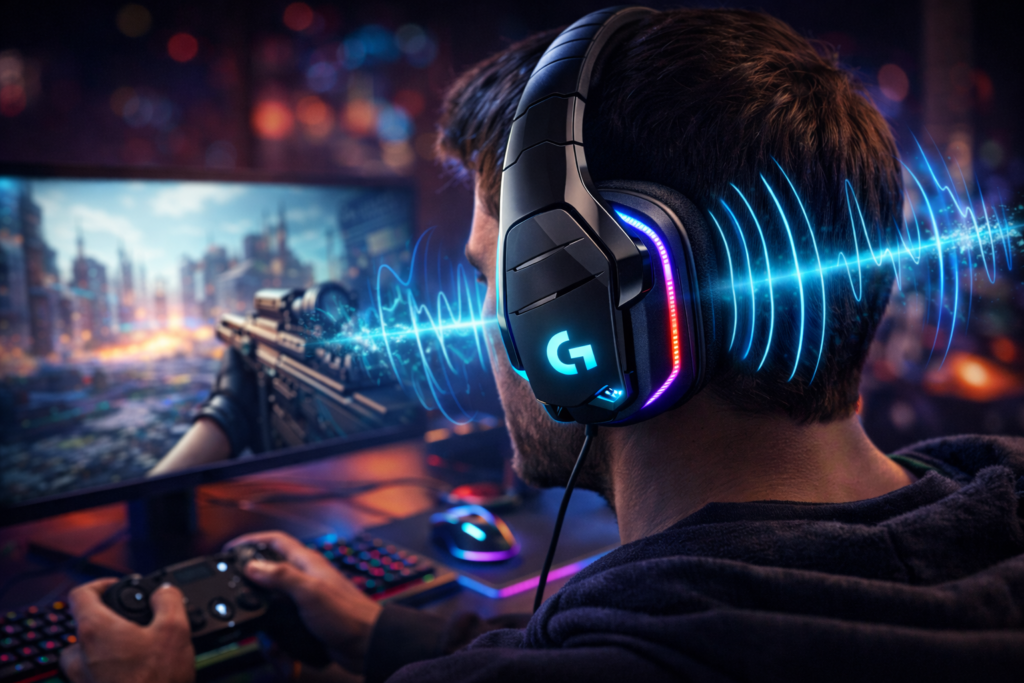
Audio is where the Logitech G933 aims to justify its size and feature set. Powered by Pro-G drivers and supported by surround sound software, the headset focuses on immersion and spatial awareness.
5.1 Gaming Audio Experience
In games, the G933 delivers booming bass that adds impact to explosions, gunfire, and environmental effects. Low-frequency performance can reach very deep levels, though bass response may vary depending on ear cup seal and whether the user wears glasses.
Positional audio is a strong point. The headset creates an immersive soundstage that enhances directional cues, helping players track footsteps and in-game movement. While the soundstage feels somewhat “in-head” rather than wide and open, surround processing adds depth and realism to competitive and story-driven games.
5.2 Music and Media Playback
For music and general media, the G933 offers clear highs and solid bass, though the midrange can feel slightly recessed. Vocals and instruments remain detailed, but they do not always take center stage without EQ adjustments.
This is where customization becomes important. Using equalizer settings in G HUB can significantly improve balance, allowing users to tailor the sound for music genres or movie watching. With the right tuning, the headset performs well beyond basic gaming use.
5.3 Surround Sound and Software Enhancements
The G933 supports DTS Headphone:X 2.1 and Dolby surround through Logitech G HUB, giving users flexibility in how surround sound is processed. DTS tends to emphasize spatial positioning, while Dolby offers a smoother, more cinematic feel.
G HUB also allows custom EQ profiles and presets, which can be saved for different games, media types, or user preferences. These software enhancements play a major role in shaping the G933’s sound, making it highly adaptable depending on how it’s configured.
6. Microphone Quality and Communication
The Logitech G933 is widely regarded for having a strong built-in microphone, especially for a wireless gaming headset of its era. It is designed to deliver clear voice transmission while minimizing background distractions.
Voice clarity is crisp and natural, making speech easy to understand during gameplay, voice chats, and calls. The cardioid pickup pattern focuses on the speaker’s voice and actively reduces ambient noise from the surrounding environment. Combined with its solid noise-handling capability, the microphone performs well even in rooms with moderate background sound.
In real-world use, the mic holds up across gaming communication, online calls, and streaming, offering consistent volume and intelligibility. While it may not replace a dedicated studio microphone for professional streaming, it exceeds expectations for in-game chat and casual content creation.
The G933 also includes mic monitoring (sidetone) through software, allowing users to hear their own voice in the headset and avoid speaking too loudly. When not in use, the retractable boom mic folds smoothly into the ear cup, protecting it from damage and keeping the headset visually clean.
7. Connectivity and Compatibility
One of the G933’s defining strengths is its flexibility. Logitech designed it to work across multiple platforms using both wireless and wired connections, reducing the need for separate headsets.
7.1 Wireless Connectivity
Wireless audio is delivered through a 2.4GHz USB dongle, which provides low-latency, stable performance. On PC and PlayStation 4, the dongle enables full functionality, including surround sound and software customization through Logitech G HUB.
Latency remains impressively low at around 22 milliseconds, making the headset suitable for fast-paced gaming where audio timing matters. Wireless stability is generally strong within range, with fewer dropouts in typical home environments. The signal can reach up to 20 meters outdoors, though walls and interference can reduce effective indoor range.
On Xbox One, wireless connectivity is more limited, as the console does not support USB audio in the same way. As a result, some features are unavailable when used wirelessly on Xbox.
7.2 Wired Connectivity Options
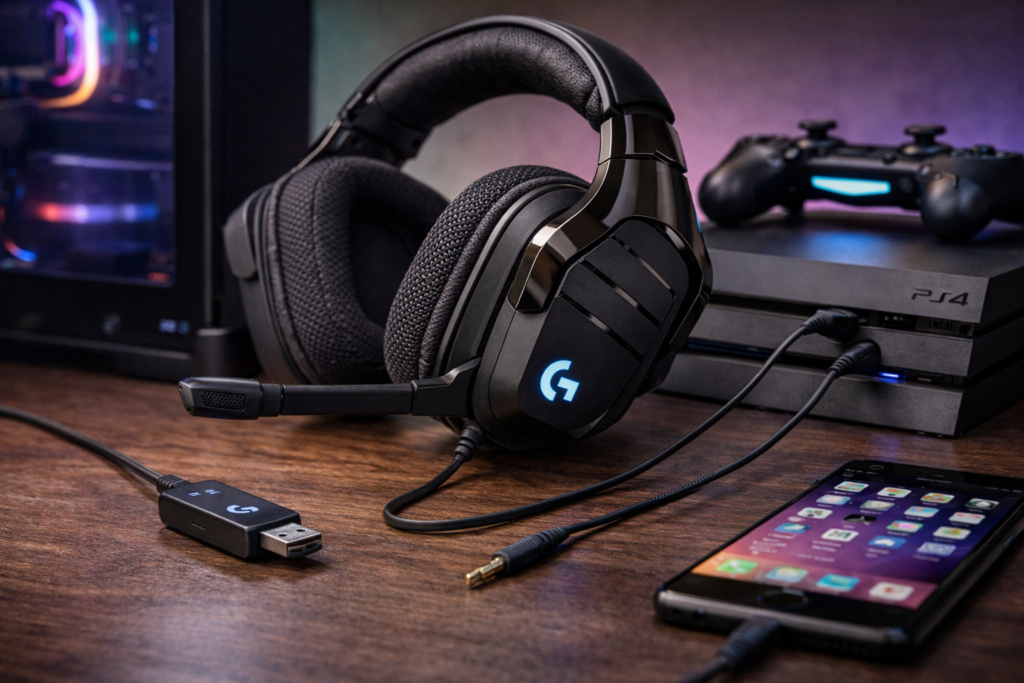
For universal compatibility, the G933 includes 3.5mm wired options, featuring a 2-meter PC cable and a 1.5-meter mobile cable. These allow the headset to connect directly to consoles, controllers, smartphones, and other devices.
The wired connection includes inline controls for basic functionality, such as volume and call handling. However, when used in wired mode, advanced features like surround sound processing and software-based customization are not available. Audio is limited to standard stereo output, and mic behavior depends on the connected device.
7.3 Platform Compatibility Explained
- PC: Full support via USB dongle, including surround sound, EQ customization, G-keys, and mic monitoring through G HUB.
- PlayStation 4: Wireless audio supported through the USB dongle with core functionality intact.
- Xbox One: Audio support primarily through wired 3.5mm connection, with limited feature access.
- Mobile Devices: Compatible via 3.5mm cable for basic audio and microphone use.
While the Logitech G933 offers broad compatibility, feature availability depends heavily on platform and connection type, with PC users receiving the most complete experience.
8. Software Experience: Logitech G HUB
The Logitech G933 relies heavily on Logitech G HUB to unlock its full potential. While the headset functions out of the box, the software is where customization, surround sound control, and deeper audio tuning come into play.
G HUB allows users to create multiple profiles tailored to different games, media types, or personal preferences. These profiles can store EQ settings, surround sound configurations, microphone adjustments, and lighting behavior. For users who switch between competitive gaming and casual media, this flexibility is a major advantage.
A key feature of the G933 is its three programmable G-keys located on the ear cup. Through G HUB, these buttons can be mapped to switch EQ profiles, toggle surround sound, control lighting effects, or execute custom macros. This enables quick, on-the-fly changes without needing to exit a game.
That said, the software experience is not without flaws. Some users encounter G HUB recognition issues, profile loading problems, or occasional crashes. Firmware updates and clean installations usually resolve these problems, but overall reliability can feel inconsistent. While powerful, G HUB requires patience and occasional troubleshooting to maintain stable performance.
9. Pros and Cons of the Logitech G933
Like most feature-rich gaming headsets, the Logitech G933 comes with clear strengths and noticeable trade-offs.
Pros
Audio customization is one of the G933’s biggest advantages. With adjustable EQ, surround sound modes, and profile switching, users can fine-tune the sound to suit different games, music, or movies.
The headset also delivers strong microphone performance, offering clear voice transmission and effective noise handling. For in-game communication and casual streaming, the mic stands out among wireless headsets from its generation.
Another notable benefit is multi-device mixing capability. The USB dongle’s line-in support allows audio from different sources to be combined, which is useful for users juggling multiple devices in a single setup.
Cons
The G933 suffers from poor noise isolation and noticeable sound leakage, making it less ideal for shared or noisy environments. External sounds can bleed in, and higher volumes may leak out.
Its bulky design is another drawback. While comfortable for desk gaming, the size and weight make it impractical for travel or extended non-gaming use.
Bass performance can be inconsistent, especially if the ear cup seal is affected by glasses or head shape. In addition, software glitches in G HUB can occasionally interrupt the otherwise strong customization experience.
10. Common Issues Users Face with the G933
Even a beloved headset can have bumps along the road, and the Logitech G933 is no exception. Several issues come up often among owners—some due to the headset’s age, others rooted in design trade-offs.
Battery Degradation
Wireless headsets live and die by their batteries, and over time the G933’s removable/rechargeable cells can lose capacity. Many users report reduced runtime years after initial use, meaning sessions that once lasted 8–12 hours may now struggle to hit half that. Because the battery is removable, replacements are possible—but genuine, reliable cells aren’t always easy to find, and aftermarket options can vary in quality.
Wireless Dropouts
The 2.4GHz wireless dongle generally delivers low-latency audio, but signal stability isn’t infallible. Some users experience occasional audio dropouts, especially in environments crowded with Wi-Fi and Bluetooth interference. Indoors, walls and devices can weaken the connection, and while range is solid outdoors, the real-world performance depends on your setup.
Software Recognition Problems
Logitech G HUB unlocks the headset’s customization, but it’s also where frustration can crop up. Some G933 units aren’t reliably recognized by the software, profiles fail to load correctly, or settings revert unexpectedly. Firmware updates usually help, but occasional glitches still pop up, highlighting that powerful software can also be finicky.
11. Is the Logitech G933 Still Worth Buying Today?
This question comes up often—and the answer isn’t one-size-fits-all. It depends on what you want from a headset and how it stacks up against modern alternatives.
Performance vs Modern Headsets
In terms of raw audio and features, the G933 still holds its own. Its customizable surround sound, balanced drivers, and software flexibility give it longer legs than many budget headsets. However, newer wireless models often offer better battery life, sleeker designs, more stable software integration, and features like Bluetooth multipoint or USB-C charging that the G933 lacks.
Who Should Still Consider It
- Budget-savvy gamers who find it used or discounted
- Multiplatform users who need wired and wireless support
- PC gamers who won’t mind occasional software quirks
- Anyone who values custom EQ and surround sound profiles
If you want flexibility and deep customization without paying flagship prices, the G933 can still be a smart choice.
Who Should Avoid It
- Gamers who prioritize noise isolation and portability
- Users who want plug-and-play reliability without software headaches
- People who prefer newer battery tech or Bluetooth support
- Anyone who will use it predominantly on consoles where features are limited
In short: the G933 is not the newest kid on the block, but for the right user it still delivers solid performance. Just go in with realistic expectations about its age-related quirks.
12. Logitech G933 vs Newer Logitech Gaming Headsets
The Logitech G933 was once a flagship contender, but audio and wireless tech have come a long way since its release. Here’s how it compares with more recent offerings from Logitech.
Audio Improvements Over Time
Modern Logitech headsets tend to deliver:
- Cleaner tuning out of the box, with less need for aggressive EQ tweaks
- Improved driver technology that expands clarity and dynamic range
- Enhanced surround processing that feels more natural and less “in-head” than older virtual 7.1 implementations
While the G933’s Pro-G drivers still produce satisfying bass and clear highs, newer models often offer a more balanced midrange presence, wider soundstage perception, and refined tuning tailored for both gaming and media.
Wireless and Battery Advancements
Wireless performance has matured. Compared to the G933’s 2.4GHz dongle-centric approach:
- Newer headsets embrace advanced wireless chips for stronger stability
- Longer battery life—often 20+ hours with RGB
- Features like Bluetooth multipoint for seamless switching between devices
- USB-C charging for convenience
The G933’s ~8–12 hour battery life was competitive once, but today it’s average at best. Removable batteries were innovative, yet modern sealed packs with better efficiency typically outlast them.
Software Evolution
Logitech G HUB remains central to customization, but newer headsets benefit from:
- Smoother software support with fewer recognition glitches
- Updated EQ interfaces and presets tailored for specific game titles
- Automatic updates and cloud-synced profiles
- Better integration with RGB ecosystems and game integration
The G933’s software options still unlock meaningful control, but reliability and polish have measurably improved in newer releases.
In summary: the G933 holds historical significance and solid performance, but newer Logitech headsets offer improved ergonomics, extended battery life, refined audio tuning, and more seamless software experiences.
13. Tips to Get the Best Performance from the G933
Even a legacy headset like the G933 performs better when you optimize its hardware and software. Here’s how to squeeze the most out of it.
Firmware and Driver Updates
- Always ensure your G933 is running the latest firmware via Logitech G HUB.
- Update the USB dongle drivers to improve connection stability.
- If G HUB isn’t recognizing the headset, try a clean reinstall—uninstall G HUB, restart, then install the latest version.
Firmware and driver refreshes often fix audio glitches, button mapping issues, and recognition bugs.
Recommended EQ Use Cases
The G933’s audio versatility shines with EQ:
- Gaming: Boost mids and highs slightly to improve footsteps and weapon cues; moderate bass to avoid boominess.
- Music: Slight bass lift plus gentle midrange warmth makes tracks feel fuller; avoid extreme boosts that muddy vocals.
- Movies: Wider surround profiles with deeper low end can enhance cinematic immersion.
Experiment with profiles and save them in G HUB so you can switch instantly between use cases without guesswork.
Fit Adjustments for Better Bass Seal
The G933’s bass performance is seal-dependent:
- Adjust the ear cups so they fully enclose your ears without squeezing too hard.
- If you wear glasses, try slightly angling the pads away from the temples to improve the seal.
- Ensure the headband sits snug but not tight—pressure evenly distributed helps maintain consistent sound.
A better seal results in deeper, more defined bass and improved overall clarity.
14. Replacement Parts and Long-Term Ownership
Maintaining an older headset like the Logitech G933 doesn’t have to be a guessing game. With the right replacement parts and care, you can extend its lifespan significantly.
Battery Replacement Options
The G933’s battery is removable and rechargeable, which is rare for wireless headsets of its era. Over time, original cells can degrade, reducing overall runtime. To keep the headset performing:
- Look for replacement batteries designed specifically for the G933—these maintain proper fit and safety.
- Avoid unbranded generic batteries that may swell or fail prematurely.
Given the headset’s age, replacements are typically found through dedicated parts sellers or secondhand marketplaces. Prioritize sellers with clear sizing and capacity specs to ensure you get a compatible unit.
Ear Pad Replacements
Ear pads are wear items—they naturally flatten, stretch, and accumulate grime over long-term use. When your originals start feeling tired:
- Choose replacement ear pads with breathable mesh similar to the stock design for comfort and airflow.
- Consider memory foam upgrades for better seal and improved bass response.
- Ensure the size and attachment method matches the G933’s ear cup shape.
Replacing ear pads not only boosts comfort but also refreshes sound isolation and overall feel.
Finding Genuine Parts
Finding genuine Logitech parts for the G933 can be a challenge due to its age. To improve your chances:
- Check with official Logitech support for available stock or recommended partners.
- Look at reputable parts resellers who specify OEM compatibility.
- Avoid no-brand parts with vague descriptions — quality matters for batteries and ear pads alike.
Genuine or high-quality compatible parts ensure long-term safety and performance.
15. Final Verdict
After examining specs, performance, quirks, and longevity, here’s a balanced take on the Logitech G933 Wireless Gaming Headset in 2026.
Balanced Summary
The G933 remains a headset with serious versatility. It offers robust wireless gaming performance, multi-platform support, customizable audio profiles, and solid mic quality. These core strengths extend its relevance beyond its release era.
Yet, age shows in its battery life, bulk, and occasional software glitches. Modern headsets have improved on these fronts, offering sleeker designs, longer runtimes, and more seamless software ecosystems.
Strengths, Weaknesses, and Real-World Value
Strengths
- Deep audio customization with EQ and surround sound options
- Strong microphone quality for gaming and chat
- Wireless freedom plus wired fallback for multi-platform use
- Removable battery allows replacement rather than disposal
Weaknesses
- Poor noise isolation and leakage
- Bulky design not ideal for travel or lightweight setups
- Inconsistent bass seal depending on fit
- Software can glitch; G HUB isn’t flawless
In real-world use, the G933 shines for users who prioritize immersive audio and flexibility over portability and pure simplicity.
Clear Recommendation Based on User Type
✔️ Recommended if:
- You enjoy gaming on both PC and console, especially with a headset you can customize
- You don’t mind occasional software troubleshooting
- You find a G933 at a good price — used or discounted
❌ Not ideal if:
- You want lightweight, travel-friendly audio gear
- You prefer plug-and-play without software complexity
- You need the highest battery life or Bluetooth multipoint
Overall: A classic with value but best for the right user.
16. Related Guides and Further Reading
To help you get even more from your G933 or related gear, check out these practical companion guides:
- G933 Hardware Issues and Fixes — troubleshooting tips for common problems
- Best EQ Settings for Gaming and Music — presets that bring out the best sound
- Firmware Update Guide — step-by-step refresh for improved performance
- Buying Replacement Parts Safely — how to find quality batteries and ear pads without risking damage
FAQ – Logitech G933 Wireless Gaming Headset
1. Is the Logitech G933 still a good headset in 2026?
Yes, it remains a solid choice for gamers and streamers who value customizable audio, multi-platform compatibility, and wireless freedom. However, newer headsets offer improved battery life, lighter design, and more stable software.
2. Can the G933 be used on Xbox One and mobile devices?
Yes. While it supports full wireless functionality on PC and PS4, Xbox One and mobile devices primarily require the 3.5mm wired connection, with some feature limitations such as surround sound and software customization.
3. How long does the battery last on the Logitech G933?
Battery life ranges from 8 hours with RGB lighting at 50% volume to 12 hours without lighting. The headset uses a removable and rechargeable battery, allowing you to swap or use it while charging.
4. Are replacement parts available for the G933?
Yes. Ear pads and batteries can be replaced. For safety and performance, it’s recommended to use genuine Logitech parts or verified compatible replacements available through official channels or reputable resellers.
5. What software is needed to customize the G933?
Logitech G HUB is required to create EQ profiles, program G-keys, adjust surround sound, and manage lighting. While powerful, some users may experience occasional recognition or stability issues, so keeping the software updated is important.