
-
- No Comments
- January 7, 2026

Best SEO plugins for WordPress in 2026
1. Introduction: Why Choosing the Right SEO Plugin Matters in 2026
Search engine optimization in 2026 looks nothing like it did even a few years ago. WordPress sites are no longer competing on keywords alone. They’re competing on experience, speed, structure, and how intelligently content is presented to search engines. In this landscape, the SEO plugin you choose is not just a helper it’s a foundational decision that can quietly determine whether your site grows or stalls.
Evolution of WordPress SEO in 2026
WordPress SEO has matured into a blend of technical precision and strategic automation. Search engines now prioritize structured data, page experience, semantic relevance, and real user behavior signals. Schema markup, XML sitemaps, internal linking logic, and index control are no longer optional—they’re expected. Modern SEO plugins have evolved to handle these requirements automatically, allowing site owners to stay competitive without touching code or constantly chasing algorithm updates.
Why plugins are still essential despite AI and automation
AI has changed how content is written, optimized, and analyzed—but it hasn’t replaced SEO plugins. Instead, it has made them more powerful. SEO plugins act as the bridge between your WordPress site and search engines, translating content, metadata, and structure into signals that AI-driven search systems can understand. Even with automation, you still need tools that manage redirects, generate schema, monitor indexing issues, and integrate with search performance data. Without a capable plugin, even the best AI-generated content struggles to perform.
What this guide covers and how it helps readers choose correctly
This guide is designed to cut through noise and confusion. Rather than listing features blindly, it explains why certain plugins stand out in 2026, who they’re best for, and when paying for premium features actually makes sense. Whether you’re running a small blog, a content-heavy site, an online store, or a growing business, this breakdown helps you choose an SEO plugin based on real needs not hype.
2. What Makes an SEO Plugin “Best” in 2026

Calling an SEO plugin “the best” in 2026 isn’t about who has the longest feature list. It’s about how well the plugin adapts to modern search behavior, simplifies complex SEO tasks, and scales with your site as it grows.
Core SEO requirements for modern WordPress sites
At a minimum, a top-tier SEO plugin must handle on-page optimization, metadata control, XML sitemaps, schema markup, and redirects reliably. It should allow precise control over indexing, canonical URLs, and internal linking signals. These are no longer advanced features—they’re baseline requirements for visibility in competitive search results.
Importance of AI-assisted optimization
AI-assisted SEO has shifted from novelty to necessity. The best plugins in 2026 use AI to analyze content quality, suggest improvements, and identify optimization gaps in real time. This doesn’t replace strategy, but it dramatically reduces guesswork. AI-driven insights help users optimize faster, avoid over-optimization, and align content with actual search intent rather than outdated keyword formulas.
Role of Core Web Vitals and performance
Performance is SEO. Search engines now directly factor loading speed, interactivity, and visual stability into rankings. An SEO plugin must work with performance tools, not against them. Clean code, lightweight execution, and compatibility with caching and optimization plugins are essential. Even the most perfectly optimized page can lose rankings if performance is neglected.
Beginner usability vs advanced control
The best SEO plugins strike a careful balance. Beginners need clear guidance, sensible defaults, and visual feedback. Advanced users need granular control, automation rules, and detailed analytics. In 2026, top plugins succeed by offering layered complexity simple on the surface, powerful underneath so users aren’t forced to choose between ease and capability.
Free vs paid value considerations
Free versions of SEO plugins are more capable than ever, often covering everything a small site needs. Paid plans become valuable when automation, advanced schema, analytics, or scalability enter the picture. The “best” plugin isn’t always the most expensive it’s the one whose free or paid features align with your site’s goals without unnecessary bloat or recurring costs you don’t actually need.
3. Quick Overview: Top WordPress SEO Plugins in 2026
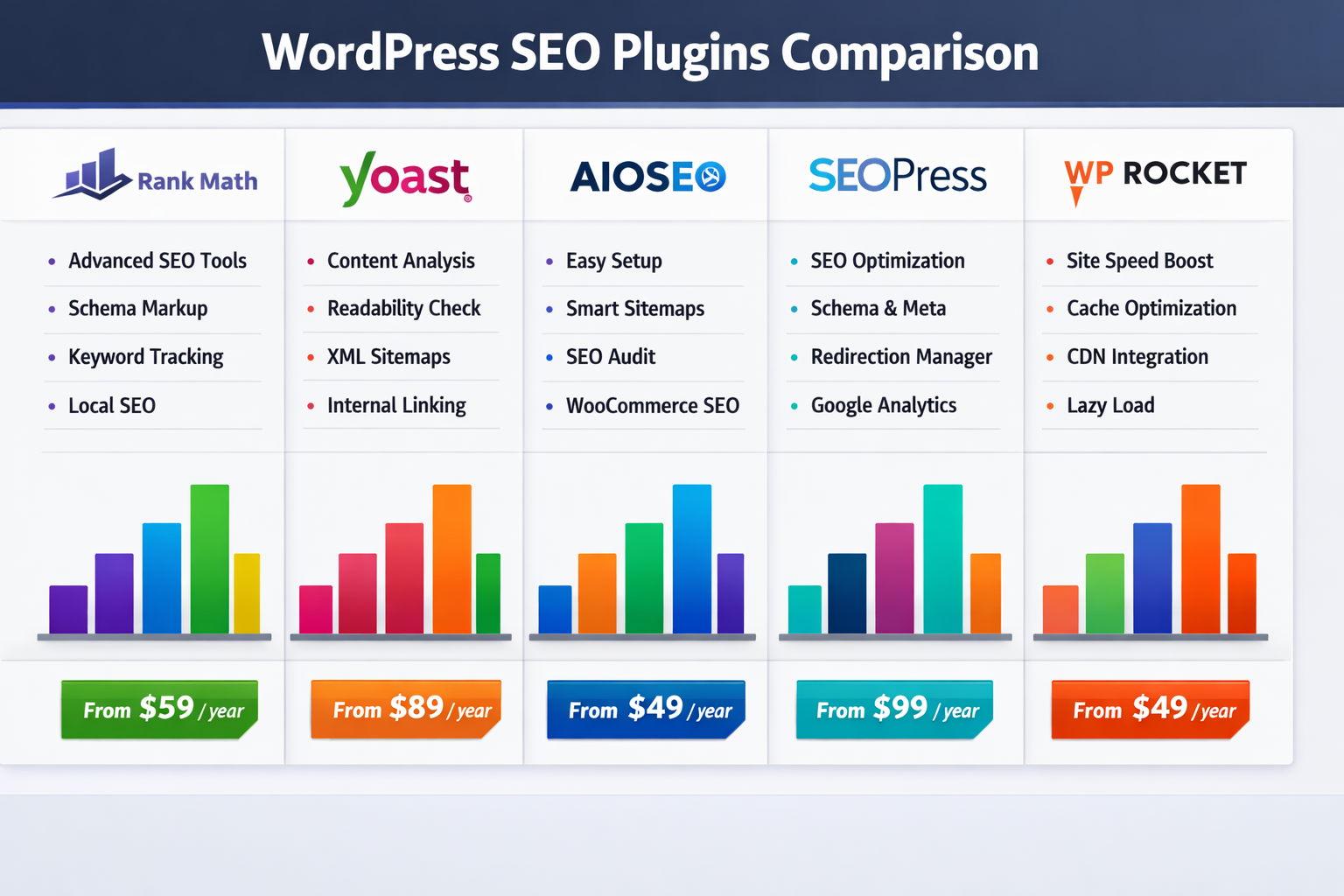
The WordPress SEO ecosystem in 2026 is more mature, competitive, and specialized than ever. While dozens of plugins promise better rankings, only a handful consistently deliver across usability, performance, and real-world results. These tools fall into two clear categories: all-in-one SEO plugins that handle optimization end-to-end, and supporting tools that strengthen SEO indirectly through performance and technical improvements.
Snapshot: Leading WordPress SEO Plugins in 2026
- Rank Math SEO – Feature-rich, automation-focused, and AI-powered
- Yoast SEO – Editorial-driven SEO with unmatched readability guidance
- All in One SEO (AIOSEO) – Beginner-friendly with strong eCommerce and local SEO tools
- SEOPress – Clean, affordable, and agency-ready
- WP Rocket – Performance optimization tool that directly supports SEO rankings
One-line positioning: who each plugin is best for
- Rank Math: Best for users who want maximum automation and advanced features without complexity
- Yoast SEO: Best for writers and content teams focused on clarity, structure, and editorial quality
- AIOSEO: Best for small businesses, WooCommerce stores, and local SEO
- SEOPress: Best for agencies and budget-conscious professionals who want control without clutter
- WP Rocket: Best for sites that prioritize speed, Core Web Vitals, and performance-driven SEO
All-in-one SEO plugins vs supporting tools
All-in-one SEO plugins manage on-page optimization, metadata, schema, sitemaps, and indexing rules. Supporting tools like WP Rocket don’t touch keywords or content, but they significantly impact rankings by improving load times, stability, and user experience. In 2026, the strongest SEO setups combine one all-in-one plugin with one performance tool never multiple SEO plugins at once.
4. In-Depth Reviews of the Best SEO Plugins for WordPress
4.1 Rank Math SEO
Overview and positioning in 2026
Rank Math has positioned itself as the most complete SEO plugin for WordPress in 2026. It combines advanced functionality with a surprisingly gentle learning curve, making it a favorite among both beginners and power users. Its rapid development pace and aggressive feature rollout have kept it ahead of most competitors.
Key strengths: AI SEO, schema, redirects, automation
Rank Math’s standout advantage is automation. Built-in AI tools assist with content optimization, keyword targeting, and SEO scoring. Schema markup is extensive and customizable, redirects are easy to manage, and many technical SEO tasks run quietly in the background without user intervention.
Free version capabilities
The free version includes on-page optimization, XML sitemaps, redirects, basic schema, and limited keyword tracking features that many plugins reserve for paid plans. For new sites, it often removes the need to upgrade immediately.
Pro version pricing and value
Rank Math Pro starts at $7.99 per month (billed annually at $96). The pricing reflects its depth, offering advanced schema types, AI credits, automation workflows, and deeper analytics. For users who rely heavily on SEO automation, the value is strong.
Best use cases
Rank Math is ideal for new websites, growing blogs, and users who want powerful SEO without manual configuration. It’s especially effective for automation-focused site owners who prefer guidance over guesswork.
4.2 Yoast SEO
Overview and legacy reputation
Yoast SEO remains one of the most recognized names in WordPress SEO. In 2026, its strength lies not in flashy features, but in consistency and trust. Many long-established sites continue to rely on Yoast for its stability and editorial focus.
Readability analysis and content guidance focus
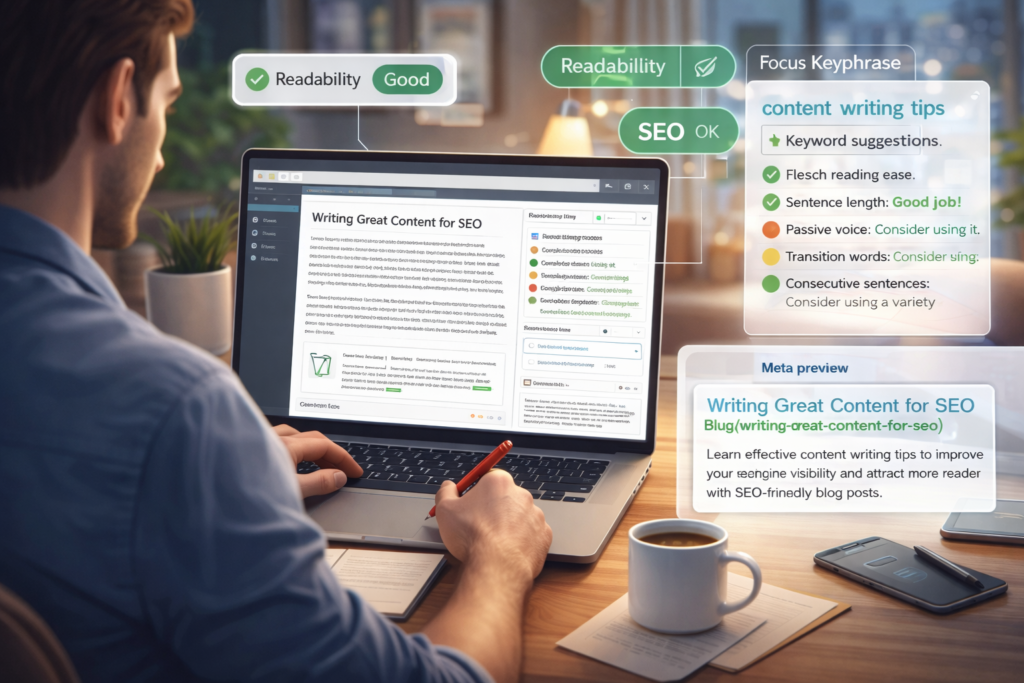
Yoast’s readability analysis is still best-in-class. It emphasizes sentence structure, paragraph flow, transition words, and clarity making it especially useful for writers and editorial teams who care about human-first content as much as rankings.
Free vs Premium features
The free version covers essential on-page SEO and basic readability checks. Premium adds internal linking suggestions, content insights, redirect management, and advanced social previews, expanding its usefulness for larger content operations.
Pricing breakdown
Yoast SEO Premium starts at $99 per year for one site. While more expensive than some competitors, it targets users who value editorial discipline over automation.
Ideal users
Yoast is best suited for content-heavy websites, blogs, publishers, and teams that prioritize writing quality, editorial workflows, and long-term content consistency.
4.3 All in One SEO (AIOSEO)
Overview and evolution
AIOSEO has evolved from a basic SEO plugin into a full-featured, beginner-friendly platform. In 2026, it focuses on clarity, guided optimization, and business-oriented SEO rather than overwhelming users with options.
TruSEO analysis and GSC integration
The TruSEO scoring system simplifies optimization with actionable recommendations. Built-in Google Search Console integration allows users to monitor keyword performance and indexing data directly inside WordPress.
WooCommerce and local SEO support
AIOSEO stands out for eCommerce and local SEO. Product schema, local business markup, and WooCommerce optimization tools make it especially effective for commercial websites.
Free vs Pro comparison
The free version handles core SEO tasks well. Pro unlocks advanced analytics, link assistant tools, local SEO modules, and deeper WooCommerce integration, making it a strong upgrade for growing businesses.
Best fit
AIOSEO is best for eCommerce stores, local businesses, and beginners who want structured guidance without technical complexity.
4.4 SEOPress
Overview and budget-friendly positioning
SEOPress has carved out a loyal following by being lightweight, ad-free, and affordable. In 2026, it appeals to users who want professional-grade SEO without aggressive upsells or interface clutter.
On-page SEO tools and analytics
SEOPress covers all essential SEO features, including metadata control, sitemaps, schema, and analytics integration. Its clean interface makes managing large sites more comfortable.
White-label and agency appeal
White-label capabilities allow agencies to present SEO tools to clients under their own branding—a rare feature at this price point.
Free vs Pro features
The free version is solid for basic SEO. Pro adds advanced schema, analytics, and automation tools at a competitive price.
Ideal users
SEOPress is ideal for agencies, freelancers, and cost-conscious users who want control, flexibility, and scalability without unnecessary extras.
4.5 WP Rocket (Supporting SEO Plugin)
Why speed is an SEO ranking factor in 2026
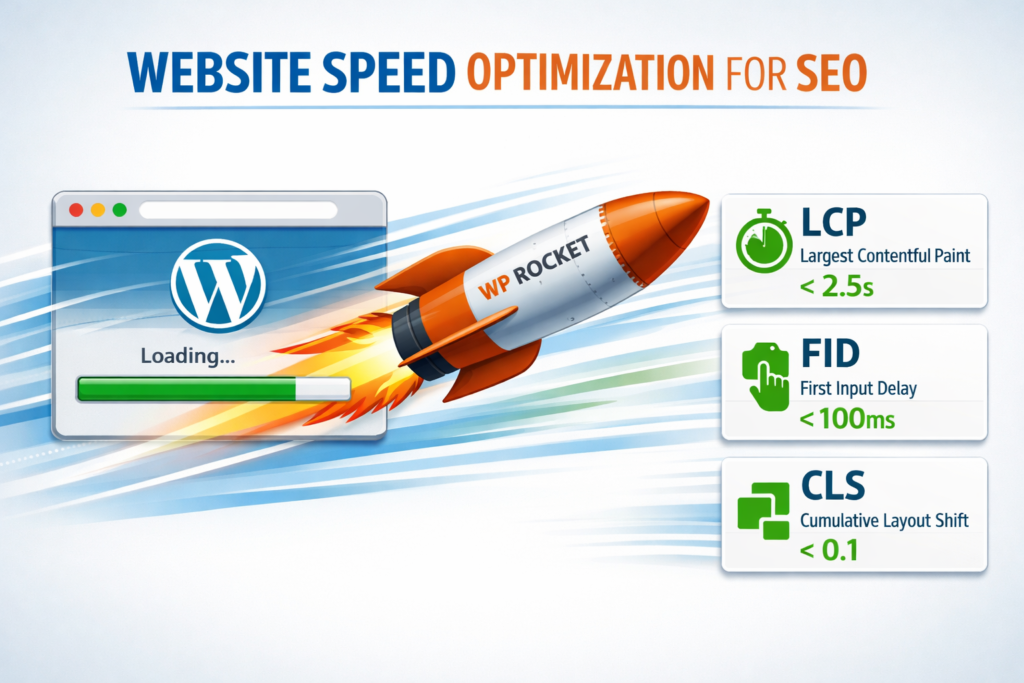
Search engines now treat performance as a direct ranking signal. Slow sites lose visibility regardless of content quality. WP Rocket addresses this gap by focusing purely on speed.
Role of caching and performance optimization
WP Rocket improves load times through caching, file minification, lazy loading, and database optimization—without complex configuration.
Core Web Vitals impact
By improving Largest Contentful Paint, Interaction to Next Paint, and Cumulative Layout Shift, WP Rocket helps sites meet Core Web Vitals thresholds, directly supporting SEO performance.
Pricing and value
WP Rocket starts at $59 per year. While it doesn’t replace an SEO plugin, it consistently delivers measurable ranking and UX improvements.
When and how to pair with SEO plugins
WP Rocket should be paired with a single all-in-one SEO plugin like Rank Math, Yoast, AIOSEO, or SEOPress. Together, they cover both optimization and performance—two pillars of SEO success in 2026.
5. Feature Comparison Table: Best SEO Plugins for WordPress (2026)
Choosing the right SEO plugin becomes much easier when the differences are laid out clearly. The table below compares the leading WordPress SEO plugins in 2026 based on real-world value, not marketing claims. Each plugin excels in a specific area, and understanding these strengths helps avoid overpaying or choosing tools that don’t match your goals.
| Plugin | Key Strengths | Free Tier Available | Annual Pricing (1 Site) | Best Use Case |
| Rank Math | AI-assisted SEO, advanced schema, redirects, automation | Yes | $96/year | New sites, automation-driven SEO |
| Yoast SEO | Readability analysis, editorial guidance, social previews | Yes | $99/year | Content writers, publishers |
| AIOSEO | TruSEO analysis, GSC integration, WooCommerce & local SEO | Yes | $49.50/year | eCommerce and local businesses |
| SEOPress | Lightweight design, analytics, white-labeling | Yes | $49/year | Agencies, budget-focused users |
| WP Rocket | Caching, speed optimization, Core Web Vitals improvements | No | $59/year | Performance-focused sites |
This comparison highlights an important reality in 2026: no single plugin is “best” for everyone. The right choice depends on how your site operates, who manages it, and where SEO fits into your broader growth strategy.
6. Which SEO Plugin Is Best for You? (Use-Case Breakdown)
Rather than chasing features, the smartest approach is choosing an SEO plugin that aligns with how you work and what your site needs most. Below is a practical breakdown based on common WordPress use cases.
6.1 Best SEO Plugin for Beginners
For beginners, simplicity and guidance matter more than depth. A good beginner-friendly SEO plugin should offer sensible defaults, clear feedback, and automation that reduces the risk of mistakes.
Best choice: Rank Math or AIOSEO
Rank Math stands out for beginners who want automation and growth without complexity, while AIOSEO excels for users who prefer step-by-step guidance and a calmer interface. Both reduce the learning curve while covering essential SEO tasks from day one.
6.2 Best SEO Plugin for Content Writers
Content writers need structure, clarity, and feedback that improves readability—not just rankings. A plugin focused on writing quality ensures content performs well for both users and search engines.
Best choice: Yoast SEO
Yoast remains unmatched in readability analysis and editorial guidance. Its focus on sentence flow, paragraph structure, and clarity makes it ideal for blogs, publishers, and content-driven websites where writing quality is the primary asset.
6.3 Best SEO Plugin for eCommerce & Local SEO
eCommerce and local businesses require more than basic optimization. Product schema, local business markup, and integration with search performance data are essential for visibility and conversions.
Best choice: All in One SEO (AIOSEO)
AIOSEO is purpose-built for business-focused SEO. Its WooCommerce tools, local SEO features, and Google Search Console integration make it a strong choice for online stores and service-based businesses targeting local search.
6.4 Best SEO Plugin for Agencies
Agencies need scalability, clean interfaces, and tools that can be presented to clients professionally. White-labeling, analytics access, and flexibility are key.
Best choice: SEOPress
SEOPress is particularly attractive for agencies and freelancers. Its white-label options, lightweight performance, and affordable pricing allow agencies to manage multiple client sites without unnecessary branding or bloat.
6.5 Best SEO Plugin for Performance-Focused Sites
For performance-focused sites, speed is SEO. Even the best content won’t rank if a site fails Core Web Vitals or delivers a poor user experience.
Best choice: WP Rocket (paired with one SEO plugin)
WP Rocket is not a traditional SEO plugin, but its impact on load times and Core Web Vitals directly affects rankings. When paired with a single all-in-one SEO plugin, it forms the foundation of a performance-first SEO strategy in 2026.
7. Free vs Paid SEO Plugins: What’s Actually Worth Paying For in 2026
In 2026, the gap between free and paid SEO plugins is smaller than it’s ever been—but it hasn’t disappeared. Most modern WordPress SEO plugins offer powerful free versions that can carry a site surprisingly far. The real question isn’t whether you should pay, but when paying actually delivers measurable value.
What free versions already cover
Free SEO plugins now handle the essentials extremely well. On-page optimization, title and meta control, XML sitemaps, basic schema markup, and index management are commonly included at no cost. For small blogs, personal sites, and early-stage projects, free versions of plugins like Rank Math, Yoast SEO, AIOSEO, and SEOPress often provide everything needed to rank and grow steadily.
These free tiers also allow users to learn SEO fundamentals without risk. They expose workflows, terminology, and best practices while keeping advanced features out of the way until they’re truly needed.
When upgrading makes sense
Upgrading becomes worthwhile when SEO moves from “setup” to “strategy.” Advanced schema types, automation rules, AI-driven content insights, internal linking tools, analytics dashboards, and WooCommerce-specific features are typically locked behind paid plans. For businesses, agencies, or sites generating revenue, these features save time, reduce manual errors, and offer clearer performance tracking—often paying for themselves through efficiency alone.
Paid plugins also make sense when scaling. Managing multiple content writers, large product catalogs, or multiple client sites becomes far more manageable with premium tools that automate consistency and reporting.
Cost-to-value comparison across plugins
In 2026, pricing varies more by focus than by feature count. Rank Math offers strong value for automation-heavy users. Yoast commands a higher price for editorial depth and long-term stability. AIOSEO balances affordability with business-oriented tools, while SEOPress delivers agency-grade flexibility at one of the lowest price points. The key is alignment—paying only for features that actively support your SEO goals, not just impressive-sounding upgrades.
8. Common Mistakes When Using SEO Plugins
Even the best SEO plugin can hurt performance when misused. Many ranking issues come not from lack of tools, but from how those tools are configured and combined.
Installing multiple all-in-one SEO plugins
Running more than one all-in-one SEO plugin is one of the most damaging mistakes WordPress users make. These plugins overlap in functionality, causing conflicts in metadata, schema, and indexing rules. Instead of improving rankings, this often confuses search engines and leads to inconsistent signals. One site, one primary SEO plugin—always.
Over-optimization risks
Modern search engines are highly sensitive to unnatural optimization. Excessive keyword stuffing, aggressive schema usage, and over-engineered metadata can hurt more than help. SEO plugins provide guidance, but blindly chasing green scores or maximum optimization flags can lead to content that feels mechanical rather than helpful.
Ignoring performance impact
SEO doesn’t exist in isolation. Heavy plugins, unnecessary features, or poor compatibility with caching tools can slow down a site and damage Core Web Vitals. An SEO plugin should work quietly in the background, not drag performance down. Pairing SEO tools with proper performance optimization is no longer optional—it’s fundamental.
Not testing free versions first
Many users upgrade too early, before understanding how a plugin fits their workflow. Free versions exist for a reason: to test usability, compatibility, and results. Skipping this step often leads to paying for features that go unused or choosing a plugin that doesn’t align with long-term needs.
9. Selection Tips: How to Choose the Right SEO Plugin in 2026
With so many capable SEO plugins available, choosing the right one in 2026 is less about “best overall” and more about strategic fit. A smart choice supports your site’s goals today while remaining flexible enough to scale tomorrow.
Matching plugin features to site goals
Start by identifying what SEO success looks like for your site. A personal blog focused on publishing consistency needs different tools than an eCommerce store or a client-facing agency site. Content-heavy websites benefit from readability guidance and editorial workflows, while businesses need schema, analytics, and conversion-focused features. Automation-focused users may prefer AI-driven optimization, while hands-on SEOs may want granular control. The best plugin is the one whose core strengths align directly with how your site creates value.
Plugin compatibility and conflicts
SEO plugins sit at the center of your WordPress setup, so compatibility matters. Conflicts often arise when multiple plugins try to control the same elements—metadata, schema, sitemaps, or redirects. In 2026, the safest approach is to use one all-in-one SEO plugin and ensure it plays well with your theme, caching plugin, and page builder. Avoid overlapping functionality wherever possible, especially in performance and analytics tools.
Testing, switching, and scalability considerations
Before committing long-term, test the free version of any SEO plugin on your site. Pay attention to usability, performance impact, and how naturally it fits into your workflow. Switching plugins is easier than it used to be, but it still requires care—especially around redirects, schema, and metadata. Choose a plugin that can scale with your site, so you don’t outgrow it within a year and face unnecessary migrations.
10. Recommended Plugin Stacks (Safe Combinations)
In 2026, strong SEO rarely comes from a single plugin alone. The most effective setups combine specialization with simplicity—covering both optimization and performance without overlap or conflict.
SEO plugin + speed optimization
The safest and most effective stack is one all-in-one SEO plugin paired with a dedicated performance tool. An SEO plugin handles metadata, schema, and content optimization, while a speed plugin improves load times and Core Web Vitals. This combination covers both how search engines understand your site and how users experience it.
What not to combine
Never install multiple all-in-one SEO plugins together. This creates conflicting signals and undermines rankings. Similarly, avoid stacking multiple caching or optimization plugins unless you clearly understand their roles. Redundant tools often cancel each other out or cause unpredictable behavior.
Best-practice setups
A best-practice SEO setup in 2026 is clean, intentional, and minimal. One SEO plugin, one performance plugin, and only supporting tools that serve a clear purpose. This approach reduces errors, improves stability, and ensures your SEO strategy remains sustainable as your site grows.
11. Key Resources and Expert Comparisons
When choosing an SEO plugin for WordPress in 2026, credible third-party reviews and expert comparisons help validate your decision with real insights and experience.
- AIOSEO full plugin list – Explore a comprehensive curated list of the best WordPress SEO plugins and their strengths in different scenarios with All in One SEO’s own roundup.
👉 Read more: 15 Best WordPress SEO Plugins in 2026 (Tried & Tested) – AIOSEO All in One SEO - Backlinko comparison – A detailed breakdown from Backlinko comparing top WordPress SEO plugins, how they stack up, and what features matter most in real usage.
👉 Read more: 5 Best SEO Plugins for WordPress in 2026 (Tried & Tested) – Backlinko Backlinko - Hostinger 2026 picks – Hostinger’s expertly curated list of the best SEO plugins for 2026, including on-page, analytics, and performance-boosting tools.
👉 Read more: 15 Best WordPress SEO Plugins to Boost Your Site’s Ranking – Hostinger Hostinger - Zapier SEO plugin review – A workflow-focused perspective on WordPress SEO plugins and how they integrate with your overall website productivity stack.
👉 Read more: Best WordPress SEO Plugins Review – Zapier Zapier
These expert sources offer a mix of feature comparisons, real-world testing, and practical guidance that reinforce which plugins excel in different scenarios.
13. Conclusion: The Best SEO Plugin for WordPress in 2026 (Final Verdict)
In 2026, there is no single “best” SEO plugin for everyone—only the best choice for your specific needs:
- Rank Math is ideal for automation, AI-assisted workflows, and comprehensive SEO even on the free tier.
- Yoast SEO excels at readability feedback and content guidance for writers and editorial teams.
- All in One SEO (AIOSEO) balances ease of use with advanced business-oriented features like local and eCommerce SEO.
- SEOPress delivers agency-friendly functionality with affordable pricing.
- WP Rocket (as a performance tool) enhances speed and Core Web Vitals, which are now critical ranking factors.
Remember: the right SEO plugin is more about fit than popularity.
Always start with free versions to test usability and performance impact before committing to paid plans. This ensures you invest in features that actively support your goals, not just impressive marketing claims.
With the right setup and strategy, your WordPress site can thrive in search results—even in the competitive 2026 SEO landscape.
Frequently Asked Questions (FAQ)
1. Which is the best SEO plugin for WordPress in 2026?
There isn’t a single best SEO plugin for every website in 2026. Rank Math is ideal for automation and AI-assisted optimization, Yoast SEO works best for content-focused sites, AIOSEO suits eCommerce and local businesses, and SEOPress is a strong option for agencies and budget-conscious users. The best choice depends on your site goals and workflow.
2. Are free SEO plugins enough to rank a WordPress site in 2026?
Yes, free SEO plugins can be enough for many sites. Most free versions handle on-page SEO, XML sitemaps, meta titles, and basic schema. Paid versions become valuable when you need advanced automation, detailed analytics, WooCommerce SEO, or scalable features for larger or revenue-driven sites.
3. Can I use more than one SEO plugin on my WordPress site?
No, you should never use multiple all-in-one SEO plugins at the same time. Doing so can cause conflicts in metadata, schema, and indexing, which may hurt rankings. Always use one primary SEO plugin and pair it only with supporting tools like performance or caching plugins.
4. Does website speed really affect SEO rankings in 2026?
Yes, website speed directly affects SEO rankings in 2026. Search engines factor Core Web Vitals—such as load time, interactivity, and visual stability—into ranking decisions. Using performance tools alongside your SEO plugin is essential for maintaining strong search visibility.
5. How difficult is it to switch SEO plugins without losing rankings?
Switching SEO plugins is generally safe if done correctly. Most modern plugins offer built-in import tools to migrate metadata, settings, and redirects. Testing on a staging site and monitoring search performance after switching helps ensure rankings remain stable.