
-
- No Comments
- January 22, 2026

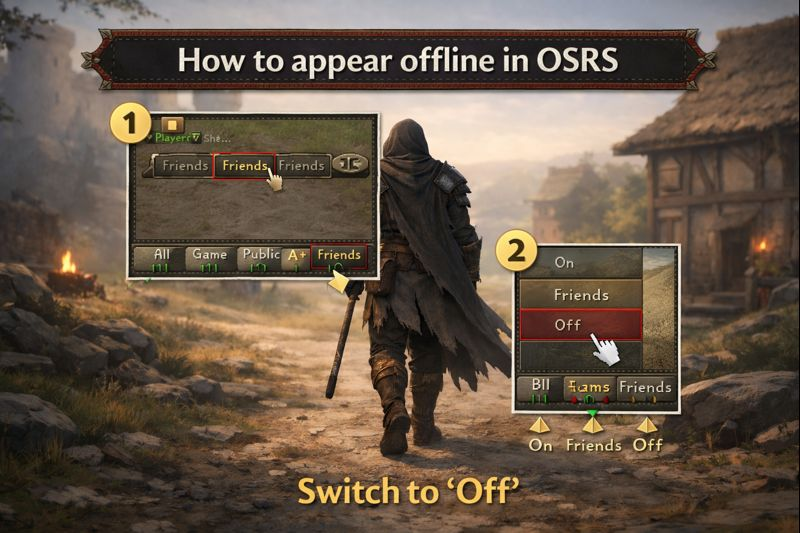
How to appear offline in OSRS
1. Introduction
Old School RuneScape is a social game by design but sometimes, you just want peace. No private messages. No “bro come raid.” No explanations for why you’re skilling instead of bossing. Whether you’re grinding XP, flipping at the Grand Exchange, or simply playing on your own terms, many players want a way to stay invisible without logging out.
In OSRS, appearing offline doesn’t mean your character vanishes from the world. You’re still very much in Gielinor, killing, skilling, and questing as usual. What it does mean is hiding your online status from other players specifically your friends list and blocking private messages so you can play uninterrupted.
The good news? While OSRS doesn’t offer a true offline toggle, there is a simple, reliable method that effectively achieves the same result. It all comes down to your private chat settings.
2. Can You Appear Offline in OSRS? (Short Answer)
Yes but not in the way you might expect.
Old School RuneScape does not have a built-in “appear offline” or stealth mode like some modern games. There’s no single button that lets you play completely hidden from everyone while staying logged in.
However, OSRS does provide a practical workaround that functions almost identically: setting your private chat to “Off.” When enabled, this hides your online status from your entire friends list and prevents anyone from sending you private messages. To other players, you effectively don’t exist at least socially.
That said, it’s important to set expectations. You can’t selectively appear offline to specific players, and certain public actions may still hint that you’re online. This method is about privacy, not invisibility. Used correctly, though, it’s the closest and most reliable way to appear offline in OSRS without breaking any rules or using third-party tools.
3. The Primary Method: Private Chat Settings

In Old School RuneScape, your private chat settings control who can see your online status and who can send you private messages. This single setting is the backbone of appearing offline and understanding it makes everything else click.
OSRS gives you three private chat visibility options:
- On – Anyone can see you online and send private messages
- Friends – Only players on your friends list can see and message you
- Off – No one can see your online status or private message you
Setting Private Chat to “Off” works because OSRS treats you as unavailable rather than online. Your name disappears from friends’ online lists, and incoming private messages are blocked entirely. To other players, it looks exactly like you’re logged out even though you’re actively playing.
This setting is most useful when you want uninterrupted gameplay. Long Slayer sessions, AFK skilling, focused bossing, or simply playing without social pressure all benefit from having private chat turned off. It’s also ideal if you don’t want to explain what you’re doing or why you’re not responding.
4. Step-by-Step: How to Appear Offline in OSRS
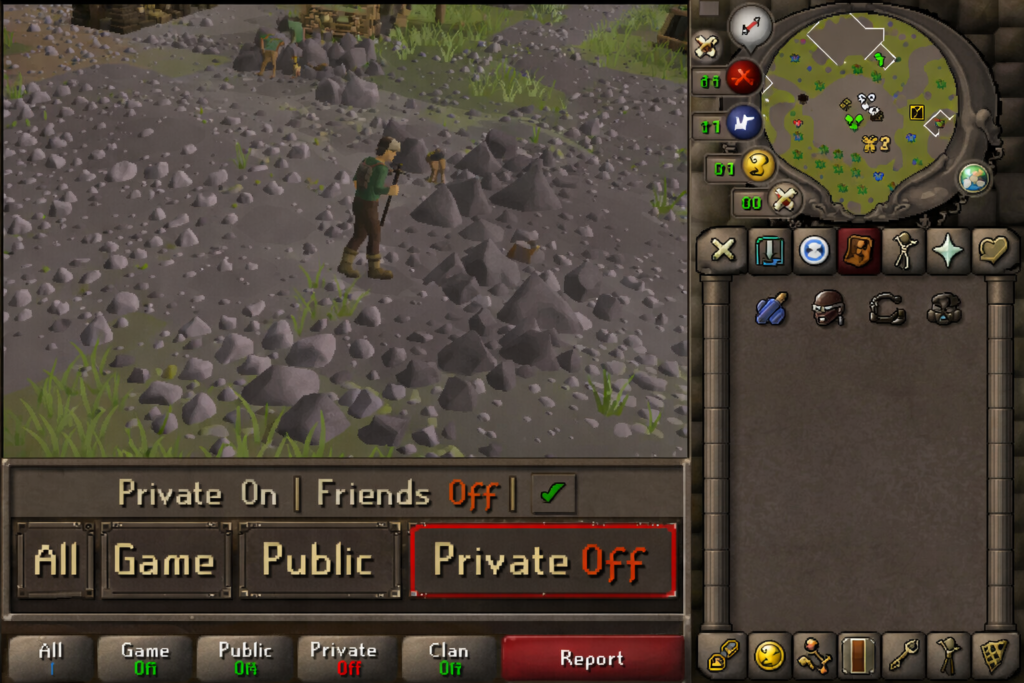
Appearing offline in OSRS takes less than ten seconds once you know where to look.
First, locate the chat window at the bottom of your screen. Along the chat tabs, you’ll see one labeled “Private”, marked by a small diamond-shaped icon.
Next, right-click the “Private” chat tab. A dropdown menu will appear with your visibility options.
From the menu, select “Off.” The change is instant no confirmation required.
As soon as you enable it, your online status is hidden from everyone on your friends list, and private messages are blocked. You can continue playing normally without any social interruptions.
When you’re ready to be visible again, simply right-click the “Private” tab once more and choose either “On” or “Friends,” depending on who you want to see you online. Your status updates immediately, and private messaging is restored.
5. Enhancing Privacy: Clan Chat and Friends Chat
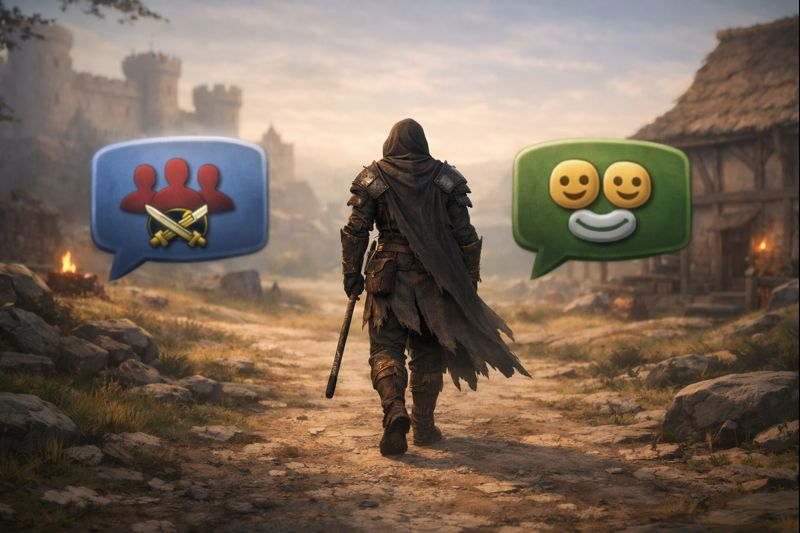
Turning your private chat Off does most of the work but clan chat and friends chat can still quietly give you away.
Clan chat is a separate visibility layer in OSRS. Even if your private chat is off, clan members may still see you appear online inside the clan channel or notice your activity through clan-related messages. This doesn’t mean you have to leave the clan entirely. You can leave the clan chat temporarily while remaining a clan member, allowing you to play privately without burning social bridges.
Friends chat works similarly. If you’re inside a friends chat channel, players in that chat can see your messages and infer that you’re online, even if your private chat is set to off. Leaving the friends chat removes that visibility instantly.
These extra steps are recommended when you want maximum privacy for example, during long solo grinds, focused money-making sessions, or when you simply don’t want to be perceived as available. Think of private chat as the lock, and clan/friends chats as the windows. Closing all three gives you the quietest experience possible.
6. OSRS Privacy Settings Explained
Below is a clear breakdown of how OSRS private chat settings affect your visibility and messaging.
| Private Chat Setting | Effect | Who Can See or Message You |
| On | Full visibility and private messaging enabled | All players |
| Friends | Limited visibility and messaging | Friends list only |
| Off | Appears offline and blocks private messages | No one |
If your goal is to appear offline, “Off” is the only setting that fully hides your online status. The “Friends” option is useful for partial privacy but does not make you invisible.
7. Limitations of Appearing Offline in OSRS
While private chat settings are effective, they’re not perfect and it’s important to understand their limits.
First, there is no way to appear offline to specific players only. You can’t hide from one friend while staying visible to another. The setting applies universally.
Second, certain public activities may indirectly reveal that you’re online. Trading at the Grand Exchange, interacting in busy skilling areas, or being seen during group activities can tip people off especially if they recognize your character.
Finally, crowded areas and public interactions reduce anonymity. Even if your private chat is off, other players can still physically see your character in the game world. Appearing offline controls communication and status not physical presence.
In short, OSRS privacy is social, not absolute. Used correctly, though, these settings give you more control than most players realize.
8. Tips for Maximum Privacy While Playing
If you want to stay truly under the radar in OSRS, settings alone aren’t always enough. How and where you play matters just as much.
Start by choosing low-population or solo content. Slayer tasks, instanced bosses, and isolated skilling spots naturally reduce player interaction and make it easier to play unnoticed. The fewer people around you, the fewer eyes there are.
Next, avoid busy hubs whenever possible. Places like the Grand Exchange, popular banks, and high-traffic training areas make anonymity difficult. Even with private chat off, familiar names and outfits can draw attention in crowded worlds.
Some players opt to use an alternative account for social or public activities while keeping their main account private. As long as you follow Jagex’s rules and avoid prohibited behavior, this is a legitimate way to separate focused gameplay from social play.
Finally, be aware of third-party clan tools. Discord servers, activity trackers, and clan bots may still log or announce player activity outside the game itself. If privacy matters, it’s worth setting boundaries or temporarily muting notifications so your offline status in-game isn’t undone elsewhere.
9. Mobile vs Desktop: Does It Work the Same?
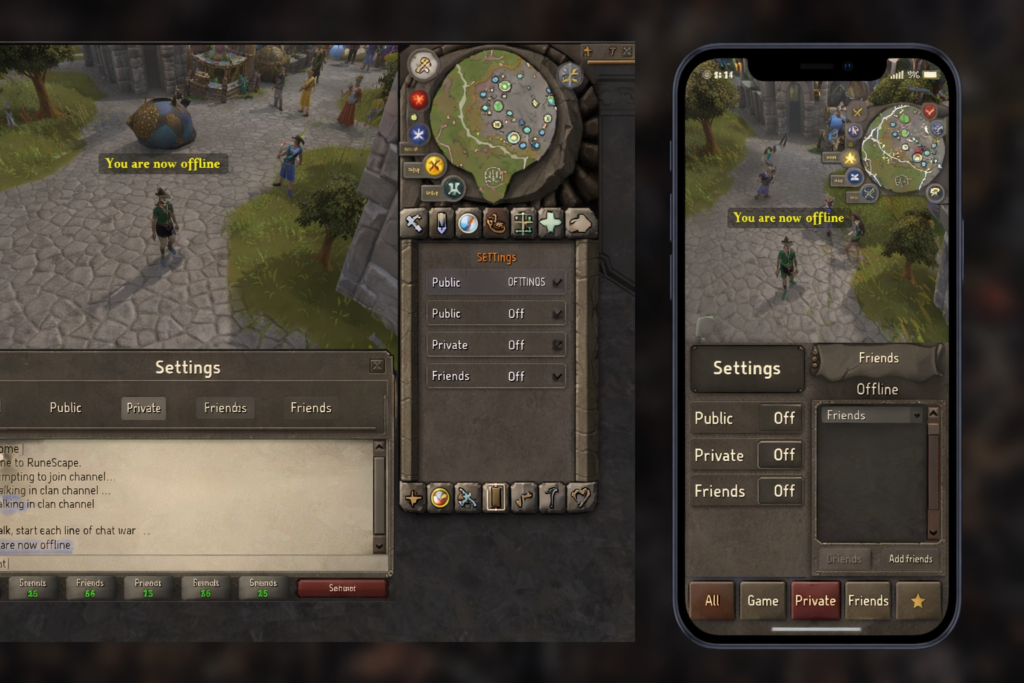
Yes appearing offline works the same way on both mobile and desktop in Old School RuneScape. The underlying private chat system is identical, and the same settings apply regardless of platform.
The only difference is interface layout. On desktop, chat tabs are always visible and easier to right-click. On mobile, the chat icons are more compact, and switching settings may take an extra tap, but the options themselves are unchanged.
In terms of ease of toggling, desktop is slightly faster due to mouse precision, especially if you switch privacy modes often. Mobile is still perfectly usable, just a touch less efficient for frequent changes. Functionally, though, both platforms deliver the same level of privacy.
10. Quick Toggles and Quality-of-Life Tips
If you switch between visible and offline modes often, a few small habits can save time.
The fastest method is to right-click the Private chat tab and switch directly between “Off,” “Friends,” and “On.” No menus, no delays just a single action.
For keyboard-and-mouse efficiency, keep your cursor habits consistent. Knowing exactly where the Private tab sits in your chat bar reduces friction, especially during active gameplay.
When you’re ready to socialize again, rejoining chats is instant. Use chat commands like /join [chat name] to re-enter clan or friends chats without navigating menus. This makes it easy to move between focused solo play and social interaction whenever you choose.
Master these small toggles, and controlling your visibility in OSRS becomes second nature.
11. Common Questions About Appearing Offline in OSRS
Can I still message others while appearing offline?
No. When your private chat is set to Off, both incoming and outgoing private messages are disabled. You won’t receive messages, and you won’t be able to send them either. If you need limited communication, switching to Friends is the only partial alternative.
Will my friends know I’m online?
Not through the friends list. When private chat is off, your name does not appear as online to anyone. To your friends, you look fully logged out even if you’re actively playing.
Does this work in PvP or during trades?
The setting still applies, but context matters. Players can’t PM you, but public actions such as trading, PvP encounters, or being seen in the same area can reveal that you’re online. Privacy settings control communication, not visibility in the game world.
Can clans still track me outside the game?
Yes, potentially. While in-game visibility can be hidden, external tools like Discord bots, activity trackers, or clan logging systems may still reflect your activity. These are outside OSRS itself, so the only solution is managing permissions or communicating boundaries.
12. Key Resources and Further Learning
If you want visuals, community insight, or deeper explanations, these resources expand on everything covered here:
- Detailed written guide:
OSRS Money Making – How to Appear Offline in OSRS
https://osrsmoneymaking.guide/news/how-to-appear-offline-in-osrs-a-complete-guide-to-playing-privately/ - Video tutorials:
https://www.youtube.com/watch?v=2D5OAIceOrA
https://www.youtube.com/watch?v=CrrfDIOxeAU
https://www.youtube.com/watch?v=43N_68BAYNY - Community discussion:
Reddit thread on offline visibility and player demand
https://www.reddit.com/r/2007scape/comments/uxk45x/could_we_possibly_get_an_appear_offline_setting/
These offer real player perspectives and walk-throughs if you prefer learning by watching or reading discussions.
13. Conclusion
Appearing offline in OSRS doesn’t require mods, plugins, or risky workarounds. The safest and simplest method is setting your private chat to “Off.” It’s fast, reliable, and fully supported by the game.
That said, it’s important to keep expectations realistic. OSRS offers social privacy, not full invisibility. You can hide your online status and block messages, but public actions and external tools may still hint that you’re playing.
The best approach is layered: private chat off, unnecessary chats left, quieter content chosen, and awareness of third-party tracking. Master that balance, and you stay in control playing OSRS on your terms, not anyone else’s.
FAQ: Appearing Offline in OSRS
1. Can I appear offline to specific friends only?
No. OSRS private chat settings apply universally. You can hide from everyone with “Off” or partially hide with “Friends,” but there’s no option to selectively appear offline to certain players.
2. Will turning off private chat affect gameplay?
Not at all. Your character can still train skills, trade, complete quests, and fight. The setting only blocks private messages and hides your online status it does not stop in-game actions.
3. Does leaving clan or friends chat hide me completely?
Leaving these chats increases privacy, but your character is still visible in the world. These steps prevent players in those chats from messaging you or tracking activity within the channels.
4. Is appearing offline the same on mobile and desktop?
Yes. Both platforms use the same private chat settings. Only the interface layout differs slightly desktop is faster to toggle, mobile requires extra taps, but functionality is identical.
5. Can third-party tools still reveal that I’m online?
Yes. Discord bots, clan trackers, or activity logging tools outside the game may still show your activity. Appearing offline only controls in-game visibility, so be mindful of external channels.