-
- No Comments
- January 30, 2026

How to find Sony speaker ZMA files
1. Introduction
If you’ve ever dipped a toe into DIY speaker design—or tried to fine-tune a crossover rather than blindly trust factory tuning—you’ve likely run into three letters that feel deceptively small for how much weight they carry: ZMA.
ZMA files describe how a speaker’s impedance behaves across the frequency spectrum. They’re the difference between a crossover that looks good on paper and one that actually behaves as expected once electricity, coils, and real-world physics get involved. Without them, crossover design is guesswork dressed up as engineering.
So why is this especially frustrating for Sony speaker owners?
Because unlike DIY-focused brands—think Seas, Dayton, or Scan-Speak—Sony does not publish ready-made ZMA files for its drivers. Sony builds finished products, not modular components for hobbyists. Their documentation reflects that reality.
This guide won’t promise miracles or secret Sony databases that don’t exist. What it will do is show you:
- what ZMA files actually are,
- why Sony users go looking for them,
- and what your realistic options are when official files aren’t available.
No fluff. No myths. Just the practical path forward.
2. What Are ZMA Files (And Why Sony Users Look for Them)
ZMA files, explained simply
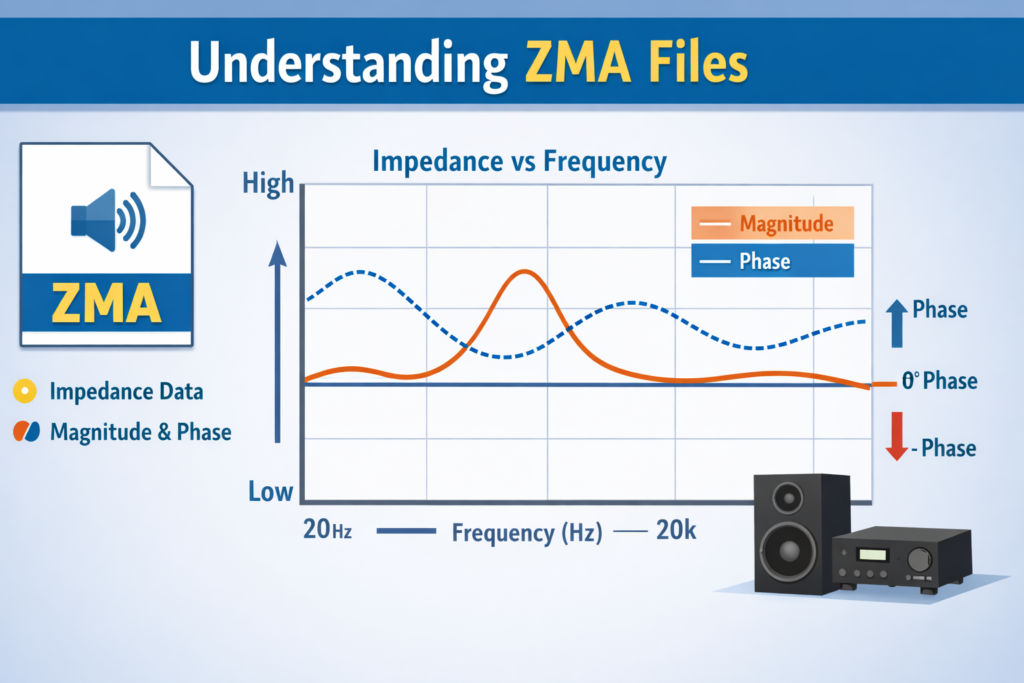
A ZMA file is a text-based data file that maps a speaker’s impedance versus frequency. More specifically, it contains:
- Magnitude (how much the speaker resists current at each frequency)
- Phase (how current and voltage shift relative to each other)
Together, these values describe how a speaker loads an amplifier across the audible range. And that load is never flat—even if the speaker is marketed as “8 ohms.”
In reality, impedance rises, dips, and twists with frequency. ZMA files capture that behavior.
Why crossover design depends on ZMA data
Modern crossover design software—such as VituixCAD—doesn’t just assume a nominal impedance. It simulates how electrical components interact with the actual impedance curve of a driver.
ZMA files allow the software to:
- predict crossover points accurately,
- model phase interaction between drivers,
- and avoid impedance dips that can stress amplifiers.
Without ZMA data, simulations are approximations at best and misleading at worst.
This is why Sony users search for ZMA files: not out of curiosity, but necessity. You can’t design or simulate a proper crossover blind.
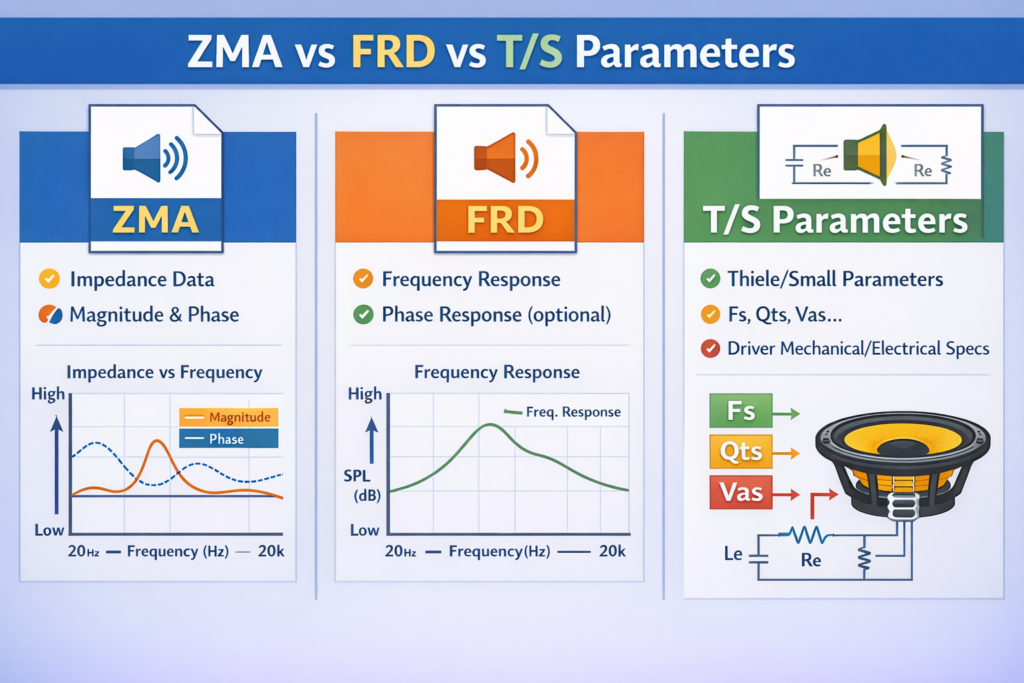
ZMA vs FRD vs T/S parameters
These terms often get lumped together, but they describe different aspects of a speaker’s behavior:
- ZMA
Electrical behavior. Impedance vs frequency (magnitude + phase). - FRD
Acoustic behavior. Frequency response vs frequency (how loud the speaker is at each frequency). - T/S parameters (Thiele–Small)
Mechanical and electrical constants (Fs, Qts, Re, etc.) that describe low-frequency behavior and are mainly used for enclosure design.
Sony manuals sometimes provide partial T/S parameters, occasionally enough to approximate impedance behavior—but they do not replace a true ZMA file.
That gap—between what Sony provides and what crossover simulation requires—is the reason this topic exists at all.
And it’s where the rest of this guide comes in.
3. Does Sony Officially Provide ZMA Files?
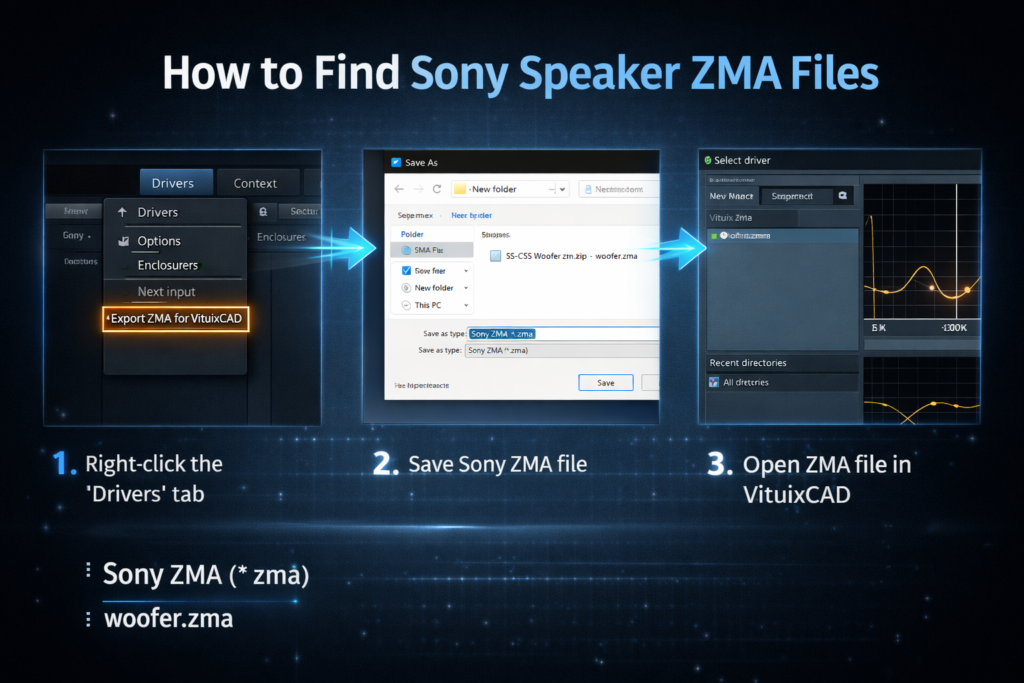
Short answer: no—at least not in any publicly accessible, downloadable form.
Long answer: Sony’s documentation ecosystem is built for end users, not crossover designers. Understanding what is available (and what isn’t) saves a lot of time and false hope.
3.1 Checking Sony Support & Downloads
Navigating Sony’s support pages by model number
Sony’s support structure is model-centric. If you search by a specific product—say an SRS-XB or home audio speaker—you’ll typically land on a page containing:
- user manuals,
- quick-start guides,
- firmware updates (for active speakers),
- and high-level technical specifications.
From a DIY perspective, this is where the trail usually ends.
What data Sony usually provides
Occasionally, Sony documentation includes electrical or mechanical hints, such as:
- nominal impedance (e.g., 4 Ω or 8 Ω),
- sensitivity,
- frequency range,
- and in rarer cases, partial Thiele–Small parameters like Fs or Re.
These values are useful, but they’re not impedance curves. They don’t describe how impedance changes across frequency, nor do they include phase data—both essential for ZMA files.
Why ZMA exports are not included
This omission is deliberate, not accidental.
Sony designs closed, finished products, not modular drivers for hobbyist integration. Publishing ZMA files would:
- offer little value to their core customer base,
- expose internal driver behavior,
- and invite misuse outside intended product designs.
In contrast, DIY brands publish ZMA files precisely because their business model depends on them. Sony’s does not.
3.2 Using Sony T/S Parameters as Indirect Data
What parameters like Fs, Re, and Qts can tell you
When available, T/S parameters can act as a rough stand-in:
- Fs indicates the driver’s resonant frequency,
- Re gives the DC resistance baseline,
- Qts hints at damping behavior.
Simulation tools can use these values to model impedance behavior—especially in the low-frequency range.
This is better than guessing, but it’s still an approximation.
Limitations of relying on manufacturer specs alone
Manufacturer-provided T/S data:
- is often averaged or idealized,
- may differ from your specific unit,
- and rarely reflects enclosure effects or real-world tolerances.
Most critically, it lacks full frequency resolution and phase data. That means any ZMA generated from specs alone will be theoretical, not measured.
Good enough for early design? Sometimes.
Reliable for precise crossover tuning? Not really.
4. Searching DIY Audio Communities for Sony ZMA Files
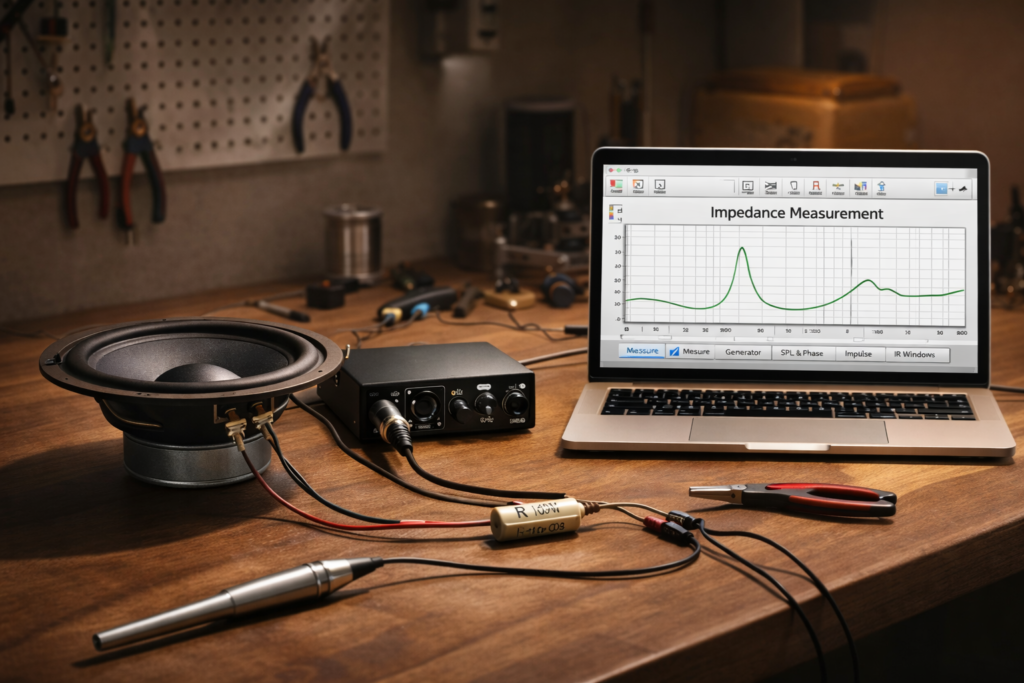
When official sources come up empty, the DIY community is the next stop—and often the most realistic one.
4.1 Audio Forums That Share FRD/ZMA Files
diyaudio.com as the primary resource
Among DIY audio forums, diyaudio.com stands out as the most active repository of shared measurements, including FRD and ZMA files.
Users routinely:
- upload impedance sweeps,
- share measurement techniques,
- and exchange driver data for crossover design.
Sony files do appear—but rarely.
Typical forum naming conventions
Successful searches usually follow simple patterns:
- “Sony + model number + ZMA”
- “Sony driver impedance file”
- “Sony [driver] FRD/ZMA measurement”
Even then, results are inconsistent. Many threads end with advice rather than downloadable files.
4.2 Posting Requests and What to Expect
Why Sony files are rare compared to Seas or Dayton
DIY brands dominate these forums because:
- their drivers are sold individually,
- many users measure the same models,
- and sharing data benefits the entire community.
Sony speakers, by contrast, are rarely disassembled, measured, and documented in this way. Fewer measurements means fewer shared ZMA files.
Common outcomes of forum requests
When you post a request, you’ll usually get one of two responses:
- Guidance on how to measure your own driver, or
- Partial data (T/S parameters, measurement tips, or comparable driver suggestions).
Occasionally, someone will share an actual ZMA file—but it’s the exception, not the rule.
Which is why, for many Sony users, the conversation eventually turns from finding ZMA files to creating them.
5. Measuring Your Own Sony Speaker ZMA File (Most Accurate Method)
If you want a ZMA file that actually reflects your specific Sony speaker, measurement is the gold standard. No approximations. No borrowed data. Just reality, captured and exported.
It’s more hands-on than downloading a file—but it’s also the only method that delivers truly reliable results.
5.1 Required Tools and Equipment
You don’t need a lab. You do need a few basics.
USB measurement microphone
A calibrated USB microphone (such as a UMIK-1–style device) ensures timing and level accuracy when working inside measurement software. While impedance measurement itself doesn’t rely heavily on mic input, many setups integrate it for broader speaker analysis, making it a worthwhile investment.
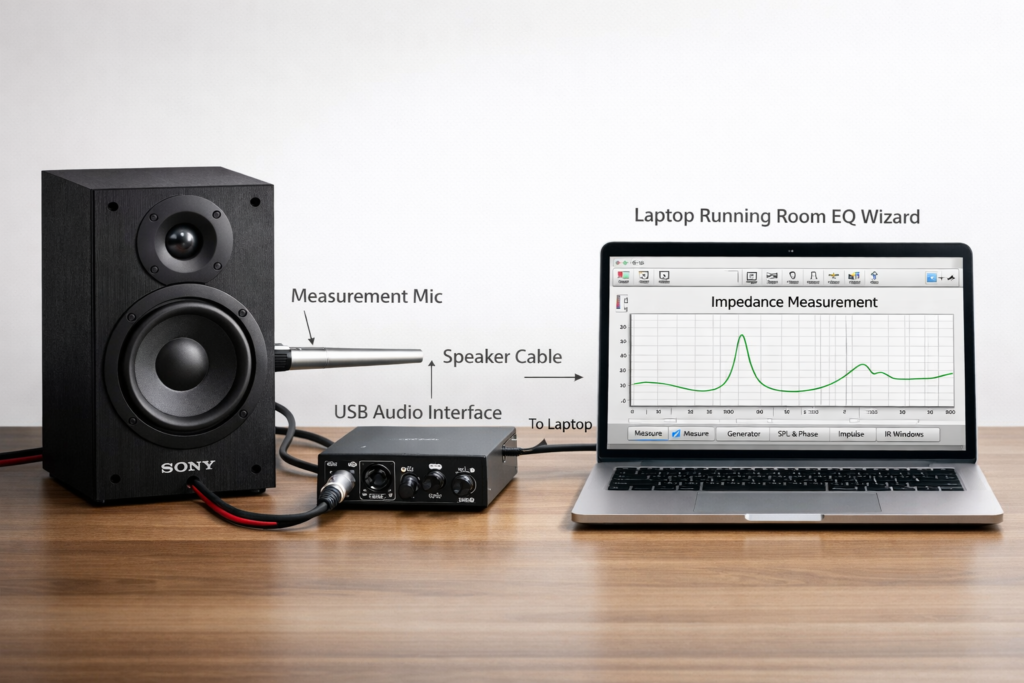
Soundcard and resistor setup
Impedance measurement requires:
- a soundcard with line input and output,
- a known-value resistor (commonly 10–100 Ω),
- and basic wiring to place the resistor in series with the speaker.
This setup allows the software to compare voltage drops and calculate impedance across frequency.
Free software options
The most widely used tool is Room EQ Wizard (REW):
- free,
- well-documented,
- and capable of exporting impedance data in ZMA format.
For DIYers, it’s the standard starting point.
5.2 Measuring Impedance Using REW
Basic impedance sweep workflow
At a high level, the process looks like this:
- Connect the speaker and resistor to your soundcard.
- Configure REW for impedance measurement mode.
- Run a frequency sweep.
- Review the impedance curve for anomalies.
The result is a full impedance plot showing resonant peaks, nominal load behavior, and high-frequency rise—everything a crossover simulator needs.
Exporting impedance data as a ZMA file
Once the sweep is complete:
- REW allows direct export of impedance data,
- the file is saved in ZMA format,
- and it can be immediately imported into tools like VituixCAD.
At this point, you have a real, measured ZMA file—no guesswork involved.
5.3 Improving Accuracy with Added-Mass Method
Deriving T/S parameters from measurements
For even greater precision, especially at low frequencies, the added-mass method can be used:
- a known mass is temporarily added to the cone,
- impedance is measured again,
- and REW calculates updated T/S parameters.
These parameters can refine simulations and improve enclosure and crossover accuracy.
When this method is worth the effort
The added-mass method is most valuable when:
- designing from scratch,
- matching multiple drivers,
- or chasing maximum accuracy in passive crossovers.
For casual tweaks, a single impedance sweep is often sufficient. For serious design work, added mass is time well spent.
6. Generating ZMA Files from T/S Parameters
When measurement isn’t possible, simulation becomes the fallback.
6.1 Using Sony-Published Specifications
Where to find usable T/S data in manuals
Some Sony service manuals and technical documents include:
- Fs,
- Re,
- Qes/Qms/Qts,
- and basic electrical specs.
These values are usually buried in PDFs rather than highlighted, but they can be extracted and reused.
Inputting data into simulators
Once collected, these parameters can be entered into:
- enclosure modeling software,
- crossover simulators,
- or impedance modeling tools.
The software then generates a theoretical impedance curve, which can be exported as a ZMA file.
6.2 Simulation Tools That Can Generate ZMA Approximations
VituixCAD
VituixCAD allows impedance modeling directly from driver parameters and integrates ZMA files seamlessly into crossover simulations. It’s powerful, flexible, and widely used in the DIY community.
WinISD
WinISD focuses primarily on enclosure design but can model impedance behavior based on T/S parameters. While less detailed than VituixCAD, it’s quick and accessible.
Accuracy trade-offs compared to real measurements
Simulated ZMA files:
- reflect idealized behavior,
- ignore manufacturing tolerances,
- and miss enclosure-specific effects.
They’re useful for early design and learning—but they’re not substitutes for measured data. When accuracy matters, measurement always wins.
7. Comparison of All Available Methods
By this point, one thing should be clear: there is no single “download and done” solution for Sony ZMA files. Each path has trade-offs. The right choice depends on what you’re trying to achieve and how much accuracy you actually need.
7.1 Method Breakdown Table
| Method | What You Get | Pros | Cons |
| Official Sony resources | Manuals, specs, occasional T/S hints | Authentic manufacturer data | No ZMA files, no impedance curves |
| Community forums | Shared measurements or guidance | Free, sometimes model-specific | Sony files are rare and inconsistent |
| Direct measurement | True impedance vs frequency data | Most accurate, unit-specific | Requires gear and setup time |
| Simulation from specs | Modeled impedance curves | Fast, no hardware needed | Approximate, not real-world |
This hierarchy matters. The closer you get to measured data, the more trustworthy your results become.
7.2 Choosing the Best Method for Your Use Case
DIY hobbyists
If you’re learning crossover design or experimenting:
- start with forums and simulations,
- use Sony specs where available,
- and accept that early designs are exploratory.
This approach builds understanding without demanding hardware investment upfront.
Casual crossover tweaks
If you’re adjusting an existing design or making modest changes:
- simulated ZMA files from T/S parameters can be sufficient,
- especially when paired with conservative crossover slopes.
It’s not perfect—but it’s often “good enough.”
Precision-focused designers
If your goal is accuracy, repeatability, and confidence:
- measure your own speaker,
- generate real ZMA files,
- and design from data you trust.
There’s no shortcut here. Precision demands measurement.
8. Recommended Tools and Resources
If you’re serious about working with ZMA files—whether measuring, simulating, or approximating—these are the tools and communities that actually matter.
REW (Room EQ Wizard)
The industry-standard free tool for impedance and acoustic measurements.
- Official site & downloads:
https://www.roomeqwizard.com/ - Documentation & measurement guides:
https://www.roomeqwizard.com/help/help_en-GB/html/impedancemeasurement.html
REW can measure impedance directly and export files in ZMA format, making it the foundation for real-world data.
VituixCAD
A powerful crossover design and loudspeaker simulation platform built for ZMA and FRD workflows.
- Official website:
https://kimmosaunisto.net/Software/VituixCAD/ - Documentation & tutorials:
https://kimmosaunisto.net/Software/VituixCAD/VituixCAD_help.html
VituixCAD is where ZMA files become actionable—allowing accurate crossover and phase modeling.
WinISD
A popular enclosure and impedance modeling tool based on Thiele–Small parameters.
- Official site & downloads:
https://www.linearteam.org/ - WinISD documentation:
https://www.linearteam.org/software/winisd/
Best suited for approximated impedance curves when measurement isn’t possible.
diyaudio.com (Community & Threads)
The most valuable DIY audio knowledge base online.
- Main forum:
https://www.diyaudio.com/ - FRD/ZMA sourcing and discussion threads:
https://www.diyaudio.com/community/threads/frd-zma.342689/ - REW-based driver measurement workflow:
https://www.diyaudio.com/community/threads/help-measure-drivers-on-baffle-with-rew-and-usb-microphone-make-frd-zma.419706/
When Sony doesn’t provide ZMA files, this is where solutions are figured out—often by people who’ve already hit the same wall.
9. What to Do If You Still Can’t Find Sony ZMA Files
When all official and community searches come up short, you still have paths forward. Below are practical alternatives and guidance on when each makes sense.
🔁 Practical alternatives to official ZMA files
If a ready-made ZMA file doesn’t exist for your Sony speaker, you can:
- Generate your own from measurements using tools like REW. For guidance on how DIYers generate FRD and ZMA files, see the discussion on measuring drivers with REW and USB mics (e.g., focus on the process in this REW thread).
- Use simulation based on T/S parameters from manuals when measurement isn’t feasible.
- Use comparable driver data or trace factory graphs when no direct measurements are available. DIY builders often resort to this when official files don’t exist, as noted in community threads discussing FRD/ZMA availability and measurement workarounds.
- Design conservatively, accepting that approximated performance can still yield functional crossover results.
✔️ When approximation is “good enough”
Approximations can be sufficient if:
- you’re experimenting or learning crossover design,
- you’re making small tweaks rather than full redesigns,
- or your project doesn’t demand micro-precision in impedance modeling.
In these cases, even a simulated ZMA derived from T/S parameters will let you proceed with basic crossover work.
📏 When measurement becomes unavoidable
Measurement becomes essential when:
- you’re building precise passive crossovers from scratch,
- you need accurate impedance and phase data for detailed simulation,
- or your speaker performance must match specific electrical loading conditions.
At this point, real measurement — not approximations — is the reliable foundation for your design.
For techniques and discussion on measuring drivers and producing ZMA/FRD files using REW, check out the thread on diyAudio where users share workflow tips and measurement nuances.
10. Related Guides & Next Steps
Here are key resources and learning paths to deepen your understanding and level up your workflow:
📌 Measuring FRD files for Sony speakers using REW
Want to capture real frequency response files? Community discussions like this one show how users measure drivers on a baffle with a USB mic and produce FRD/ZMA files.
🔗 REW official application page – Room EQ Wizard (download & guides)
🛠️ Best crossover design software for ZMA files
- VituixCAD – powerful crossover and impedance modeling tool that works with ZMA and FRD data. (Official site is referenced through REW guides and community usage notes).
- WinISD – useful for enclosure simulations and T/S parameter-based modeling.
📘 Where to find Sony T/S parameters
T/S parameters can sometimes be found buried in official product manuals or support pages — these drive simulation when you can’t measure directly. They often pop up in crossover design discussions and measurement threads when users lack official ZMA files.
Community guides confirm that .zma and .frd formats are just CSV text with frequency, magnitude, and phase columns.
🎓 Step-by-step impedance measurement tutorials
For real-world measurement guidance, explore forum threads and tutorials that dive into impedance sweeps and exporting to text formats (FRD/ZMA) using tools like REW and USB mics.
Alternatively, courses on speaker measurements (e.g., online modules that cover impedance plots and parameter extraction) provide structured learning.
Frequently Asked Questions (FAQ)
1. Does Sony provide official ZMA files for its speakers?
No. Sony does not publish ZMA (impedance) files for its speaker drivers. Their documentation is aimed at end users, not DIY crossover designers, which is why ZMA files are typically unavailable from official Sony sources.
2. Can I design a crossover for a Sony speaker without a ZMA file?
Yes—but with limitations. You can approximate impedance using T/S parameters or simulation tools, but accurate passive crossover design works best with measured ZMA data. For serious projects, measurement is strongly recommended.
3. Are ZMA files the same for every Sony speaker of the same model?
Not exactly. Manufacturing tolerances, aging, and enclosure effects mean impedance can vary slightly between units. Measured ZMA files are always specific to the speaker being tested.
4. What software is best for working with ZMA files?
For most users:
- REW is best for measuring and exporting ZMA files
- VituixCAD is best for crossover simulation using ZMA and FRD data
- WinISD is useful for modeling impedance from T/S parameters when measurement isn’t possible
5. Is measuring my own ZMA file difficult?
It’s more involved than downloading a file, but not difficult. With REW, a basic soundcard, and a resistor, most DIYers can measure impedance accurately by following established tutorials