

-
- No Comments
- August 21, 2026

How to Promote My Website on Google
Introduction
You built a website, published a few pages, and waited for people to arrive. Yet the traffic graph barely moves. If you are asking how to promote my website on Google, you are certainly not alone. This is where many website owners get stuck.
Publishing your website is only the beginning. Google needs to discover your pages, crawl them, understand what each page offers, and decide when it could help a searcher. Your site also needs to earn trust, provide a smooth experience, and give visitors a reason to stay.
In this guide, I will show you how to promote your website through free Google tools, practical SEO, Search Console, useful content, local visibility, genuine backlinks, and carefully targeted Google Ads. We will also discuss performance measurement, so you can stop guessing and start improving what brings clicks, leads, and sales.
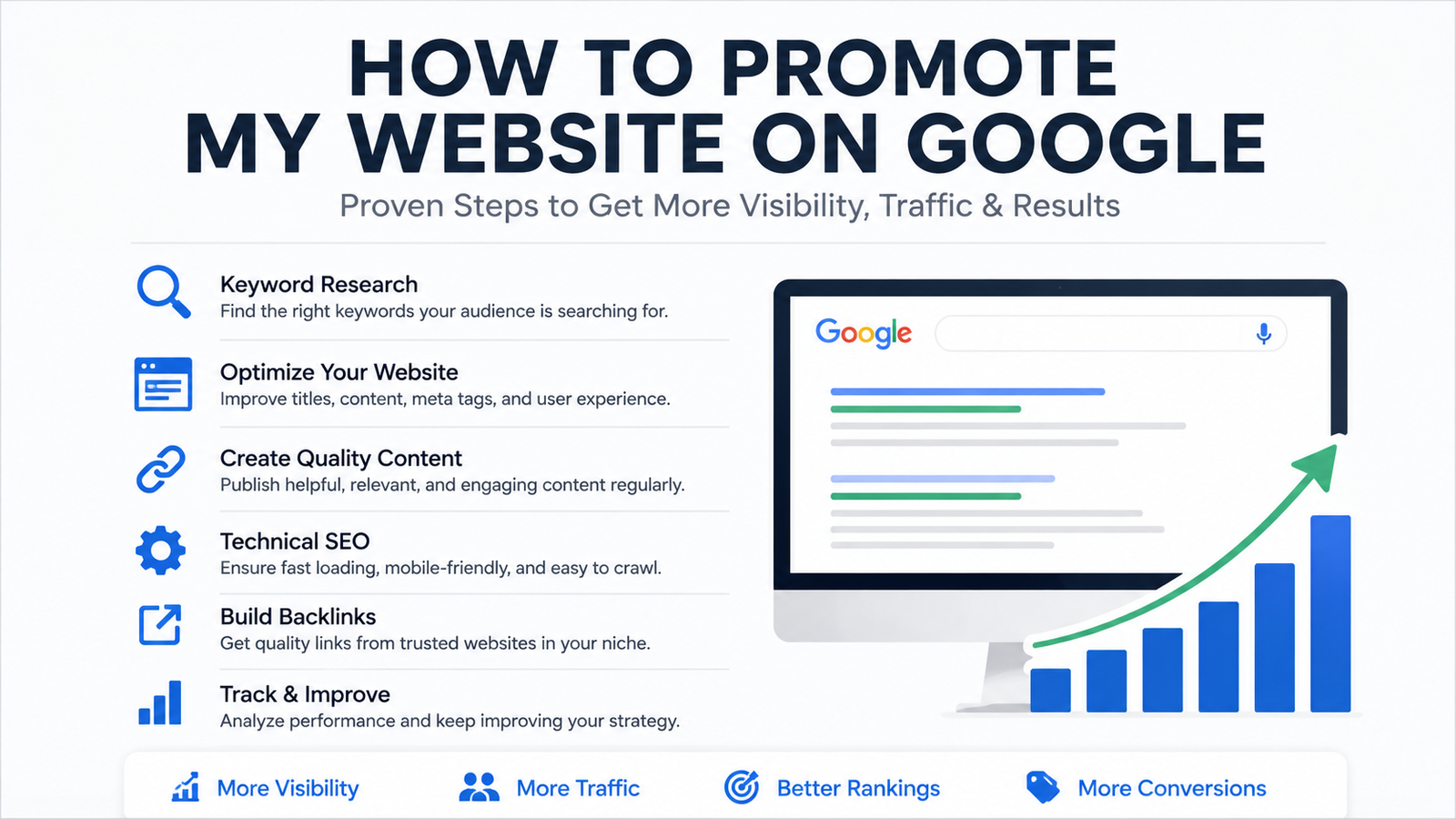
Quick Answer: How to Promote My Website on Google
To promote your website on Google, first make sure its important pages can be crawled and indexed. Connect the site to Google Search Console, submit an XML sitemap, research the searches your audience uses, and create content that answers those searches clearly.
Optimize every page with a useful title, clear headings, descriptive internal links, helpful images, and a fast mobile experience. Earn trustworthy mentions from relevant websites and communities, then measure clicks, leads, sales, and other actions that matter.
If you run a local business, create and complete a Google Business Profile. If you need visibility sooner, Google Ads can place your website in sponsored results while your organic search presence develops.
What Does Promoting a Website on Google Actually Mean?

Promoting a website on Google is not one button, one tool, or one clever SEO trick. It is a combination of methods that help your pages appear in front of people who are already searching for information, services, products, or local businesses.
You may be wondering whether you should focus on SEO, advertisements, local search, or another Google platform. The right answer depends on what your website offers and how quickly you need results.
A local plumber, an online shop, a technology blog, and a national consulting company will not follow exactly the same strategy. Let me show you the main forms of Google visibility and where each one fits.
Organic Google Search
Organic search results are the unpaid pages that appear in Google Search. Google selects these pages using relevance, usefulness, accessibility, quality, context, and many other signals.
You cannot pay Google to improve the organic position of a page. Instead, you help Google understand your website by making it technically accessible, publishing valuable content, using clear titles and headings, and building a trustworthy online presence.
Organic SEO can create lasting visibility, but it normally requires patience. A well written article may continue bringing visitors long after it is published, especially when you review and update it as information changes.
That does not mean every SEO change produces an immediate result. Google says some improvements may be reflected within a few hours, while others can take several months. Its SEO Starter Guide suggests waiting at least a few weeks before deciding whether important changes have helped.
This is where many website owners become frustrated. They optimize a page on Monday, check its ranking on Tuesday, and assume the strategy has failed. SEO works better when you monitor patterns over time instead of reacting to every daily movement.
Paid Google Search
Paid Google Search refers mainly to advertisements created through Google Ads. These sponsored listings can appear when someone searches for a product, service, or solution related to your business.
Google Ads can provide visibility much faster than organic SEO. You choose the searches you want to target, set a budget, write advertisements, and send potential customers to an appropriate landing page.
However, paying for advertisements does not improve your organic rankings. Paid and organic results are separate systems.
Advertisements also do not guarantee profit. You can pay for hundreds of clicks and still receive no sales if the targeting is weak, the offer is unclear, or the landing page does not match what people expected.
The best campaigns connect the search, advertisement, landing page, and conversion goal. If someone searches for emergency plumbing help, the advertisement should not send that person to a general homepage where the emergency service is difficult to find.
Local Google Results
Local results are especially important for businesses that serve customers at a physical location or within an eligible service area. These results can appear in Google Search and Google Maps.
A properly managed Google Business Profile can show your business name, category, location, opening hours, phone number, website, photographs, services, and customer reviews.
This gives potential customers useful information before they even visit your website. They may call, request directions, read reviews, or compare your business with nearby alternatives.
Local visibility is not only for restaurants and shops. It can also support dentists, lawyers, repair companies, consultants, contractors, salons, medical practices, and other businesses serving defined areas.
Your website and Business Profile should support each other. The information should be accurate and consistent, while the linked website should clearly explain the services available in that location.
Other Google Surfaces
Standard search results are only one part of Google. Depending on your website, you may also gain visibility through Google Images, YouTube, Merchant Center, Google News, Maps, and product results.
An ecommerce website can use Merchant Center and accurate product information to pursue shopping visibility. A photographer, designer, travel publisher, or food blogger may receive valuable visits from Google Images.
Businesses that can demonstrate products or explain complicated ideas may benefit from YouTube. A useful video can answer the initial question, while a link guides interested viewers toward a detailed article, product page, or service.
Google News may be relevant to publishers producing timely and original news content. Product results may help online sellers whose pages contain accurate prices, availability, photographs, and structured product information.
You do not need to use every Google platform. Choose the surfaces that match your audience, content, and business model. Being useful in the right place is more valuable than being present everywhere without a clear purpose.
Step 1: Check Whether Google Can Find Your Website
Before you publish more articles or spend money on advertisements, confirm that Google can access your important pages.
You may have excellent content, but it cannot attract organic traffic if Google cannot crawl or index it. A technical restriction, broken page, or incorrect setting may quietly block the visibility you are trying to build.
This first step is not glamorous, but it can save you months of wasted effort.
Check Whether Your Pages Are Indexed
Start with a simple Google search using site:yourdomain.com. Replace the example domain with your actual website address.
If results from your website appear, Google knows about at least some of your pages. Search for a complete page URL or a distinctive page title if you want to check a particular piece of content.
However, the site: search is only a rough indication. It does not always display every indexed page, and the number of results should not be treated as a precise website report.
Google Search Console provides more dependable indexing information. It can show which URLs Google has indexed, which pages have been excluded, and which problems may require attention.
If one important page is missing, inspect that exact URL. If most of the website is missing, investigate sitewide settings, internal links, sitemap problems, or crawling restrictions.
Look for Technical Blocks
A noindex instruction tells search engines not to include a page in their indexes. It can be useful for private, duplicate, or low value pages, but it becomes a serious problem when added accidentally to an important article, product, or service page.
Your robots.txt file controls where automated crawlers are allowed to go. An incorrect rule can prevent Google from accessing sections of the website or resources needed to understand a page.
Broken pages are another common obstacle. An important URL should normally load correctly instead of displaying a not found message or a server error. Internal links should also point to the current working version of each page.
Redirects send visitors and search engines from one URL to another. They are helpful when a page moves, but long redirect chains and incorrect destinations can waste time and create confusion.
Duplicate URLs can appear when the same content is accessible through several addresses. A canonical tag identifies the preferred version, helping Google understand which URL you want treated as the main page.
Your website should also use HTTPS to protect information moving between the visitor and the site. Check that secure pages do not load important images, scripts, or files through insecure connections.
You do not need to become a developer before promoting your website. Start by confirming that important pages load properly, work on mobile devices, use secure URLs, and remain accessible to Google.
Submit an XML Sitemap
An XML sitemap is a file containing the website URLs you want search engines to know about. Think of it as an organized list of important pages rather than a promise that every listed URL will rank.
Many content management systems create a sitemap automatically. Common locations include yourdomain.com/sitemap.xml and yourdomain.com/wp-sitemap.xml, although the exact address depends on the platform and SEO setup.
Open the sitemap before submitting it. Make sure it loads correctly and includes useful pages rather than broken, redirected, private, or duplicate URLs.
You can submit the sitemap through the Sitemaps area in Google Search Console. Once submitted, Search Console can report whether Google processed it successfully and whether errors were found.
A sitemap helps Google discover important URLs, especially on new, large, or complicated websites. However, it does not guarantee indexing, traffic, or rankings.
Google can discover pages without a sitemap, particularly when they are connected through crawlable internal links. According to Google’s Search Console guidance, sitemap submission may help Google discover a website more quickly.
Treat the sitemap as part of a wider foundation. Your pages still need useful content, clear internal links, accessible resources, and a reason for people to visit them.
Step 2: Set Up Google Search Console
Google Search Console is the central place where you can see how Google discovers, crawls, indexes, and presents your website in search results.
It does not show everything people do after visiting your site. That is mainly the job of Google Analytics. Search Console focuses on what happens before the click, including the searches that trigger your pages and any indexing problems Google finds.
Verify Website Ownership
Before you can access private website data, Google needs proof that you own or manage the site. This process is called verification.
You can verify a complete domain through a DNS record or verify a specific website version through one of the available methods. Your hosting company, domain provider, developer, or SEO plugin may make this process easier.
Once verification is complete, you can access indexing reports, search queries, page performance, sitemap information, manual action reports, security warnings, and other useful data.
Verification does not improve rankings by itself. It simply gives you the information needed to find problems and make better decisions.
Inspect Important URLs
The URL Inspection tool lets you examine one page at a time. Paste the complete URL into the inspection bar at the top of Search Console.
The report can tell you whether the page is indexed, which URL Google treats as canonical, when it was last crawled, and whether certain indexing problems were detected.
If a page is not indexed, review the explanation before requesting indexing. The page may be blocked, redirected, duplicated, recently published, or difficult for Google to discover.
You can also test the live URL to check whether Google can currently access it. This is useful after removing a noindex instruction, fixing a server problem, or updating a page.
Requesting indexing invites Google to review the URL again, but it does not guarantee immediate inclusion. Make sure the page is accessible, useful, and connected through internal links before submitting the request.
Review the Performance Report
The Performance report shows how your pages perform in Google Search. At first, the numbers may look complicated, but each one answers a practical question.
Impressions tell you how often a link to your website appeared in search results. An impression does not mean the person visited your website. It only means your page was shown in an eligible search result.
Clicks tell you how many times searchers selected your website from those results. This number reveals how much organic traffic Google Search sent to your pages.
Click through rate compares clicks with impressions. If a page receives 1,000 impressions and 50 clicks, its click through rate is 5 percent.
Average position estimates where your highest result appeared across recorded searches. Treat it as a directional measurement rather than a permanent ranking because positions can vary by query, location, device, and search context.
The Queries report shows the words people searched before seeing or selecting your website. The Pages report shows which URLs earned those impressions and clicks.
Country data can reveal where your visibility is developing. Device data shows whether visitors found you through mobile phones, desktop computers, or tablets.
These numbers become powerful when you examine them together. If impressions are increasing but clicks remain weak, the title may be unclear, unappealing, or poorly matched with the search.
If clicks are arriving but visitors are not contacting you, subscribing, or buying, the problem may be inside the page. Review the offer, content, trust signals, design, and call to action.
According to Google’s Search Console guidance, the platform provides information about crawling, indexing, queries, pages, countries, clicks, and impressions. Use that information to guide your next improvement instead of guessing.
Step 3: Find the Searches Your Audience Actually Uses
Keyword research is not about squeezing the same phrase into every paragraph. It is about understanding how real people describe their questions, compare choices, and search for solutions.
You are looking for the meeting point between what your audience needs and what your website can genuinely provide.
Begin With Customer Questions
Start with the questions people already ask you. Review sales conversations, emails, contact forms, support requests, comments, reviews, and messages.
If five customers ask the same question, there is a good chance that other people are searching for it on Google.
Explore relevant online communities to see how people describe their frustrations. The language customers use is often simpler and more revealing than the language businesses use internally.
Google autocomplete can uncover common wording and related topics. Search Console can also reveal queries for which your existing pages already receive impressions.
You may discover that people are finding your page through a phrase you never intentionally targeted. That phrase could help you improve the current article or plan a more focused resource.
Understand Search Intent
Search intent is the reason behind a query. Two phrases can contain similar words while requiring completely different pages.
Informational intent means the person wants to learn something. “How to promote my website on Google” is an informational query because the searcher expects explanations, practical steps, tools, examples, and warnings. A detailed guide fits that need better than a short service page.
Commercial intent appears when someone is comparing possible solutions. Searches such as “best SEO tools for small businesses” or “Google Ads agency reviews” suggest that the person is researching before making a decision.
Transactional intent shows a stronger desire to act. Queries such as “buy managed hosting” or “book an SEO consultation” usually need a product, booking, or service page.
Navigational intent means the person wants to reach a particular website or platform. “Google Search Console login” is a simple example.
Local intent appears when the searcher wants a nearby provider or a business serving a particular area. “Website designer in Lahore” and “SEO consultant near me” both carry local intent.
Before creating a page, ask what the searcher expects to see. The format should match that expectation.
Target Specific Problems
Broad topics can attract large audiences, but they are often difficult to answer completely. Specific questions give you a clearer problem, audience, and outcome.
A guide about how to install Java without admin privileges addresses one recognizable obstacle. The reader knows what they want to install and what restriction is stopping them.
The same principle appears in a guide explaining how to create permanent notes on RemNote. The topic is narrow enough to provide focused instructions without wandering into every feature of the application.
Let me show you why this matters. A title such as “Everything About Software” gives the writer no clear direction. A title built around one practical problem creates a natural path from the question to the solution.
Specific content can also attract visitors who are more likely to stay because the page closely matches what they searched.
Match One Main Intent With One Page
Do not publish several nearly identical articles simply because a keyword tool shows small variations of the same phrase.
“How to promote my website on Google,” “how can I promote my website on Google,” and “ways to promote a website on Google” usually express the same basic need. One comprehensive guide can address all three naturally.
Creating separate pages for every variation can divide your effort and leave several weak pages competing around the same intent.
A separate page makes sense when the searcher needs a meaningfully different answer. Promoting a local restaurant, an ecommerce store, and a news publication may eventually justify dedicated guides because their practical strategies differ.
Begin with the user’s purpose. If the purpose is the same, strengthen the existing page. If the purpose changes, consider creating another resource.
Step 4: Create Content That Deserves Google Visibility
Keywords can help Google understand a subject, but keywords alone do not make a page useful.
Strong content gives the visitor a complete answer, makes difficult ideas understandable, and provides a sensible next action.
Answer the Main Question Early
Readers should not have to pass through a long personal story before finding the information promised by the title.
Place a direct answer near the beginning. You can then explain the details, alternatives, risks, tools, and examples further down the page.
For this article, the quick answer tells readers that Google promotion involves indexing, Search Console, helpful content, on page SEO, local visibility, trustworthy mentions, advertising, and measurement.
That early answer builds confidence. It shows the reader that the page understands the question and intends to solve it.
Add Original Value
Original value does not always require a groundbreaking scientific study. It can come from firsthand experience, tested instructions, useful screenshots, original examples, honest comparisons, or details competitors overlooked.
If you recommend a process, explain how it works in practice. Mention the common failure points. Tell the reader what to expect and where they may need professional help.
Screenshots can make technical instructions easier to follow. Comparisons can help readers choose between methods. Original data can support claims that would otherwise sound generic.
Expert comments can add context when the subject requires specialist knowledge. Honest limitations are equally important. If a method is slow, expensive, difficult, or unsuitable for certain websites, say so clearly.
Google’s people first content guidance encourages original information, substantial coverage, clear sourcing, trustworthy presentation, and content created primarily to help people.
Before publishing, ask one blunt question. Does this page give the reader something more useful than a rewritten collection of existing search results?
Write Clear Tutorials
A clear tutorial can attract highly relevant visitors because it connects a specific problem with a practical solution.
Begin with the desired outcome. Explain what the reader needs before starting, then present the actions in a logical order.
Use screenshots where a menu, setting, button, or visual change would be difficult to describe with words alone. Add troubleshooting guidance for the mistakes readers are most likely to encounter.
For example, a tutorial about how to add the subdivided column menu in WooCommerce serves a focused ecommerce need. Its value comes from matching a precise title with useful instructions and a recognizable result.
Do not add unrelated history simply to make a tutorial longer. Give readers enough context to act safely, then move them toward the solution.
Keep Changing Topics Updated
Some subjects remain useful for years. Others begin aging the moment you publish them.
Technology articles may contain product capabilities, supported devices, prices, standards, release dates, software menus, or planned features that change quickly.
An emerging topic such as what Wi Fi 8 technology is and how fast it may be should be reviewed as standards develop, hardware appears, and confirmed information replaces early expectations.
A guide explaining how Google Gemini AI works on Pixel devices may also need updates when Google changes supported devices, processing methods, applications, or available features.
Updating means more than changing the date at the top. Check every important claim, repair broken links, replace outdated screenshots, remove unsupported information, and explain what has changed.
Step 5: Improve the On Page SEO of Every Important Page
On page SEO helps visitors and search engines understand what a page covers and why it may be useful.
You do not need to force keywords into every available field. The aim is clarity, not repetition.
Write a Clear Page Title
The page title is one of the strongest signals of what the visitor can expect. It may also influence the title Google displays in search results.
A good title is concise, specific, and accurate. It should describe the page without making promises the content cannot fulfil.
For this guide, “How to Promote My Website on Google” clearly matches the central question. Adding the phrase repeatedly would make the title awkward rather than stronger.
Place the main keyword naturally when it describes the topic. Use the remaining space to communicate a benefit, audience, or practical angle when appropriate.
Use One Clear Main Heading
The main heading should confirm that the visitor has reached the correct page.
For this article, the main heading should remain “How to Promote My Website on Google.” It matches the title and immediately establishes the subject.
A page does not become better because it contains several main headings. One clear heading followed by organized sections is usually easier for people to understand.
Organize the Page With Useful Subheadings
Subheadings help readers scan a long guide and move directly to the information they need.
Each heading should introduce a distinct subject. “Set Up Google Search Console” is useful because the reader knows what the following section will explain.
Avoid turning every sentence into a heading. Too many headings can make an article feel fragmented and prevent ideas from developing naturally.
Keep the wording descriptive. Clever headings may sound stylish, but clarity matters more when someone is trying to solve a problem.
Write a Helpful Meta Description
A meta description is a short summary placed in the page code. Google may use it beneath the title in search results, although it can also select text from the page when that text fits the query better.
Write a description that accurately summarizes the content and gives the searcher a sensible reason to click.
For this guide, the description could mention SEO, Search Console, Google Business Profile, content, backlinks, and Google Ads.
Do not stuff several keyword variations into the description. It should read like a useful invitation, not a list of search terms.
Optimize Images Properly
Use clear images that support the surrounding content. A relevant screenshot or diagram is more helpful than a generic image added only to fill space.
Give each image a descriptive file name before uploading it. Resize large files, compress them carefully, and consider modern formats when they are suitable for your website.
Place images close to the text they support. This gives readers context and helps Google understand the connection between the visual and the subject.
Alt text should describe the image accurately for people who cannot see it. If a screenshot shows the Search Console Performance report, describe that screen rather than repeating the primary keyword.
Step 6: Build a Useful Internal Linking System
Internal links connect one page of your website with another. They help readers continue learning and help Google discover additional content.
A useful internal link answers the natural question, “What might this reader need next?”
Use Descriptive Anchor Text
Anchor text is the visible wording attached to a link. It should set a clear expectation about the destination.
“Google Search Console setup guide” is more informative than “click here.” The reader knows what they will find before selecting the link.
Google’s link guidance recommends concise, descriptive, and relevant anchor text. It also explains that standard HTML links with a working destination are easier for Google to crawl.
Avoid using the same keyword rich anchor unnaturally across every page. Write for clarity and vary the wording when the surrounding sentence requires it.
Link Between Related Articles
A broad guide should link to detailed articles when those resources help the reader explore a specific point.
For example, a discussion about focused tutorial content can naturally lead to the Java, RemNote, or WooCommerce guides. A section about changing technology can point toward the Wi Fi 8 or Gemini articles.
These links work because each one appears beside a relevant idea. Placing all five inside one unrelated paragraph would feel forced and provide little value.
Review older posts whenever you publish a new article. Add links from suitable established pages toward the new resource, then link the new article back to relevant supporting content.
Link Articles to Commercial Pages Carefully
An informational article can lead to a product, service, consultation, or contact page when that destination genuinely helps the reader take the next step.
A person reading about website promotion may eventually need an SEO audit, technical repair, content strategy, or advertising support. A relevant service link can help that reader act.
Do not interrupt every explanation with a sales message. Allow the article to solve the problem first.
The commercial link should feel like a useful continuation. If it feels like an advertisement inserted into an unrelated sentence, move it to a more appropriate location.
Step 7: Improve Website Speed and Mobile Usability
Promotion becomes expensive when visitors reach a slow, confusing, or broken website.
Google may send the click, but the website still has to earn the visitor’s attention and trust.
Test the Mobile Experience
Open important pages on a real mobile phone. Do not rely only on how the website looks inside a desktop editor.
Check whether the text is readable, buttons are easy to tap, menus open correctly, and forms can be completed without zooming.
Responsive layouts should adapt to different screen sizes. Images should not extend beyond the screen, and important content should not disappear on smaller devices.
Use popups carefully. A large interruption that covers the page can frustrate visitors before they have read the first paragraph.
Improve Loading Performance
Start with large images because they are a common cause of slow pages. Resize them to the dimensions the website actually needs and compress them without destroying visual quality.
Remove scripts, plugins, fonts, and tracking tools that provide little value. Each additional resource can create more work for the visitor’s browser.
Caching can help returning visitors load resources more efficiently. Better hosting, cleaner code, and a content delivery network may help websites with slow server responses or geographically distributed audiences.
The goal is not a perfect testing score. The goal is a fast, stable, and comfortable experience for real visitors.
Review Core Web Vitals
Core Web Vitals are measurements connected with loading performance, responsiveness, and visual stability.
Largest Contentful Paint looks at how quickly the main visible content loads. In simple terms, it asks how long the visitor waits before the page feels useful.
Interaction to Next Paint measures how quickly the page responds after someone clicks, taps, or types. A delayed menu or unresponsive button can create a poor result.
Cumulative Layout Shift measures unexpected movement. You may have experienced this when a button suddenly moves because an image or advertisement loads above it.
Use Search Console and PageSpeed Insights to identify problem pages. Google’s Core Web Vitals guidance explains the current measurements and how they relate to real user experience.
Step 8: Promote a Local Business on Google
This section applies to eligible businesses serving customers at a physical location or within a defined service area.
A local business needs more than general website traffic. It needs visibility among people who can realistically call, visit, book, or buy.
Create or Claim a Google Business Profile
Create or claim the correct Google Business Profile and complete the required verification process.
Use the real business name rather than adding unnecessary keywords. Select the category that best represents the main activity.
Provide accurate contact details, website address, opening hours, services, photographs, and service area. Update holiday hours and temporary changes so customers do not arrive when the business is closed.
The information on the profile should agree with the information on your website. Conflicting addresses, phone numbers, or opening hours can confuse customers.
Understand Local Ranking Factors
Google describes the main local ranking considerations as relevance, distance, and prominence.
Relevance concerns how closely the business matches the search. A complete profile, suitable category, accurate services, and useful website content can help Google understand that connection.
Distance considers how far the business is from the searcher or the location named in the query. You cannot optimize your way out of physical distance.
Prominence concerns how well known the business appears. Links, reviews, ratings, and general recognition can contribute to this picture.
Google’s local ranking guidance also makes an important point. You cannot request or pay Google for a better local ranking.
Request Genuine Customer Reviews
Ask real customers for honest feedback after completing a purchase or service.
Make the process easy by providing a direct review link in a suitable message, receipt, or follow up communication. Do not pressure the customer to leave a positive rating.
Respond professionally to both positive and negative reviews. A calm response can show future customers that the business listens and takes concerns seriously.
Avoid purchased reviews, fake profiles, review exchanges, and rewards tied to positive ratings. These tactics can damage trust and create policy problems.
Create Valuable Location Pages
Location pages can help when a business genuinely serves several areas and has useful information for customers in each one.
Include the services available in that area, contact details, service coverage, directions, original photographs, customer examples, and local information that helps someone make a decision.
Do not copy one page dozens of times and replace only the city name. Those pages rarely offer meaningful local value.
If you cannot say anything distinct or useful about a location, reconsider whether it needs a separate page.
Step 9: Earn Relevant Links and Online Mentions
Links from relevant websites can introduce your content to new audiences and help Google discover pages.
The goal is not to collect the highest possible number. The goal is to earn references that make sense.
Create Something Worth Referencing
Publish resources that other writers, businesses, journalists, and customers may genuinely want to mention.
Original research, useful statistics, calculators, templates, detailed tutorials, expert commentary, and industry reports can all attract attention.
Ask what your industry repeatedly needs but struggles to find. A genuinely useful resource gives outreach a stronger reason than simply asking someone to link to your homepage.
Promote Content to Relevant Audiences
Share useful content with professional communities, customers, newsletter subscribers, partners, journalists, and suitable social audiences.
Personalize outreach by explaining why the resource is relevant. A short and thoughtful message is usually stronger than a mass email sent to hundreds of unrelated websites.
A mention from one respected industry publication can bring more useful attention than many links from empty directories.
Relevance should guide the decision. The website, audience, and linked page should share a sensible connection.
Avoid Link Schemes
Avoid bulk backlink packages, automated comments, link farms, private blog networks, and offers promising guaranteed rankings.
These services often focus on quantity while ignoring relevance, editorial value, and real visitors.
Do not buy links designed to manipulate rankings or exchange links at scale. A backlink should exist because it helps the audience, supports a claim, or points toward a worthwhile resource.
Step 10: Use Free Google Platforms Where They Fit
Your website can gain visibility beyond standard search results.
Choose platforms according to your content and business model. An online shop, visual portfolio, video tutorial site, and news publication will need different approaches.
Google Merchant Center
Google Merchant Center allows ecommerce businesses to provide detailed product information such as titles, descriptions, prices, availability, images, brands, and product identifiers.
Eligible products can appear through free listings across several Google surfaces. However, submitting product data does not guarantee that every item will be displayed.
Keep the information in Merchant Center consistent with the product pages on your website. Incorrect prices, unavailable products, weak images, or missing shipping information can create problems.
Google’s free product listing guidance explains the required product details, eligibility conditions, and places where suitable products may appear.
Google Images
Original, high quality images can introduce your website to people who prefer visual search.
Place each image close to relevant text. Use descriptive file names and accurate alt text so the image has a clear context.
Product sellers should provide clean and detailed photographs. Publishers can use original diagrams, screenshots, charts, and editorial images that genuinely support the subject.
Avoid uploading enormous files when a smaller optimized version provides the same visible quality. Image traffic has little value if the page loads too slowly for the visitor to use.
YouTube and Video Search
Video can help when a subject is easier to demonstrate than describe.
Product demonstrations, software tutorials, repair instructions, comparisons, interviews, and answers to common questions can all support website discovery.
Give the video a clear title and description. Add a relevant website link where it helps viewers continue learning or take action.
Do not create a video merely to repeat an article word for word. Use movement, demonstration, voice, and visual examples to provide something the written page cannot deliver as easily.
Google News
Google News is relevant to publishers producing timely, original, and trustworthy news content.
Google says publishers do not need to submit a site for basic eligibility because its systems can discover suitable news content automatically. However, publication does not guarantee inclusion or rankings.
News publishers should provide clear dates, bylines, author information, publisher details, contact information, transparent sponsorship disclosures, and accessible article pages.
Content must also follow Google Search and Google News policies. A general business blog should not present ordinary promotional articles as breaking news simply to pursue another source of traffic.
Google’s News discovery guidance explains how eligible web content may be discovered and why Search Console remains useful for checking whether articles can be crawled and indexed.
Step 11: Use Google Ads for Immediate Website Traffic
Google Ads can place your website in sponsored search results much faster than organic SEO normally can. This makes it useful when you want to promote a new offer, reach ready customers, test demand, or generate traffic while your organic visibility develops.
However, traffic is not the same as profit. An advertisement can attract clicks without producing sales if the targeting is weak, the offer is confusing, or the landing page does not satisfy the searcher.
The real goal is not to buy the largest number of visits. It is to attract the right people and turn a reasonable percentage of them into customers.
Choose a Clear Campaign Goal
Begin by deciding what you want visitors to do after clicking the advertisement.
An ecommerce store may want completed purchases. A service company may want quote requests, phone calls, or consultation bookings. A restaurant may want reservations, directions, or store visits.
Other useful goals can include demo requests, account registrations, newsletter signups, app installations, and downloads of a valuable resource.
Avoid using “more website traffic” as the only goal unless traffic itself has a clear business value. A campaign can deliver thousands of visits while producing no meaningful return.
Choose one main outcome for each campaign. This makes it easier to select keywords, write advertisements, build landing pages, and evaluate performance.
Organize Keywords Into Relevant Ad Groups
An ad group should contain closely connected searches that can be served by similar advertisements and landing pages.
Imagine that you operate an accounting firm. Searches for small business accounting, tax preparation, payroll support, and bookkeeping may represent different needs. Placing every term into one large group can produce vague advertisements.
A better approach is to create separate groups around clear themes. The bookkeeping group can use bookkeeping focused keywords, advertisements, and a relevant service page. The tax group can do the same for tax related searches.
This connection matters because the advertisement should feel like a direct answer to the search. When the keyword, advertisement, and landing page tell the same story, visitors are more likely to continue.
Google’s Search campaign guide recommends organizing ad groups around related searches and directing users to relevant sections of the website.
Send Visitors to the Right Landing Page
Do not send every advertisement to your homepage.
A homepage usually introduces the complete business. Someone searching for one specific product or service should land on a page dedicated to that need.
If the advertisement promises emergency plumbing assistance, the destination should immediately explain the emergency service, availability, location, contact options, and next step.
The landing page should continue the promise made by the keyword and advertisement. Use a matching headline, useful information, visible trust signals, and one clear action.
Remove unnecessary distractions. If the goal is a consultation booking, make the booking process easy to find and complete on both desktop and mobile devices.
Add Negative Keywords
Negative keywords help prevent advertisements from appearing for searches that do not match your offer.
For example, a company selling premium software may not want clicks from people searching for free software, software jobs, software courses, or unauthorized downloads.
In that situation, terms such as “free,” “jobs,” “course,” and “download” may become useful negative keywords. The correct exclusions will depend on the business.
Review the actual search terms that triggered advertisements. You may find irrelevant questions, locations, products, or intentions that were not obvious during setup.
Be careful when excluding words. A broad negative keyword can accidentally block valuable searches, so consider the context before applying it across the account.
Track Conversions
Clicks and impressions tell you whether people saw and selected an advertisement. They do not tell you whether the campaign achieved a business result.
Conversion tracking connects advertising activity with meaningful actions. These actions may include purchases, calls, contact forms, bookings, demo requests, newsletter signups, or account registrations.
Assign values where possible. An ecommerce purchase has a clear revenue value, while a qualified lead can be estimated using the percentage of leads that normally become customers.
Once tracking works correctly, you can compare campaigns, keywords, advertisements, devices, locations, and landing pages according to outcomes rather than attention alone.
A keyword that receives fewer clicks may be more valuable if those visitors convert at a higher rate. This is why traffic should never be treated as the final result.
Step 12: Measure What Is Working
Website promotion is an ongoing improvement process. You publish, measure, learn, and adjust.
The numbers are not there to decorate a report. They should help you decide what to improve, expand, remove, or test next.
Monitor Search Visibility
Google Search Console shows what happens before someone visits your website through organic search.
Impressions reveal how often your pages appear in search results. Clicks show how often people select them.
Click through rate compares clicks with impressions. A low rate can indicate that the title or search description is not attracting attention, although ranking position and search intent also influence the result.
Average position gives a broad view of where a page appeared across recorded searches. Treat it as a trend rather than a fixed daily ranking.
The indexed pages report helps you identify which URLs Google has included and which ones may have problems. Query data reveals the searches connected with each page.
Review these measurements together. A single number rarely explains the complete situation.
Measure Visitor Actions
Google Analytics helps you understand what happens after someone reaches the website.
You can examine landing pages, traffic sources, engagement, important events, conversions, and ecommerce revenue. This can show whether organic search, advertisements, social media, referrals, or direct visits are producing useful activity.
A landing page may attract strong traffic but weak engagement. Another page may receive fewer visits while generating more calls, purchases, or bookings.
Set up the actions that matter to your business. If contact forms and phone calls are important, make sure they are measured instead of relying only on page views.
Google’s Analytics setup guidance explains how to create a GA4 property, add a web data stream, and install the required measurement code.
Turn Data Into Decisions
If impressions are increasing but clicks remain low, examine the page title, search description, ranking position, and alignment with the query. A clearer title may earn more attention.
If visitors arrive but do not convert, review the offer, trust signals, page speed, mobile experience, pricing information, form length, and call to action.
If a page is appearing near the first page for valuable queries, improve its depth, accuracy, examples, internal links, and connection with search intent.
If one article attracts traffic but supports no business objective, give the reader a relevant next step. This could be another guide, a newsletter, a product, or a suitable service page.
If an advertising keyword consumes budget without producing conversions, review the actual search terms, landing page, match type, and negative keywords before spending more.
Measurement becomes useful when it leads to action. Look for patterns, make one meaningful improvement, and then observe what changes.
A Practical 90 Day Google Promotion Plan

Trying to improve everything at once can quickly become overwhelming. A 90 day plan turns the process into a manageable sequence.
The first month builds the foundation. The second creates useful content and connections. The third focuses on promotion, testing, and improvement.
Days 1 to 30: Build the Foundation
Begin by verifying your website in Google Search Console. Submit the XML sitemap and inspect your most important pages.
Check whether valuable service pages, product pages, category pages, and articles are indexed. Investigate blocked URLs, broken links, redirect problems, duplicate pages, and accidental noindex instructions.
Set up Google Analytics and define the conversions that matter. These may include forms, purchases, calls, bookings, or newsletter registrations.
Review the website on mobile devices. Check its text, buttons, menus, forms, images, loading performance, and security.
Improve weak page titles, main headings, URLs, and descriptions. Add useful internal links between related pages.
If you serve local customers, create or complete your Google Business Profile with accurate categories, hours, contact information, services, photographs, and website details.
Days 31 to 60: Publish and Connect Useful Content
Select priority keywords according to audience needs, search intent, relevance, and business value.
Publish detailed pages that solve clear problems. Answer the main question early, add original examples, and explain the next action.
Improve existing articles that already receive impressions. A page with early visibility may offer a faster opportunity than starting from nothing.
Build internal links between related pages. Connect broad guides with detailed tutorials and link suitable informational pages with helpful commercial destinations.
Update outdated information, replace weak images, repair broken references, and improve sections that no longer provide enough value.
Local businesses can strengthen useful location pages and ask genuine customers for honest reviews after completed services or purchases.
Days 61 to 90: Promote, Measure, and Improve
Promote your strongest resources through relevant communities, newsletters, partnerships, social platforms, and thoughtful outreach.
Review Search Console by query and page. Look for rising impressions, weak click through rates, pages near the first page, declining content, and indexing problems.
Use Analytics to identify which landing pages generate engagement, leads, sales, and revenue. Improve the pages attracting traffic without producing results.
Test clearer titles, stronger calls to action, better trust signals, shorter forms, and more focused landing pages.
If your budget allows, launch a small Google Ads campaign around one clear offer. Use closely related keywords, relevant advertisements, negative keywords, conversion tracking, and a dedicated landing page.
At the end of the 90 days, identify what gained traction. Continue improving the successful areas instead of changing direction every week.
How Long Does It Take to Promote a Website on Google?

There is no universal timeline because paid advertising and organic SEO work differently.
Google Ads may begin bringing visitors soon after the campaign is approved and starts showing. However, useful results still depend on targeting, competition, budget, advertisement quality, conversion tracking, and the landing page.
A campaign may need time and sufficient data before you can judge its true performance. A few early clicks do not prove that the campaign will succeed or fail.
Organic SEO usually develops more slowly. Google may discover a page quickly, but discovery does not guarantee strong rankings.
New websites often need time to establish useful content, technical stability, internal connections, and external recognition. Established websites may see faster movement when improving pages that already have visibility.
According to Google’s SEO Starter Guide, some changes may appear within hours, while others can take several months. Google suggests waiting at least a few weeks before assessing whether important improvements produced an effect.
Avoid anyone who promises a guaranteed ranking within a fixed number of days. Indexing, competition, website history, content quality, location, search intent, and industry conditions all influence the timeline.
How Much Does It Cost to Promote a Website on Google?
You can begin promoting a website without paying Google for organic rankings.
Google Search Console, Google Analytics, and Google Business Profile can be used without paying for every impression or click. Keyword research, content improvement, internal linking, and technical fixes can also be handled internally.
However, free tools do not mean the work has no cost. Research, writing, design, development, photography, outreach, maintenance, and analysis require time or professional skill.
Google Ads uses a paid model. Your costs will vary according to location, audience, competition, keyword demand, bidding strategy, campaign quality, and available budget.
Some industries have expensive commercial searches because one new customer can be highly valuable. Other topics may attract clicks at a lower cost but produce weaker buying intent.
Start with an amount you can afford to test and learn from. Make sure conversion tracking works before increasing the budget.
The right question is not simply, “How much will the traffic cost?” Ask how much a qualified lead or sale is worth and whether the campaign can generate that outcome profitably.
Common Mistakes That Stop a Website From Growing

Expecting immediate rankings is one of the most common mistakes. SEO improvements need time to be crawled, processed, tested, and reflected in search results.
Repeating the same keyword unnaturally does not make content more useful. It makes the writing uncomfortable and can turn a helpful page into search engine spam.
Google specifically warns against keyword stuffing. Covering the subject naturally is more valuable than repeatedly inserting “how to promote my website on Google” into sentences where it does not belong.
Thin content creates another problem. A short page is not automatically weak, but a page that avoids the real question, copies obvious information, or provides no practical value will struggle to satisfy readers.
Copying competitors may help you understand the market, but rewriting their headings and examples does not give people a reason to choose your page.
Buying low quality backlinks can create risk without attracting useful visitors. The same is true for fake reviews, automated comments, and bulk directory submissions.
Technical problems can quietly cancel good marketing. Broken pages, accidental indexing blocks, poor mobile layouts, slow loading, and incorrect redirects should not be ignored.
Targeting several unrelated intentions on one page can confuse both the reader and the writer. A page should have one central purpose, even when it covers related questions.
Weak landing pages waste paid traffic. If an advertisement makes one promise and the destination provides something else, visitors will leave.
Measuring only traffic can also create false confidence. A growing visitor count means little if leads, sales, bookings, or other valuable actions remain unchanged.
Frequently Asked Questions
Can I Promote My Website on Google for Free?
Yes. You can use organic SEO, Google Search Console, Google Analytics, Google Business Profile, internal linking, helpful content, image optimization, and suitable Merchant Center listings without paying for each click.
These methods still require time, skill, research, content creation, website work, and regular maintenance. Free promotion is not effortless promotion.
How Do I Submit My Website to Google?
Create a Google Search Console property and verify website ownership. Find your XML sitemap and submit its address through the Sitemaps report.
Use the URL Inspection tool to check important individual pages. If a valuable page is accessible but not indexed, you can request indexing after reviewing and correcting any problems.
Submission helps Google discover the website, but it does not guarantee indexing or rankings.
Do I Need Google Ads to Appear on Google?
No. A website can appear in organic search results without running Google Ads.
Organic visibility depends on discovery, indexing, relevance, usefulness, accessibility, and other search signals. Google Ads provides separate sponsored visibility.
Using advertisements does not directly improve organic rankings. However, SEO and Google Ads can work together when you need both immediate traffic and longer term visibility.
Why Is My Website Not Appearing on Google?
A new website may not have been discovered or crawled yet. Submit the sitemap, add internal links, and inspect important URLs in Search Console.
The site may also contain a noindex instruction, robots.txt restriction, server error, redirect problem, duplicate URL, or other technical block.
Weak or duplicated content can limit visibility. Google may decide that another page provides a more useful answer.
Check the Manual Actions and Security Issues reports in Search Console. Also confirm that other pages can link naturally to the website so Google has more paths for discovery.
How Often Should I Publish New Content?
There is no perfect publishing number for every website.
A small business may benefit more from two excellent pages each month than from twenty rushed articles. A news publication may need a much faster schedule because its audience expects timely coverage.
Choose a pace that allows you to research, write, review, publish, and maintain useful content consistently.
Do not ignore older pages while chasing new ones. Updating a promising article can sometimes produce more value than publishing another weak page.
Can I Guarantee a Number One Google Ranking?
No. No legitimate business, consultant, or agency controls Google’s organic results.
Rankings can change according to competition, location, device, search context, content quality, website health, and updates to Google’s systems.
Be cautious of providers promising a guaranteed number one position. A trustworthy strategy focuses on qualified visibility, traffic, leads, sales, and sustainable improvement.
Is SEO Better Than Google Ads?
Neither method is automatically better. They serve different needs.
Google Ads can create visibility quickly and support targeted offers, launches, promotions, and demand testing. It requires a continuing budget and careful campaign management.
SEO usually takes longer, but a useful page can continue attracting visitors without paying for every organic click.
Many businesses use both. Advertisements provide immediate reach while SEO builds a stronger long term presence.
How Can I Promote an Ecommerce Website on Google?
Begin with complete product pages containing accurate titles, descriptions, prices, availability, specifications, images, shipping details, and return information.
Organize products into useful category pages that match how customers browse and search. Add helpful comparison guides, buying advice, and answers to common product questions.
Use suitable product structured data and connect the store with Google Merchant Center. Eligible products may appear through free listings and paid shopping campaigns.
Optimize website speed, mobile checkout, internal links, trust signals, and product reviews. If you run advertisements, send each searcher to the most relevant category or product page.
Final Answer: How to Promote My Website on Google Successfully
If you are still asking how to promote my website on Google, begin with the foundation. Make sure Google can crawl and index your important pages, connect the site to Search Console, and measure meaningful actions through Analytics.
Create useful content around real searches, improve the experience on every important page, and connect related resources through natural internal links.
Build genuine authority through valuable resources, relevant mentions, honest reviews, and consistent business information. Use Google Business Profile when serving local customers and Merchant Center when selling eligible products.
Google Ads can support immediate visibility, but every campaign should have a clear goal, relevant keywords, a focused landing page, and reliable conversion tracking.
You do not need to complete everything in one day. Start with Search Console, repair the most important problem, and publish one genuinely useful page. Then look at real performance data and make the next improvement.
That steady process may feel less exciting than a secret ranking trick, but it is how useful websites earn sustainable visibility.
Keep Reading the Latest Eadoz Guide
For another practical technology resource, explore the latest Eadoz guide to Blackboard Tulsa Tech, including access guidance, course features, troubleshooting steps, and student support information.


