-
- No Comments
- November 25, 2026

Landing Pages for Facebook Ads: How Service Businesses Turn Clicks Into Booked Calls
You can have a scroll-stopping video ad, a tight audience and a healthy budget, and still end the month with a pile of clicks and almost no phone calls. When that happens, the ad usually isn’t the problem. The page people land on is.
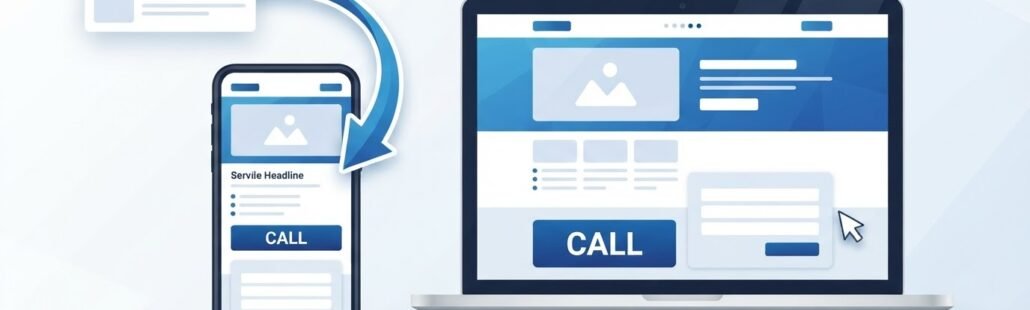
Most service businesses send their Facebook and Instagram traffic to the homepage. The homepage was built to introduce the company to everyone: the history, the full service list, the team, the blog. Someone who just tapped an ad about a free roof inspection doesn’t want any of that. They want to confirm they’re in the right place and book the thing they were promised, in under a minute, on their phone.
This guide walks through how to build a landing page for Facebook ads that does one job: turn a curious click into a booked call, a quote request or a WhatsApp message. It’s written for roofers, fencing companies, cleaners, clinics, consultants and any business that sells a service rather than a product in a cart.
Landing page or instant form: which one should you use?
Before building anything, decide where the click should go. Meta gives you two main options for lead generation: an instant form that opens inside Facebook or Instagram, or a website conversion campaign that sends people to your own page.
- Instant forms are fast to fill in because the details are pre-filled. That convenience brings volume, but it also brings people who barely remember submitting. We covered how to fix that in our guide to Facebook lead ads for roofing and home service companies.
- A landing page asks a little more effort, so you usually get fewer leads, but the people who do reach out have seen your proof, your offer and your process. For higher-ticket jobs, that tends to mean better conversations.
Many businesses run both and compare cost per booked appointment, not cost per lead. A lead that never answers the phone is not cheap, whatever the dashboard says.
The one rule that matters most: message match
Message match means the landing page continues the exact conversation the ad started. If the ad says “Free storm damage roof inspection in Dallas this week,” the first thing visible on the page should say almost the same thing. Not “Welcome to ABC Roofing, serving the community since 1998.”
People decide in a couple of seconds whether they clicked the right link. Matching the ad’s headline, offer, location, and even the look of the video thumbnail tells them they did. A practical way to manage this is one landing page per offer, not one page per campaign. If you run a free inspection offer and a financing offer, they get two pages.
Anatomy of a high-converting service landing page
Here is the section order we use as a starting point. It isn’t a law, but each piece answers a question the visitor is silently asking.
1. The first screen: headline, proof and one button
On a phone, the first screen is everything. It should hold a headline that repeats the offer, one line explaining who it’s for and where you work, a small piece of trust (star rating, years in business or number of jobs completed, only if true), and one clear button such as “Book my free inspection” or “Call now.”
Remove the main navigation menu. Every link that leads away from the offer is a leak.
2. The problem, in the customer’s words
Two or three short lines describing what the customer is dealing with: missing shingles after a storm, a leaning fence the HOA has complained about, an insurance adjuster who isn’t calling back. When people read their own situation described accurately, they trust that you understand the job.
3. What happens after they reach out
Uncertainty kills conversions. A simple three-step section removes it: “1. Tell us your address. 2. We call you within the hour to book a time. 3. An inspector visits and sends photos of everything we find.” It sounds obvious, but most service pages skip it.
4. Proof that looks real
Real before-and-after photos, short customer video clips and genuine reviews with first names and neighbourhoods. Stock photos of smiling models in hard hats do the opposite of what you want. If you already create UGC ads for Facebook and Instagram, reuse the best testimonial clips here. The same face the visitor saw in the ad appearing again on the page is powerful continuity.

5. The form (shorter than you think)
For a first contact, ask only what you need to call back: name, phone, ZIP code or area, and perhaps one qualifying question like “Is this for an insurance claim?” Every extra field filters out people. Sometimes that’s useful, but usually it’s accidental. Collect the rest on the call.
6. Objections and a final call to action
Close with a short FAQ that answers the real hesitations: Is the inspection actually free? Do you work with my insurance? How soon can you come? Then repeat the button. Someone who scrolled to the bottom is interested; don’t make them scroll back up.
Design for the thumb, not the desktop
Facebook and Instagram traffic is overwhelmingly mobile, and it arrives inside the app’s own browser. Design and test the page on a phone first. A few habits make a large difference:
- Use a sticky bottom bar with a tap-to-call button and a WhatsApp or text button. Many people would rather message than fill a form.
- Keep paragraphs to two or three lines on a phone screen and body text large enough to read without zooming.
- Make buttons big and spaced apart so nobody taps the wrong one.
- Use the correct input types so the number keypad opens for phone fields.
- Avoid pop-ups that appear the moment the page loads. They cover the very offer the person came for.
Speed: the silent conversion killer
A click from an ad costs money before the page has even loaded. If the page is slow, some of those people leave before seeing anything. Google’s Core Web Vitals give useful targets here: Largest Contentful Paint (how fast the main content shows) is rated good at 2.5 seconds or less, Interaction to Next Paint (how quickly the page responds to a tap) at 200 milliseconds or less, and Cumulative Layout Shift (how much the layout jumps around) at 0.1 or less.
The usual culprits on service-business sites are oversized hero images, heavy page builders, autoplaying background videos and too many tracking scripts. Compress images, host short video clips efficiently, and test the page in PageSpeed Insights on a mobile setting. Our article on improving website loading speed covers the technical fixes in more depth; they matter just as much for paid traffic as for organic.
Tracking: know which ads actually book jobs
Without tracking, you’re judging ads by likes and clicks. Install the Meta Pixel and, ideally, the Conversions API so form submissions and button taps are reported back to Ads Manager even when browser tracking is limited. Set up separate events for a form submission, a call-button tap and a WhatsApp tap so you can see which contact method people prefer.
Then close the loop offline. Keep a simple sheet with each lead’s source, whether they answered, whether an appointment was booked and whether it became a job. After a few weeks you’ll know your real cost per booked appointment, which is the number that decides whether a campaign lives or dies.
A practical example: a fencing company’s offer page
Imagine a fencing company running a 30-second video ad. The owner walks along a freshly built cedar fence and says homeowners in their area can get a free on-site quote within 48 hours. Here is how the landing page might be laid out:
- First screen: “Free on-site fence quote within 48 hours” with the service area underneath, a short looping clip from the same ad, the company’s genuine review rating and a “Get my free quote” button.
- Problem: “Old fence leaning? Dog getting out? HOA sending letters?”
- Process: Request a quote, choose a visit time on the phone, get a written quote with material options the same day.
- Proof: Six before-and-after photos from real local jobs and two short customer clips.
- Form: Name, phone, ZIP code, and “Roughly how many feet of fence?” with ranges to tap.
- FAQ and final button: Permits, HOA rules, timelines, materials, then “Get my free quote” again.
Notice what isn’t there: no menu, no blog links, no “About our founder” story, no list of fifteen services. Every block points at the same action. The video ad and the page also share the same person, words and offer, which is where good short-form ad editing and landing page design work together instead of separately.
Common mistakes we see on service landing pages
- Sending all ads to one generic page. Different offers deserve different pages.
- Vague buttons. “Submit” and “Learn more” tell people nothing. Say what they get.
- Hiding the phone number. Some customers will only ever call. Let them.
- Slow follow-up. A great page can’t save a lead that waits a day for a callback. Have a plan for responding quickly.
- Making claims you can’t back up. Fake urgency and invented review counts damage trust and can get ads rejected.
- Never testing. Change one thing at a time, such as the headline or the form length, and compare booked calls over a fair period.
Should your ad landing page also rank on Google?
Usually, keep them separate. An ad landing page is short and focused on one offer, while a page built to rank needs depth, service details and local signals. Many businesses set their paid landing pages to noindex to avoid thin duplicate pages competing with their main service pages. Your organic visibility is better built through proper service pages and a strong Google Business Profile, which we outline in our local SEO checklist for service businesses.
Quick landing page checklist
- Headline matches the ad’s offer and location
- One primary action, with the main menu removed
- Call, WhatsApp or form reachable from the first screen
- Three-step “what happens next” section
- Real photos, reviews and customer clips
- Form with four fields or fewer
- FAQ covering price, timing and trust objections
- Tested on a real phone inside the Facebook and Instagram apps
- Core Web Vitals in the “good” range on mobile
- Pixel and Conversions API events firing for forms, calls and messages
- A tracking sheet that follows each lead to a booked job
Frequently asked questions
How long should a landing page for Facebook ads be?
Long enough to answer the visitor’s questions, and no longer. A simple free-quote offer can work on a short page; a higher-commitment service often needs more proof and FAQs. Put the main action on the first screen either way.
Do I need a separate website for my landing pages?
No. Most businesses build landing pages on their existing WordPress site using a blank, menu-free template. What matters is that the page is fast, focused and properly tracked.
Should I use a form, a call button or WhatsApp?
Offer more than one and let your tracking tell you which your customers prefer. Older homeowners often call; younger customers and many international markets lean toward messaging.
How do I know if the page or the ad is the problem?
If the ad gets a healthy click-through rate but few people take action on the page, look at the page first. If very few people click at all, the ad’s hook, creative or targeting needs work.
Get a landing page built around your ads
At Eadoz, we make the video ads and build the pages they point to, so the offer, the faces and the message stay consistent from the first second of the ad to the moment someone taps “Call now.” If your Facebook or Instagram ads get clicks but not enough booked calls, book a free meeting with Eadoz and we’ll look at your ad and landing page together, or simply chat with us on WhatsApp.