

-
- No Comments
- August 18, 2026

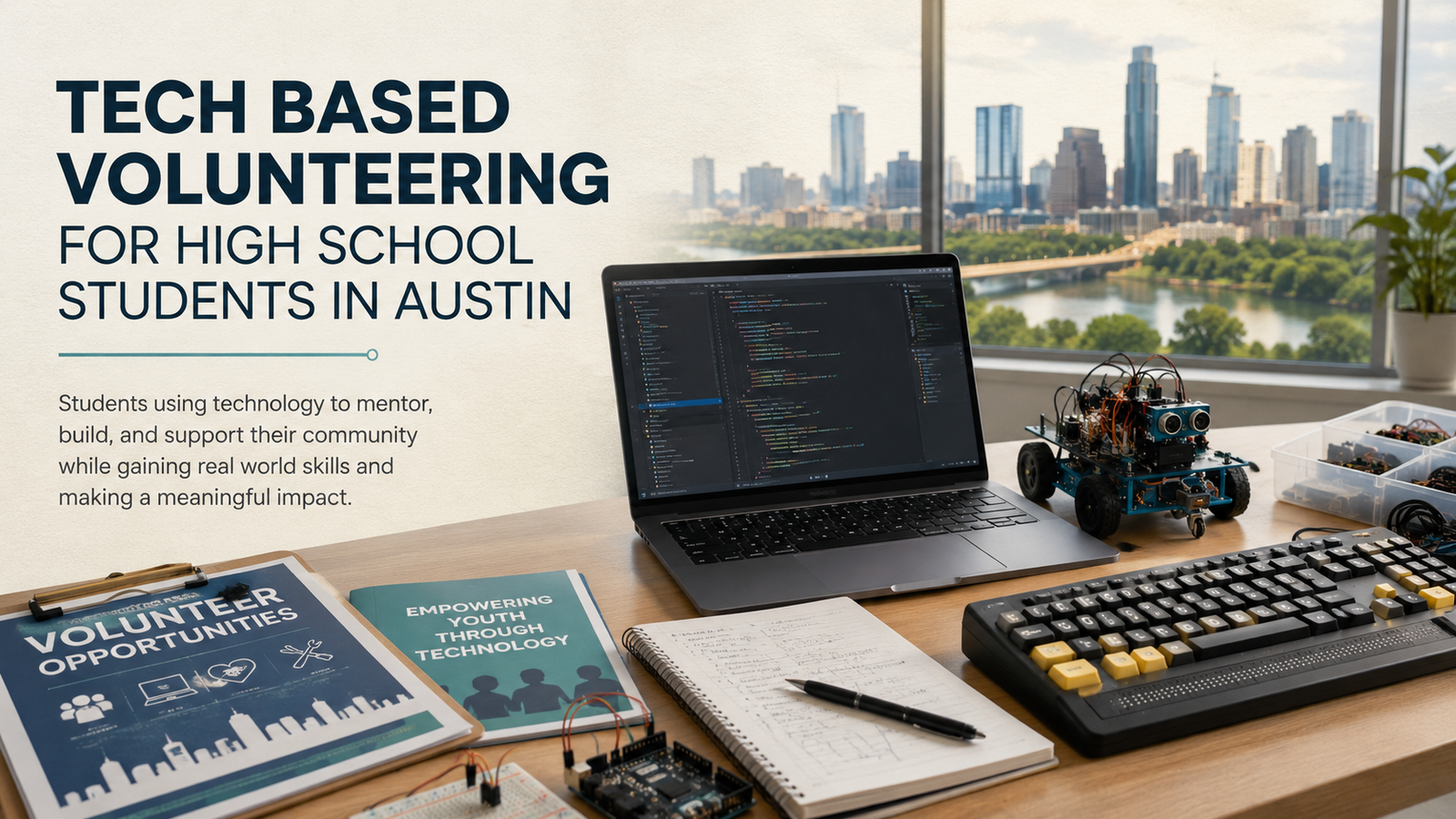
Tech Based Volunteering for High School Students in Austin
Intro:Tech Based Volunteering for High School Students in Austin
If you are searching for tech based volunteering for high school students in Austin, you probably want something more meaningful than simply collecting service hours. You want an opportunity where a student can use coding, engineering, digital media, computer skills, or creative problem solving to help real people.
Austin is an excellent city for that kind of service. Its libraries, education groups, STEAM nonprofits, and community organizations regularly need people who are comfortable with technology.
Finding the right position still requires careful research. Every organization has different age limits, application periods, schedules, supervision rules, and technical expectations.
The word “technology” can also mean very different things. One position may involve teaching basic computer skills, while another could include testing websites, supporting robotics activities, preparing digital content, or mentoring younger students in coding.
Quick Answer to Tech Based Volunteering for High School Students in Austin
High school students in Austin can volunteer by mentoring younger learners in coding and STEM, assisting with STEAM events, supporting library programs, improving nonprofit websites, teaching basic computer skills, organizing digital information, and completing accessibility projects.
Strong places to begin include Austin Public Library, STEM For Others, Girlstart, Latinitas, and Generation SERVE. Students can also approach a local nonprofit with a carefully planned technology project. Before applying, always confirm the minimum age, time commitment, available supervision, and process for verifying service hours.
What Counts as Tech Based Volunteering?

Technology volunteering is much broader than writing complicated code. A student does not need to be an advanced programmer or future software engineer to make a useful contribution.
A volunteer might create social media graphics, organize a spreadsheet, test a website, format documents, prepare digital workshop materials, or help someone understand email. Other students may support robotics activities, repair simple devices under supervision, create videos, or teach younger learners how to use technology safely.
The important question is not whether the work looks impressive. It is whether the student is using technology to solve a genuine problem for another person or organization.
A small task can have a surprisingly large effect. Cleaning an outdated contact list, adding captions to community videos, or showing someone how to complete an online form may save an organization hours of work.
Coding and STEM Mentoring
Coding and STEM mentoring is one of the clearest forms of technology volunteering. A high school student can help younger learners understand programming, robotics, mathematics, engineering, cybersecurity, or general computer science.
The work might involve explaining a difficult idea, reviewing a simple coding project, helping a student fix an error, or guiding a small robotics activity. Beginners often need patience and encouragement more than an advanced technical lecture.
Teaching also benefits the volunteer. When you explain a programming concept to someone else, you quickly discover whether you genuinely understand it.
A student may know how to make a piece of code work without knowing how to explain why it works. Mentoring develops that deeper understanding while improving communication, leadership, and problem solving skills.
Students should be honest about their knowledge. Someone with basic Python experience can still help a complete beginner, but they should not present themselves as an expert in advanced programming or cybersecurity.
Digital Literacy Assistance
Digital literacy assistance helps people use everyday technology with greater confidence. It may involve explaining email, documents, spreadsheets, video calling, online forms, password security, or basic internet safety.
These skills can feel ordinary to a teenager who has grown up around technology. For someone who rarely uses a computer, however, attaching a document to an email or joining a video call can feel genuinely intimidating.
A good volunteer explains each step slowly and avoids making the learner feel embarrassed. The goal is not to complete every task for the person. It is to help that person understand the process well enough to complete it independently next time.
Privacy matters enormously in this kind of work. Students should provide digital literacy assistance through an established library, nonprofit, school, or community organization whenever personal accounts are involved.
A volunteer should never ask for passwords, payment information, medical records, or private identification documents. If sensitive information appears on a screen, an authorized adult supervisor should handle the situation.
Nonprofit Website and SEO Support
Many small nonprofits have websites that were created years ago and rarely updated. Their staff may be busy serving the community and have little time to fix outdated pages, broken links, oversized images, or confusing information.
A student volunteer can help review pages, correct basic formatting, organize content, compress images, update event information, or report links that no longer work. Students with stronger skills might improve page titles, write image descriptions, or help make important services easier to find.
Basic SEO support can also be valuable. Clear headings, descriptive page titles, relevant local information, and logically organized content can help an Austin nonprofit appear when people search for its services.
Students should never make major website changes without permission. They need an approved contact person, a clear list of tasks, secure account access, and a backup plan in case something goes wrong.
The best approach is to begin with a small project. Improving five important pages is usually more useful than promising to redesign an entire website and leaving the work unfinished.
Data and Office Technology
Not every meaningful technology project needs to involve a public website. Many organizations quietly struggle with messy spreadsheets, inconsistent documents, repeated survey responses, and outdated registration records.
Students can help clean spreadsheets, standardize document formatting, enter survey results, organize event registrations, or create simple dashboards. They may also help staff develop clearer folder structures and file naming systems.
This work may not look dramatic, but it can make an organization more efficient. A clean volunteer database or readable event report can help staff make faster and better decisions.
Accuracy is essential. Students should check their work carefully, avoid deleting original files, and ask what each field means before changing data.
Private information must remain private. Volunteer names, donor details, participant records, and contact information should never be copied to personal devices or uploaded to a public portfolio.
Accessible Technology
Accessible technology allows more people to use websites, documents, videos, and digital services. It considers the needs of people with visual, hearing, physical, cognitive, and other disabilities.
A student might check whether a website can be used with a keyboard, add captions to a video, write useful image descriptions, or improve the readability of a document. Other projects may include reviewing color contrast, simplifying confusing instructions, or organizing headings so screen readers can understand the page.
Accessibility is not simply an extra feature added after a project is finished. It is part of responsible digital design.
Students do not need to know every accessibility standard before they can help. They do need proper guidance, a willingness to learn, and the humility to listen to people who use accessible technology in their daily lives.
An organization such as Knowbility can help students understand how inclusive websites and digital experiences are created. High school students should contact the organization directly to confirm current age and participation requirements.
Maker and Creative Technology Projects
Technology volunteering can also be physical, visual, and creative. Maker projects combine digital tools with hands on experimentation, which makes them especially suitable for community events and younger learners.
Students might support electronics demonstrations, prepare robotics materials, help with 3D design, manage audiovisual equipment, create digital media, or assist with screen printing activities. They can also prepare supplies and guide children through simple STEAM experiments.
Creative technology projects are useful because they make difficult ideas easier to explore. A child who feels nervous about coding may become interested after building a basic circuit, designing an object, or controlling a small robot.
These activities still require planning and supervision. Equipment should be tested before an event, instructions should match the age of the participants, and potentially dangerous tools should remain under adult control.
A strong maker volunteer does more than set up equipment. They help participants ask questions, test ideas, learn from mistakes, and understand that technology is something they can create, not merely consume.
Best Tech Based Volunteering Opportunities for High School Students in Austin

Finding the right opportunity means looking beyond the organization’s name. Students should compare the actual work, minimum age, schedule, application process, supervision, and availability before committing.
The following organizations are among the strongest starting points for tech based volunteering for high school students in Austin. Some provide direct technology roles, while others offer broader service programs where students can request work connected to their digital skills.
STEM For Others
STEM For Others is one of the most direct options for students who want to use technology while serving younger learners. Its available roles include STEM mentoring, curriculum development, social media assistance, front end development, iOS development, recruiting, and chapter leadership.
The organization’s Austin mentoring opportunity accepts volunteers aged 14 and older. Because eligibility requirements can change, students and parents should confirm the current minimum age before applying.
A student volunteer may tutor younger learners in mathematics, coding, science, engineering, or another technical subject. Depending on the student’s interests and experience, the work could also involve developing educational resources or supporting the organization’s online activities.
The technical value is easy to see. Students are not simply completing general service duties. They are explaining STEM ideas, helping learners solve problems, or using practical digital skills to support an educational mission.
Austin mentoring positions generally ask for a regular commitment. The available listing indicates that volunteers may contribute approximately two to four hours per week, with longer participation preferred.
Students can begin with the STEM For Others volunteer form. The form allows applicants to select interests such as STEM mentoring, curriculum development, social media, chapter leadership, and software development.
Students specifically interested in mentoring can also review the Austin mentoring opportunity.
At the time of writing, the volunteer form and Austin opportunity are available online. Students should still ask about mentor training, scheduling, supervision, service hour verification, and whether the work will be virtual or completed in person.
STEM For Others may be especially suitable for a student who wants consistent technology service. It offers the possibility of building an ongoing mentoring relationship rather than completing a single afternoon of general volunteer work.
Austin Public Library Teen Volunteer Program
The Austin Public Library Teen Volunteer Program is a practical choice for students who want structured service in a familiar community setting. It accepts youth volunteers aged 13 through 17.
Teen volunteers may prepare program materials, help participants, support library events, organize resources, assist with specialized clubs, and work alongside Youth Services staff. The precise duties depend on the branch, the season, and the library’s current needs.
A position at the library is not automatically a technology assignment. Some students may spend part of their time organizing materials, helping with circulation, preparing activity supplies, or completing general program support.
Students interested in technology should explain that interest clearly during the application and interview. They can mention coding, gaming, digital literacy, media creation, audiovisual equipment, computer assistance, or maker activities.
The library environment still offers strong technical value. Students can develop customer service skills while learning how public technology programs are prepared, delivered, and managed.
Austin Public Library divides its teen volunteer program into three seasonal sessions. Fall applications are accepted from July 1 through July 31, while the service period runs from October through December.
Spring applications are accepted from December 1 through December 31. The spring service period runs from March through May.
Summer applications are accepted from March 1 through March 31. The summer session runs during June and July.
Fall and spring volunteers generally complete one two hour shift each week during the ten week program. Summer volunteers usually complete one shift of either two or four hours per week during the eight week session.
Applications are posted on the Austin Public Library volunteer page during each application window. Applicants may be invited to an interview and must complete the required screening and orientation process.
Students should apply early and choose their preferred locations carefully. The library receives more applications than it can accommodate, and submitting an application does not guarantee a placement.
As of August 2026, the fall application window has closed. The next listed opportunity is the spring program, with applications scheduled to open on December 1 and close on December 31.
This is a good option for a younger student who wants reliable supervision and an established system for recording volunteer work. It is less suitable for someone who expects every shift to involve coding or advanced computer tasks.
Girlstart STEM Events
Girlstart is an Austin based organization that encourages girls to explore science, technology, engineering, and mathematics. Its conferences and community events use volunteers to create welcoming, practical STEM experiences for younger participants.
Volunteer responsibilities can include preparing materials, assisting workshops, guiding participants, supporting registration, monitoring event areas, and helping the day run smoothly. Some opportunities may involve direct STEM activities, while others focus on general event support.
The technical value depends on the assignment. Helping with a workshop can give a student experience in science communication, activity preparation, and hands on STEM education.
General event work may be less technical, but it can still show students how a large educational program is organized. Volunteers learn how planning, communication, equipment, supplies, and participant support come together.
Girlstart has previously worked with high school volunteers, including students who assisted with summer camp operations and lessons. However, the organization does not publish one universal age rule for every volunteer position.
Students should confirm the age requirement for each event before applying. They should also ask whether an adult must accompany them and whether the role qualifies for school service hours.
The time commitment varies. A conference may require one full day or part of a day, while a camp or recurring program may need volunteers for several shifts.
Girlstart’s Austin Girls in STEM Conference took place in April 2026, so that specific opportunity has passed. Students should monitor the Girlstart volunteer page for future Austin events, summer activities, and community programs.
When contacting Girlstart, students should describe any experience they have with robotics, coding, engineering, mathematics, electronics, or working with children. This can help the volunteer coordinator identify a role that uses their abilities.
Latinitas Technology and Digital Media Programs
Latinitas is an Austin nonprofit that helps girls explore technology, engineering, digital media, design, entrepreneurship, and digital literacy. Its community focus makes it especially relevant for students who want technology volunteering with a strong educational purpose.
Volunteer opportunities may be available through Latinitas conferences, community events, Camp Latinitas, and adult digital literacy programs. Each program offers a different type of experience.
Conference volunteers may help participants develop and present creative ideas, prepare materials, support registration, distribute supplies, or assist with workshops. Camp volunteers can work alongside program leaders as students complete projects connected to design, media, engineering, and other STEAM subjects.
Camp Latinitas runs for several weeks during the summer. Its volunteer page describes shifts of approximately two or four hours, although schedules and responsibilities can vary.
Adult digital literacy programs provide another interesting route. Volunteers may help participants understand email, documents, spreadsheets, password management, online job searches, resumes, or other practical computer skills.
This can be valuable for a student who enjoys patient, personal instruction. However, high school volunteers should never handle passwords, financial information, or private account details.
Latinitas also uses volunteers for community engagement and event preparation. Some of these positions are less technical, so students should ask what they will actually be doing before accepting a placement.
The Latinitas volunteer page currently provides information about its programs and includes a volunteer application. However, it does not publish a universal minimum volunteer age.
High school students should contact Latinitas before applying. They should provide their age, school year, availability, technical interests, and preferred program.
The application may be open, but that does not mean every program currently has space. Availability changes according to conference dates, camp schedules, community events, and staffing needs.
Latinitas could be an excellent match for students interested in technology, design, media, teaching, or community access. The strongest applicants will explain how their skills connect with the organization’s mission.
Generation SERVE Teen Service Program
Generation SERVE is not exclusively focused on technology. It is a broader Austin youth volunteering organization that connects young people with structured community service.
Its main value is the network of Austin nonprofit partners and its clear pathway for teen leadership. Students aged 13 through 18 can participate in Teen Service Days and other eligible programs.
Teen Service Days allow students to volunteer with their peers without a parent or guardian remaining at the activity. The available projects change throughout the year and are listed on the organization’s calendar.
Not every project is connected to technology. Students may find opportunities involving food assistance, animals, environmental work, community events, or nonprofit operations.
Students searching for technology work should monitor the calendar and ask whether partner organizations need help with websites, spreadsheets, data entry, digital media, event technology, online research, or basic computer skills. A technical assignment should be confirmed rather than assumed.
Generation SERVE also offers a leadership pathway. Activity Co Leaders are generally students aged 13 through 15 who shadow more experienced leaders and learn how service activities are managed.
Activity Leader positions begin at age 16 for qualified teens who complete the required training. These students may coordinate service experiences and guide other volunteers.
The Teen Advisory Board is another option for students who want a deeper commitment. Board members help represent the organization, support its mission, and provide a teen perspective on service programs.
Teen Advisory Board applications generally open in late May and close near the beginning of August. The position requires more time and responsibility than attending an occasional Teen Service Day.
A parent or guardian must create the household registration before a teenager can participate. Registering an account using only the student’s information can delay access to activities.
Families can begin through the Generation SERVE Teen Service Program. Once registered, students can review available Teen Service Days and leadership opportunities.
The organization maintains a volunteer history for participants. This record can help students document their work for school requirements, scholarships, resumes, and college applications.
Generation SERVE is best for students who want structured service and leadership but are willing to search patiently for a technology related project. Current opportunities rotate, so digital work may not always be immediately available.
Knowbility Accessibility Internet Rally
Knowbility is an Austin organization focused on accessible information technology. Its work helps make websites, applications, and digital content more usable for people with disabilities.
The Accessibility Internet Rally brings volunteer teams together to create or improve accessible websites for nonprofits, artists, schools, and community organizations. Participants learn accessibility principles while contributing to a real digital project.
This can be a meaningful opportunity for students interested in coding, website design, user experience, accessibility, or social impact. Instead of creating a practice website that no one uses, a student may help improve an online resource serving an actual community.
Students can learn about keyboard navigation, readable page structures, image descriptions, accessible forms, color contrast, screen reader compatibility, and inclusive design. These skills are useful in web development, digital media, and software careers.
The project requires more responsibility than a simple event shift. Team members may need to attend training, communicate with a nonprofit, review existing content, build or improve pages, test their work, and respond to feedback.
The exact time commitment depends on the rally schedule and the student’s role. Students should ask about training dates, team meetings, development deadlines, and the total expected number of hours.
The Accessibility Internet Rally invites people who want to help create a more inclusive digital world. However, its public page does not clearly state a minimum age for team members.
High school students should contact Knowbility before registering. They should ask whether students can participate, whether parental permission is required, and whether they must join a team supervised by an adult.
Students should also explain their current skills honestly. A beginner may be able to assist with content, testing, research, or image descriptions, while a more experienced student could contribute to design or development.
Current registration details and event dates should be confirmed directly with Knowbility. Students should not assume that an open information page means a new rally team is accepting high school participants immediately.
Thinkery Opportunities to Monitor
Thinkery is highly relevant to students interested in science, technology, engineering, art, and mathematics. Its interactive exhibits and educational programs introduce children to creative problem solving through experiments, tools, design, and play.
A volunteer position at Thinkery could give a high school student valuable experience supporting STEAM activities, preparing materials, assisting visitors, and encouraging younger children to explore unfamiliar ideas.
However, Thinkery should not be presented as an immediate opening. Its current volunteer page states that the organization is not accepting new volunteer applications at this time.
Students can monitor the page for future changes and sign up for organizational updates. They may also contact Thinkery to ask when applications could reopen, but they should not repeatedly message staff or assume that an unavailable position can be created for them.
Thinkery also operates a Youth Development Program in partnership with Breakthrough Central Texas. The program gives a small group of high school students paid work experience, mentorship, professional development, and opportunities to support STEAM learning.
The Thinkery Youth Development Program is a paid high school opportunity, not a standard volunteer position. Students should describe it as employment or workforce development rather than community service.
This distinction matters when recording hours for school or college applications. Paid work can be just as valuable as volunteering, but students should always label the experience accurately.
Programs That Teach Technology but Are Not Volunteer Positions

A coding course, summer academy, internship, or technology club can help a student develop impressive skills. That does not automatically make it volunteer service.
Volunteering normally involves contributing time and effort to support another person, organization, or community without receiving regular payment. A learning program is primarily designed to educate the student, even when the student completes useful projects during it.
This difference does not make training programs less valuable. In fact, learning first may prepare a student to make a much stronger contribution later.
Students should describe each experience honestly. A coding course belongs under education or extracurricular activities, while a paid technical internship belongs under employment or professional experience.
Girls Who Code
Girls Who Code offers free clubs and virtual learning opportunities for students through grade 12. Participants can explore programming, complete projects, strengthen their confidence, and connect with a wider technology community.
These programs can be an excellent starting point for a student with limited coding experience. The skills developed through a club or virtual course may later be used to mentor younger learners, support a nonprofit website, or complete a community technology project.
However, joining Girls Who Code as a learner is not the same as volunteering. The student is participating in an educational program created for their own development.
Outside school club facilitators must generally be adults. A high school student should not assume they can create or lead an official outside school club independently.
Students can explore the available Girls Who Code programs to develop their knowledge before volunteering with another organization. They might also ask a teacher whether they can support an existing school club under approved adult supervision.
Any peer support role should be confirmed with the school and program coordinator. Students should not report ordinary club participation as community service unless they have been given a distinct and verified volunteer responsibility.
Code2College
Code2College prepares high school students for technical education, professional development, and paid internships. Its programs help students build coding skills, understand technology careers, prepare for interviews, and gain practical workplace experience.
For a student, Code2College is primarily a training and career pathway. It may lead to valuable technical experience, but participation should not automatically be recorded as volunteering.
The organization also works with volunteer instructors, mentors, workshop supporters, resume reviewers, and technology professionals. These volunteers help participating high school students prepare for technical education and employment.
Those professional volunteer positions should not be confused with the student program. A high school student looking for training should use the student application pathway available through the main Code2College website.
Students should not assume that the professional Code2College volunteer form accepts high school volunteers. They should contact the organization and receive direct confirmation before applying for an instructor, mentor, or workshop role.
If Code2College approves a separate service role for a student, the responsibilities and hours should be documented clearly. Otherwise, the experience should be presented as technical education, career preparation, or a paid internship.
UT Austin STEM Programs
UT Austin offers computer science, robotics, engineering, mathematics, research, and summer outreach opportunities for school students. These programs can expose participants to university facilities, technical subjects, experienced instructors, and possible STEM careers.
A summer academy or computer science course is normally an educational experience. The student attends to learn, complete activities, and develop new skills.
Students who want a service role can contact individual program coordinators and ask whether junior assistants, event helpers, or supervised student mentors are needed. Some outreach programs may welcome responsible high school helpers, while others may restrict those positions to university students or adults.
An inquiry is not an acceptance. The student should receive written confirmation of the role, responsibilities, schedule, supervisor, and service hour policy before describing the position as volunteering.
UT Austin programs should therefore be presented as strong learning opportunities with possible volunteer pathways. An unconfirmed summer program, camp, or academy should never be advertised as guaranteed community service.
How to Create Your Own Technology Volunteer Project

Students do not always need to wait for a formal program to open. A small Austin nonprofit, school club, community group, neighborhood association, or local charity may already have a technology problem that a student can help solve.
This can become one of the most meaningful routes into tech based volunteering for high school students in Austin. The student gets to apply real skills, while the organization receives something it genuinely needs.
The project must still be planned responsibly. A student should not redesign a website, access private data, or install software simply because they believe it will help.
Ask the Organization What It Actually Needs
Start with a conversation, not a solution. Ask the organization which digital tasks consume time, create confusion, or keep getting postponed.
A student may arrive excited to build a new website, only to discover that the nonprofit urgently needs its volunteer spreadsheet cleaned. Solving the real problem is more valuable than creating the most impressive looking project.
Useful questions include which task needs attention, who currently manages it, what information is sensitive, and what a successful result would look like. An adult representative from the organization should approve the final project.
Listening first also prevents wasted work. There is little value in building a tool that staff members cannot maintain after the student leaves.
Choose One Small Deliverable
A first project should be narrow enough to complete properly. A focused result builds trust and makes progress easier to measure.
A student could improve five important website pages, organize an approved contact list, create a simple event registration form, add captions to ten videos, or teach one beginner computer workshop.
Another possible project is creating a spreadsheet template for volunteer scheduling. A student with design skills might prepare reusable social media graphics or accessible event materials.
Avoid promises such as completely transforming the organization’s technology. A small finished project is better than a huge unfinished idea.
The deliverable should have a deadline, an adult reviewer, and a clear definition of completion. If the first project goes well, the organization may invite the student to continue.
Get Written Permission and Adult Supervision
Parental awareness and adult supervision are essential. A parent or guardian should know which organization is involved, where the work will happen, who will supervise it, and how the student will communicate with staff.
The organization should identify one adult project contact. That person can approve tasks, answer questions, review progress, and confirm that the final work meets the organization’s needs.
Digital access must be limited. A student helping with a website should receive only the permissions required for the approved task.
Students should never access financial accounts, medical information, donor payment details, private client records, or confidential employee information without proper authorization and qualified supervision. In most cases, these areas should remain completely outside a student volunteer’s role.
Written permission protects the student as well as the organization. It creates a clear record of what the student was allowed to access and change.
Agree on Volunteer Hour Verification
Before beginning, ask how hours will be recorded. Some schools accept a signed form, while others require an official letter, supervisor email, or entry in an online service system.
The student should identify the person responsible for confirming the hours. That person needs to understand the school’s deadline and documentation requirements.
Record time honestly. Planning, approved research, meetings, technical work, testing, training, and revisions may count if the organization and school allow them.
Do not estimate hours months later. Maintain a simple record showing the date, task, time spent, and supervisor approval.
Complete a Short Impact Report
Finish the project with a short impact report. This does not need to look like a complicated business presentation.
Begin by describing the original problem. Then explain what the student completed, which tools were used, how many hours were contributed, and what changed as a result.
Measurable details make the work easier to understand. The report might state that ten videos received captions, five website pages were updated, or a spreadsheet containing 300 approved records was reorganized.
The student can also record what they learned and what the organization should do next. This reflection can later support a resume, scholarship application, interview, or college essay.
Private information should not appear in the report. Screenshots, names, internal documents, and organizational data should only be included when the organization gives written permission.
Useful Technology Skills Students Can Bring to Volunteer Work

Technology volunteering becomes easier when students connect their existing skills with a specific community need. They do not need to know everything, but they should understand what they can handle safely and where adult help is required.
Device Setup and Troubleshooting
Basic troubleshooting can be valuable at a school club, library event, community center, or nonprofit office. Students may help test hardware, connect audio equipment, check charging indicators, update approved software, or identify common error messages.
Audio equipment can create problems during workshops and community events. Students familiar with wireless devices can strengthen their knowledge through guides such as Eadoz’s instructions for the Logitech G933 wireless gaming headset.
Charging problems are another common source of confusion. The guide explaining how to know when a PS3 EX 01 is done charging shows the careful observation required when working with device indicators and charging behavior.
Software errors should be approached methodically. Eadoz’s guide to fixing Roblox error code 403 can help students understand how permissions, connections, and account issues may cause an application to fail.
A student volunteer should know the limit between basic troubleshooting and professional repair. They can document physical damage and report the problem, but opening a device or replacing delicate components may create safety, warranty, and liability concerns.
Eadoz’s explanation of how much it costs to fix a phone screen can help students understand why advanced physical repairs should usually be left to qualified technicians.
Documents, Spreadsheets, and Design Software
Office technology may not look as exciting as robotics, but it keeps many nonprofits functioning. Accurate documents and organized spreadsheets can save staff members hours of repetitive work.
Students can help standardize headings, correct repeated wording, format event instructions, or prepare approved materials. Learning how to use find and replace in Word can make large document updates faster and more consistent.
Spreadsheet work requires careful testing. A calculation error can affect budgets, schedules, survey summaries, or volunteer reports.
Students working with formulas can use the guide to finding circular references in Excel to understand why a spreadsheet may calculate incorrectly. They should always preserve the original file before changing formulas or data.
Students interested in engineering or design may encounter embedded content inside technical drawings. Eadoz’s instructions for removing an OLE object in AutoCAD offer a useful example of solving a specific design software problem.
These tasks should be completed with approval and backups. A volunteer should never delete unfamiliar files or records simply because they appear unnecessary.
Website Content and Search Visibility
A nonprofit website needs to be understandable before it can be persuasive. Students can help improve headings, page organization, image descriptions, local information, and the clarity of service pages.
Search visibility matters because people cannot use a community service they cannot find. A student may help review page titles, improve internal navigation, identify broken links, or organize information around the language local residents actually use.
Students who want to understand the wider process can read Eadoz’s guide to advanced SEO techniques for Google ranking. The goal should be clearer and more useful content, not manipulating search engines.
Specific search phrases can help a nonprofit reach people with a particular need. The guide explaining how to implement long tail keywords for SEO shows how focused wording can connect a page with a more relevant audience.
Every website change should support the organization’s mission. Students should avoid filling pages with repeated keywords, publishing unverified claims, or changing important information without staff approval.
Online Accounts and Digital Literacy
Digital literacy volunteers often help people understand where settings, conversations, downloads, and account controls are located. The best assistance teaches the process without taking control of the person’s account.
For example, someone may need help locating a previous customer service conversation. A student can explain the steps using a resource about finding Amazon chat history without requesting the person’s password.
Closing a business account can involve more serious consequences. The Eadoz guide to canceling an Amazon seller account demonstrates why users should understand pending orders, balances, account records, and permanent closure before confirming an action.
The volunteer’s role is to explain navigation and available options. The account owner should read the final warnings and make every important decision personally.
Students should never save login details, request verification codes, or enter payment information for someone else. If the situation involves money, identity documents, or account ownership, an authorized adult should take over.
Copyright and Creative Projects
Students supporting websites, videos, podcasts, presentations, or social media need to understand that online content is not automatically free to use. Photographs, music, illustrations, television clips, and written material can all have owners.
Before publishing content, students should ask who created it, whether the organization has permission to use it, and what license applies. If ownership is unclear, the material should not be published until someone verifies the rights.
Eadoz’s guide to finding who owns a television show copyright provides a useful introduction to researching content ownership. The same careful thinking applies to other creative material.
Technology volunteering can also include physical creative projects. Community maker events may use digital designs, cutting tools, printing equipment, or custom clothing.
Students interested in this work can review the practical process behind making screen print transfers. During an actual event, equipment should be handled according to the organization’s safety rules and under suitable adult supervision.
Creative service is most useful when it respects both ownership and safety. A polished design is not successful if it uses copyrighted material without permission or places participants at risk.
Artificial Intelligence and Computer Hardware
Students interested in volunteering through technology should understand the industry surrounding the tools they use. Artificial intelligence depends on software, data, advanced processors, networking, electricity, and large computing systems.
Following major chip companies can help students see how computing demand influences the development of new products and careers. Eadoz’s reporting on Nvidia’s strong revenue outlook and demand for computer chips offers useful background reading.
This industry knowledge should support the volunteering discussion rather than take it over. A student does not need to understand semiconductor finance before helping a younger learner with coding.
The practical value is perspective. Students can connect a small mentoring project or website task with wider fields such as software development, hardware engineering, data science, cybersecurity, and accessible design.
That connection can make service more motivating. A few hours spent helping someone understand technology may become the first step toward a future career built around making technology more useful and inclusive.
How to Choose the Right Austin Technology Volunteer Opportunity
The opportunity with the most impressive name is not automatically the best choice. A well known organization may offer limited technical work, an unrealistic schedule, or a location that is difficult to reach.
The right opportunity should fit the student’s school workload, transportation, interests, current ability, and available time. It should also provide appropriate supervision and work that genuinely benefits the community.
Students should think about what they enjoy doing. Someone who loves explaining ideas may thrive as a coding mentor, while a quieter student might prefer organizing data, testing websites, adding captions, or preparing digital materials.
A realistic role completed consistently is more valuable than an ambitious position the student leaves after two weeks.
Check the Minimum Age
Always check the minimum age before preparing an application. Some Austin organizations accept students as young as 13, while others require volunteers to be 16, 17, or 18.
Pay attention to when the age requirement applies. A program might require the student to meet the minimum age when applying, on the first day of training, or when the service period begins.
This difference matters when applications open several months before the program starts. A student who is currently 15 but will turn 16 before summer may qualify for one position but not another.
If the website is unclear, contact the volunteer coordinator. Include the student’s current age, expected age when service begins, grade level, and preferred program.
Never enter a false birth date to pass an application form. Age limits often exist because of supervision, insurance, background screening, transportation, or legal requirements.
Confirm That the Role Is Actually Technical
An organization may have a technology focused mission without giving every volunteer a technical assignment. A STEAM event could still need people to check in visitors, distribute lunch, clean activity areas, or move supplies.
General event work is valuable, but students should know what they are accepting. If the goal is to develop coding, media, design, or digital literacy experience, ask what the weekly responsibilities will be.
Useful questions include whether the student will work with computers, assist a workshop, mentor learners, prepare digital content, test technology, or organize information. Ask how often those tasks will be available.
The answer may change from one session to another. A library branch with a maker program this summer might have completely different volunteer needs in the fall.
Students should remain flexible without accepting a misleading description. If a position is mostly event support, describe it honestly as event volunteering rather than technical work.
Compare One Time and Recurring Roles
A one time event is usually easier for a beginner. It allows the student to experience the organization, meet its staff, and understand the environment without making a long commitment.
Conference and community event roles may last for a few hours or one full day. These positions are useful for students managing demanding school schedules or exploring several interests.
Recurring roles require more consistency. A coding mentor, library assistant, or digital literacy volunteer may need to attend every week for several months.
The greater commitment can produce deeper relationships and more meaningful results. A mentor can watch a younger learner become more confident, while a website volunteer can complete several improvements and measure their effect.
Recurring service is often easier to describe on a resume because the responsibilities and outcomes are clearer. However, it only works when the student can attend reliably.
Students should check examination dates, sports schedules, school clubs, religious commitments, and family travel before promising weekly availability.
Consider Transportation and Virtual Access
Austin traffic can turn a short volunteer shift into a large time commitment. A program that looks close on a map may take much longer to reach during busy afternoon or evening hours.
Students should calculate travel time in both directions. Include the time needed to wait for transportation, find the building, check in, and meet the supervisor.
Parent availability also matters. A guardian may be willing to provide transportation occasionally but may not be able to drive across Austin every week.
Students using public transportation should review the route, transfer points, walking distance, service frequency, and return schedule. Evening volunteers should make sure they have a safe and dependable journey home.
Virtual volunteering can remove some transportation problems. Online mentoring, content organization, captioning, website reviews, and certain digital projects may be completed remotely.
Remote work still needs structure. The student should have an identified supervisor, approved communication method, clear tasks, and a reliable process for recording hours.
Ask About Training
Beginners should not assume they are unqualified. Many useful volunteer roles provide orientation, written instructions, lesson plans, technical guidance, or direct supervision.
An organization may care more about patience, reliability, and willingness to learn than advanced programming experience. A student who communicates clearly can be extremely helpful in a beginner digital literacy program.
Ask what training is included and whether it counts toward service hours. Students should also find out whether they need to bring a laptop, install software, complete a background check, or attend an orientation.
Be honest about current abilities. A student who has completed one introductory Python course should not claim to be an advanced developer.
Honesty helps the coordinator assign suitable work. It also protects the student from receiving tasks they cannot complete safely or accurately.
Learning during service is normal. Misrepresenting skills is not.
Verify How Hours Are Recorded
Do not wait until the end of the project to ask about verification. Schools, scholarship programs, and student organizations can have very different documentation requirements.
Some schools accept a supervisor’s signature on a paper form. Others require an official letter, organizational email, digital dashboard, or approved online verification system.
Ask who will record the hours and how often they will be approved. Confirm whether training, planning, meetings, travel, and work completed at home count toward the total.
Students should keep their own accurate record. Write down the date, activity, start time, end time, and name of the supervising adult.
If the school has a deadline, tell the organization early. Volunteer coordinators may need several days to prepare a letter or complete a verification request.
How to Apply for Tech Based Volunteering in Austin
Applying for tech based volunteering for high school students in Austin does not need to feel like applying for a senior engineering position. Organizations mainly want to see that the student is responsible, genuinely interested, and prepared to honor the commitment.
Read every instruction before submitting anything. A careful, complete application immediately shows that the student can follow directions.
Prepare a One Page Student Resume
A high school resume should be clear, focused, and limited to one page. The student does not need years of professional experience.
Begin with basic contact information, school name, expected graduation year, and a short statement describing the type of technology service being sought.
Include relevant classes such as computer science, engineering, robotics, mathematics, digital media, graphic design, or information technology. School clubs and competitions can also demonstrate interest.
List programming languages and software honestly. Python, JavaScript, HTML, Excel, Word, Canva, AutoCAD, video editing tools, and website platforms may all be relevant.
Personal projects count. A small website, game, spreadsheet, robot, digital poster, or school presentation can show curiosity and initiative.
Include previous volunteering even when it was not technical. Food distribution, event support, tutoring, and school service can demonstrate reliability, patience, and experience working with people.
Create a Small Portfolio
A portfolio gives organizations evidence of what the student can do. It does not need to be a complicated personal website.
Choose two or three strong projects. These might include a simple website, spreadsheet dashboard, digital poster, beginner coding project, accessibility review, or short instructional video.
For each project, explain the purpose, tools used, work completed, and result. Keep the description short and easy to understand.
Students should only share work they created or have permission to display. Remove names, email addresses, private records, school identification numbers, and other sensitive information.
A coding student can use a public code repository if the files are organized and understandable. A design student can use a clean digital folder or presentation.
Quality matters more than quantity. Three finished projects are more persuasive than twenty incomplete experiments.
Write a Personal Application
Avoid sending the same generic application to every organization. A strong message should show why the student cares about that particular mission.
Begin with a simple introduction. State the student’s age, grade level, school, and interest in the available role.
Explain what the student can currently do. Mention relevant technical skills, projects, classes, and experience helping other people.
Then describe what the student hopes to learn. This shows curiosity without pretending to know everything already.
Connect the application to the organization’s work. A student applying to a STEM education group might explain that they enjoy helping younger learners feel less intimidated by mathematics or coding.
Finish with clear availability. Include preferred days, realistic weekly hours, transportation limits, and the dates when the student can begin.
The tone should feel respectful and human. Students should proofread the message, but it does not need to sound like a corporate press release.
Contact Organizations Early
Popular teen placements can fill quickly. Waiting until school ends to search for a summer role may mean missing application windows that opened in March.
Begin researching summer opportunities during winter. For fall service, start checking program pages before the summer break.
Create a simple calendar with application opening dates, deadlines, orientation sessions, and program dates. Check official pages regularly because schedules can change.
Preparing early also gives the student time to improve a resume, organize a portfolio, request a recommendation, and solve transportation problems.
Do not submit an unfinished application simply to be first. Early applications should still be accurate, thoughtful, and complete.
Follow Up Politely
If no response arrives, wait approximately one week before following up. Some volunteer coordinators manage many applications and may not reply immediately.
Send one short message. Mention the original application date, restate interest in the opportunity, and ask whether any additional information is needed.
Do not send daily emails, contact multiple staff members, or demand an immediate decision. Persistent messaging can make a responsible student appear difficult to supervise.
If the organization says positions are full, thank the coordinator and ask whether a waiting list or future session is available.
Sometimes no answer is an answer. After one polite follow up, continue applying elsewhere instead of waiting indefinitely for a single opportunity.
How to Turn Volunteer Work Into a Strong College Application
A large number of volunteer hours does not automatically create a strong college application. Hours have more meaning when they show responsibility, consistency, learning, and genuine community impact.
Completing five unrelated activities may say less about a student than spending several months helping younger learners understand technology. The deeper experience gives the student something real to explain.
Admissions readers should be able to understand what the student noticed, what they did, why it mattered, and how the experience changed them. Clear evidence is more persuasive than impressive sounding job titles.
Students should keep notes while volunteering instead of trying to remember every detail months later. Record responsibilities, challenges, results, important conversations, and lessons learned.
Describe the Problem
Begin with the problem that needed attention. This gives the service context and helps readers understand why the work mattered.
Perhaps younger students were struggling with basic coding concepts. A nonprofit might have had an outdated website, inaccessible videos, disorganized spreadsheets, or staff members who needed help managing digital information.
Describe the problem plainly. Avoid making the organization or community sound helpless simply to make the volunteer appear important.
A respectful description might explain that limited staff time had allowed website information to become outdated. This is more accurate and thoughtful than claiming the student rescued an entire organization.
The strongest stories begin with careful observation. Show that the student listened before choosing a solution.
Explain the Technical Contribution
Describe exactly what the student contributed. Name the tools, tasks, decisions, and responsibilities involved.
A website volunteer might explain that they reviewed page titles, corrected broken links, compressed images, added image descriptions, and reorganized important service information.
A STEM mentor could mention the programming language taught, the projects completed, and the concepts explained. A data volunteer might discuss spreadsheet formulas, survey organization, dashboard creation, or document formatting.
Include important decisions. If a student simplified a lesson after realizing that beginners were confused, that adjustment shows judgment and communication.
Technical detail creates credibility, but avoid filling the description with jargon. A reader should understand the contribution even if they have never written code or managed a website.
Measure the Result
Numbers can make volunteer work easier to understand. Use honest measurements that reflect what actually happened.
A student might report mentoring four younger learners, improving eight website pages, captioning twelve videos, organizing 500 approved records, or assisting 35 workshop participants.
The result does not always need to be large. Helping three students finish their first coding projects can be meaningful when the student supported them consistently.
Measurements can also describe quality. A volunteer might have corrected 20 accessibility errors, reduced repeated spreadsheet entries, or created instructions that staff later reused.
Never invent numbers because they sound impressive. If an exact number was not recorded, use a careful description instead of pretending to know it.
Ask the organization whether project results can be shared publicly. Some measurements may contain private operational information.
Reflect on Personal Growth
Volunteer work becomes more memorable when a student can explain how it changed their thinking. Reflection should go beyond saying the experience was rewarding.
Discuss communication, patience, leadership, problem solving, and responsibility. A technically skilled student may discover that explaining a simple idea requires more effort than completing the task alone.
Students can describe a mistake and how they corrected it. Perhaps a workshop explanation was too complicated, a spreadsheet needed better labels, or a website change confused users.
These moments show maturity when discussed honestly. The important point is what the student learned and how they changed their approach.
Community understanding also matters. Technology may look simple from the perspective of a confident user, but access, language, disability, equipment costs, and previous experience can shape how another person uses it.
A thoughtful student learns to design with people rather than merely for them.
Protect Community Privacy
A college portfolio should never expose the people or organizations a student served. Privacy remains important even when the student wants to demonstrate impressive work.
Do not upload names, email addresses, phone numbers, donor details, medical information, internal reports, login screens, or private spreadsheets. Screenshots may reveal more than the student notices.
Ask for written permission before displaying organizational materials, website drafts, participant photographs, or project results. The approval should come from an authorized adult at the organization.
When permission is unavailable, create an anonymous project summary. Explain the problem, tools, process, and result without identifying private individuals or sharing protected information.
Students can also recreate a small demonstration using fictional data. This shows the technical method without exposing the original records.
Respecting privacy is not a limitation. It is evidence that the student understands professional responsibility.
Common Mistakes Students Should Avoid
One common mistake is applying without checking the age requirement. Students may spend hours preparing an application only to discover that volunteers must be older when the program begins.
Waiting until the last minute is another problem. Summer programs may accept applications months before school finishes, and popular teen placements can fill quickly.
Students should also avoid exaggerating their skills. Completing a beginner coding course does not make someone an advanced developer, cybersecurity specialist, or professional repair technician.
Honesty helps organizations provide appropriate training and supervision. It also prevents a student from receiving a task they cannot complete safely.
Another mistake is expecting every technology organization to assign coding work. Volunteers may be needed for registration, workshop preparation, document organization, participant support, or equipment setup.
These duties still matter. Students should simply understand the assignment before accepting it and describe the experience accurately afterward.
Privacy cannot be treated casually. A volunteer should never copy organizational files to a personal account, photograph private information, reuse passwords, or publish screenshots without permission.
Students should not begin an independent project without a responsible adult contact. Every website, database, account, and device needs a clearly identified owner.
Backups are essential before changing digital content. A student should know how the organization will restore the original information if an update creates a problem.
Volunteering should solve a community need. It should never become an excuse to experiment carelessly with another organization’s website, technology, or information.
The most responsible student is not necessarily the person who knows the most. It is the person who asks permission, follows the agreed scope, protects other people, and finishes what they promised.
Frequently Asked Questions About Tech Based Volunteering for High School Students in Austin
Can a 14 Year Old Find Technology Volunteer Work in Austin?
Yes, a 14 year old can find possible technology volunteer opportunities in Austin. However, the exact role and availability will depend on the organization and season.
The Austin Public Library Teen Volunteer Program accepts students aged 13 through 17. A technical assignment is not guaranteed, so applicants should express interest in coding, media, gaming, digital literacy, or maker programs.
Generation SERVE offers structured service for students aged 13 through 18. Its projects are not always technical, but students can monitor the calendar and ask about digital tasks.
The STEM For Others Austin listing identifies mentoring opportunities for volunteers aged 14 and older.
Age rules and openings can change. Students should verify the current requirement before applying.
Do I Need Coding Experience to Volunteer?
No. Many technology related volunteer positions do not require advanced coding.
Students can assist with digital literacy, event preparation, document formatting, spreadsheet organization, media creation, captions, equipment setup, or beginner workshops.
Patience and communication may be more important than programming knowledge in roles that support new technology users. Organizations often provide instructions or training for their established processes.
Students should still be honest about their abilities. A beginner can make a valuable contribution without pretending to be an expert.
Can Online Technology Volunteering Count for School Hours?
Online technology volunteering may count, but the school decides what qualifies. Students should check the rules before beginning.
The work usually needs to be completed for an approved organization and supervised by an identifiable adult. The organization must also be willing to verify the dates, tasks, and hours.
Remote mentoring, captioning, website support, digital content preparation, and accessibility testing may qualify when properly documented.
Independent practice completed for personal learning will not automatically count as service. Creating a website for yourself is different from completing an approved project for a nonprofit.
Can I Volunteer by Building a Website for a Nonprofit?
Yes, building or improving a nonprofit website can become a meaningful volunteer project. The organization must approve the work before the student begins.
Create a clear project scope describing the pages, features, content, deadline, and responsible adult contact. Decide who will provide text, images, account access, and final approval.
Back up the existing website before making changes. The student should receive only the permissions needed for the approved tasks.
Website ownership must also be clear. The nonprofit should control its domain, hosting, accounts, content, and final website files.
A student should not keep organizational access after the project ends. Login details and ownership should be transferred securely to an authorized adult.
Are Technology Internships the Same as Volunteering?
Not always. Volunteering usually means providing unpaid service primarily for the benefit of an organization or community.
A paid internship is employment or professional experience. The student receives compensation while learning and contributing to workplace tasks.
An unpaid internship may still be structured mainly around career training rather than community service. A coding class or summer academy is an educational program because the student participates primarily to learn.
Schools may classify these experiences differently. Students should ask how each activity should be recorded and avoid labeling paid work as volunteering.
All four experiences can be valuable. They simply belong in different parts of a resume or college application.
Which Opportunity Is Best for Beginners?
Library programs can be a comfortable starting point because they provide clear supervision and established responsibilities. Students can also explore supervised STEM events where staff members explain each task.
Digital literacy assistance may suit students who are patient and comfortable with everyday technology. Helping someone understand documents, email, or online forms does not require advanced programming.
Small nonprofit projects are another option when the work is properly supervised. Organizing an approved spreadsheet or adding captions to several videos can build confidence without creating excessive technical risk.
Beginners should choose a role with training, limited access, and an adult who can answer questions.
What Should I Do When Applications Are Closed?
Do not treat a closed application as the end of the search. Many organizations use seasonal recruitment and reopen opportunities later.
Join the interest list or newsletter if one is available. Save the expected application dates and monitor the official page for updates.
A student can send one polite message asking when the next application period may begin. Avoid repeatedly contacting staff when the website already says positions are unavailable.
Use the waiting period productively. Improve a resume, create two small portfolio projects, complete a beginner course, or practice explaining a technical idea.
Students should continue researching other organizations rather than depending on one opening. A smaller community group may have a useful project available sooner.
How Many Volunteer Hours Do Colleges Want?
There is no universal number of volunteer hours that guarantees admission. Colleges, programs, and scholarships evaluate activities in different ways.
Consistency and genuine contribution usually tell a stronger story than collecting disconnected hours. A student who mentors learners every week can demonstrate responsibility, growth, and relationships.
The quality of the experience matters. Students should be able to explain the problem, their contribution, the result, and what they learned.
Do not sacrifice grades, health, family responsibilities, or important commitments simply to accumulate a larger number. Choose a realistic schedule and complete the work responsibly.
Final Thoughts on Tech Based Volunteering for High School Students in Austin
Tech based volunteering for high school students in Austin can take many forms. Students can mentor younger learners, assist library programs, support STEAM events, improve digital accessibility, organize nonprofit information, or create a carefully supervised community technology project.
The best opportunity is not always the one involving the most advanced technology. It is the role where the student can contribute reliably, learn responsibly, and help solve a genuine problem.
Begin with one practical step. Choose a community need, confirm the age requirement, understand the responsibilities, and make a small commitment that can be completed well.
A simple project finished with care can create more value than an ambitious idea that disappears halfway through. That dependable service is what communities remember and what students can discuss with genuine confidence.
For more practical help with computers, software, digital platforms, and emerging technology, explore the latest technology guides and articles from Eadoz.


